VNVideo Editor
Photography
2026-11-07
303.89MB
2.9.10
Android
287
Screenshots
Introduction
VN Video Editor is a video editing tool featuring a highly intuitive layout, allowing users to get started quickly and easily. With this tool, users can craft the videos they envision; it offers professional-grade capabilities, including the ability to add fitting music, incorporate various special effects, and perform precise editing. The interface is user-friendly and includes step-by-step guidance, enabling users to add elements to their projects with just a simple tap. The software boasts excellent compatibility, supporting a wide range of file formats; finished projects can be exported for use on other platforms or shared with friends. Before finalizing, users can preview their work and then export it once they are satisfied. It also includes advanced, cinematic-style special effects, helping users capture and create truly stunning moments.
Features:
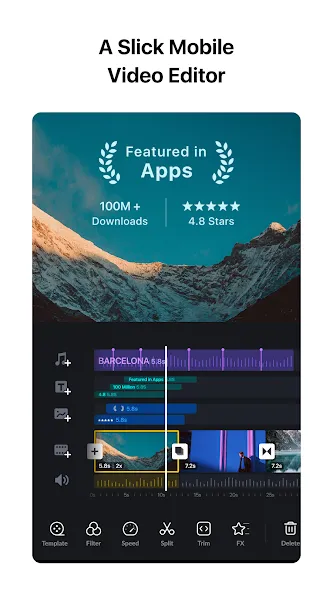
Multi-Track Timeline for Precise Control
The timeline allows you to place videos, images, text, and audio on separate tracks. You can drag clips to reorder them and make precise timing adjustments—accurate down to 0.05 seconds. Editing is non-destructive, meaning you can use undo and redo functions to revert to previous versions without losing any of your work.
Keyframes, Speed Curves, and Advanced Motion Tools
Use keyframes to animate properties, controlling changes in position, scale, opacity, and more over time. Speed curves support time-remapping, enabling smooth slow-motion effects or gradual speed transitions. Features such as reverse playback, scaling, freeze-frame, transitions, and picture-in-picture help you construct sequences that align perfectly with your storyboard.
Color Grading with Filters and LUT Import
A wide range of built-in filters allows for quick color previews, and the software supports the import of .cube-format LUTs. This enables you to apply a consistent, cinematic color grade across multiple video clips. You can fine-tune hues and colors to balance different shots, ensuring a polished final result.
Audio Tools and AI-Powered Text Features
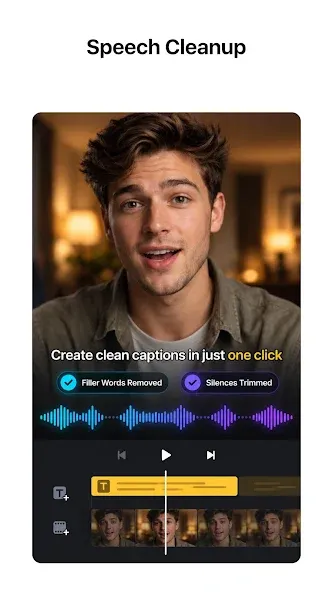
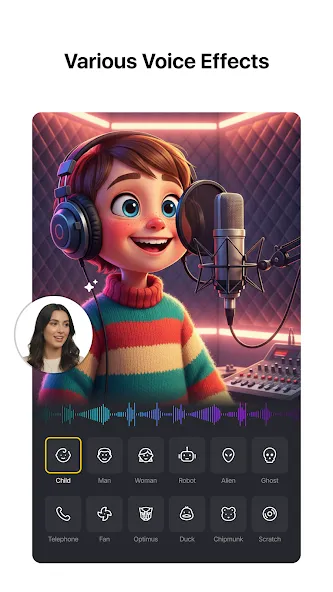
Align clips with music effortlessly. You can record voiceovers directly on the timeline and adjust volume levels to ensure clear, intelligible speech. The auto-captioning feature converts spoken dialogue into on-screen text, saving you time on subtitle creation. Additionally, a text-to-speech function offers a variety of AI-generated voices, allowing you to produce drafts even when direct audio recording isn't possible.
Assets, Templates, Export, and Project Protection
Import fonts and stickers via common channels—such as Wi-Fi, messaging apps, or ZIP files—and organize your resources within the asset library. Templates allow you to save and share reusable edits, facilitating quick setup for new projects. Export options support custom settings up to 4K at 60 FPS, with HDR workflows available for compatible content. A protection mode safeguards your drafts and templates, reducing the risk of accidental changes during collaborative work.
Highlights:
Trimming
Perform precise trimming of clips, with frame-by-frame control over start and end points.
Dynamic Effects
Add a wide range of dynamic effects to your videos.
Cropping
Crop footage to any aspect ratio and reframe your shots.
Storyline
Organize your media with ease to create a clear video structure.
Noise Reduction
Reduce background noise to improve audio clarity.
Mosaic
Blur or pixelate specific areas of the frame to protect privacy or highlight key elements.
Image Enhancement
Increase image resolution for sharper, clearer visuals.
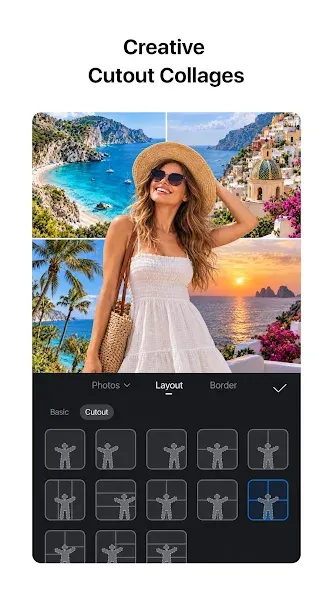
AI Background Removal
Automatically remove backgrounds using AI.
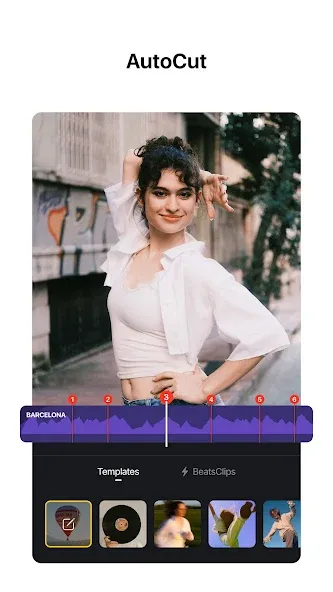
Beat-Sync Editing
Automatically align edits with the beat of your music for precise timing.
Colorization
Restore black-and-white photos to their original, lifelike colors.
FAQS:
Can I use VN Video Editor for free?
Yes. It offers a comprehensive suite of free features, making it accessible to a wide range of users. While there are optional in-app purchases available, the core functionality is completely free.
What video formats does VN Video Editor support?
It supports a variety of video formats—including MP4, MOV, and AVI—ensuring compatibility with most devices and cameras.
Is VN Video Editor suitable for beginners?
Absolutely. With its intuitive interface and helpful tutorials, VN Video Editor makes it easy for beginners to learn the basics of video editing and create professional-quality videos.
Advantages and disadvantages:
Pros
Feature-rich video editing tool
Free of watermarks
Built for both new and experienced users
Can be used for personal and professional reasons
Sharing to social media is easy
Cons
Includes a default "Directed By" clip at the end
Conclusion:
VN Video Editor has completely revolutionized the video editing experience, making it accessible to everyone—from beginners to professionals. Whether you are capturing personal memories or creating content for a brand, it offers a wealth of features to help bring your vision to life. With intuitive controls, trend-setting effects, and a flexible selection of assets, you can fully unleash your creativity and produce compelling, engaging videos.




-
Latest Updates
-
Featured Apps