
Retake AI
Photography
2026-08-31
140.15MB
4.1.5
Android 8.0+
325
Screenshots
Introduction
Retake AI is a powerful photo editing application. Leveraging advanced AI technology, it offers users a wealth of photo editing features. Each feature is extremely simple to use; users merely click on the corresponding function to let the AI complete the photo editing with a single click. This application allows users to adjust photo details and correct various imperfections. It also supports simultaneous editing of multiple images; users can upload up to 12 images at once and select the corresponding models. The application will then edit all the photos together. After completion, users can easily share the photos with others. It's incredibly convenient and fast.
Features:
Natural looking retakes
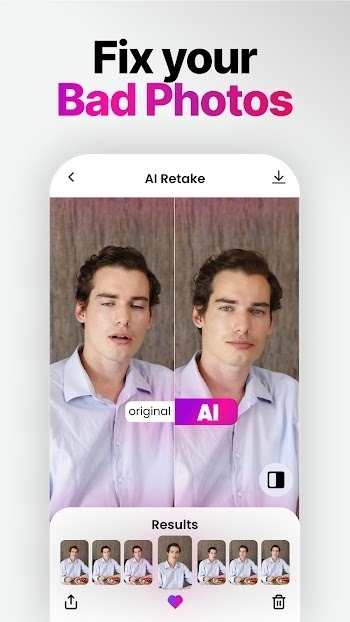
Retake uses an AI model to adjust photo details so the result looks like a clean original, not a heavy filter. It helps fix closed eyes, awkward angles, or small distractions while keeping your appearance consistent. Edits avoid drastic makeovers and aim to preserve skin tone, facial structure, and overall lighting.
Personalized setup
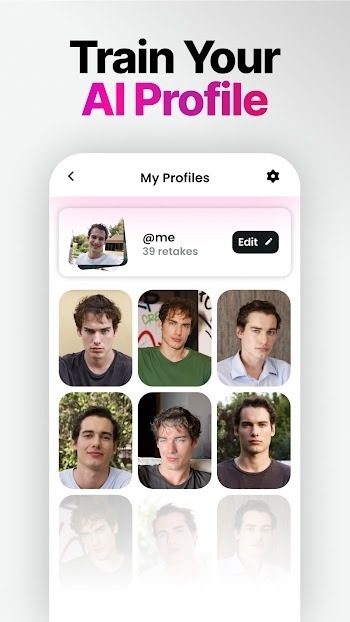
Next, after you download Retake, you upload 12 favorite photos to create a personal model that guides edits. This one time setup supports consistent results across selfies and candid shots. When setup finishes, Retake applies changes that align with your look.
One tap, multiple options
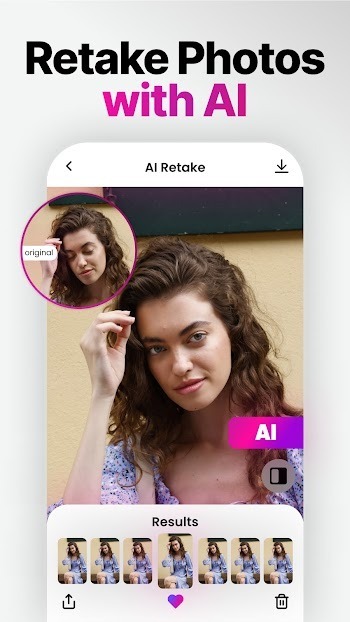
Generate several alternatives from a single photo.
Preview differences and pick the most natural version.
Try again anytime to explore new variations without retaking the photo.
Choose the edit that best matches the moment.
Ready for everyday sharing
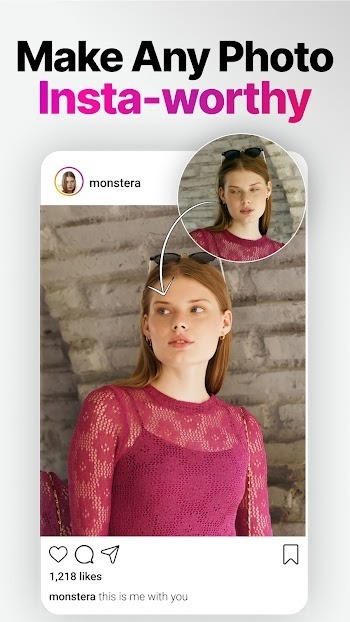
Finally, results are intended to look genuine on social platforms and in private albums. Use it for portraits, group shots, or quick everyday selfies while spending less time retaking or manually editing.
Highlights:
An excellent app to open closed eyes in photos
Although unlimited use of Retake AI requires a subscription to the service, the free version of the app allows you to try out the basic features. For example, the tool will enable you to open the closed eyes of the people in your photos. In Retake AI, processes that may be highly complex when using other apps such as Adobe Photoshop can be carried out in a matter of seconds and automatically with the help of AI.
Use multiple images to generate the ideal expression
For Retake AI to work effectively, you must select several photos from your gallery that belong to the same sequence. By analyzing the faces in each snapshot, the app can identify different visual parameters that will be integrated into the resulting image later. All this will allow you to correct certain expressions to form the ideal look.
Tips and Tricks:
Upload your photo
First, upload a photo to perfect your pose or style.
Choose your AI profile.
Select one of your AI profiles to adjust the style of the chosen photo.
Start sharing your retake.
Your new photo is ready to be shared on social media. Don't worry, it's just your best photo.
FAQs:
How does Retake AI work?
Retake AI uses advanced AI algorithms to seamlessly replace faces in photos. Simply upload the photo you want to modify and provide a reference image of the desired face. Our app will seamlessly integrate the new face into the original photo.
Is my data safe?
Yes, we take data security very seriously. All uploaded images are securely processed on our servers and deleted immediately after face replacement. We do not store any personal data or images.
What image formats are supported?
Retake AI supports common image formats such as JPEG, PNG, and TIFF. Please ensure your image is of sufficient quality for best results.
Can I use Retake AI on multiple devices?
Yes, your Retake AI subscription allows you to use the app on multiple devices. Simply log in to your account on any supported device to access your subscription and edit your photos.
Conclusion:
In a world where capturing the perfect moment often feels out of reach, Retake AI redefines the power of editing by turning any snap into a memory you’ll cherish forever. This isn’t just another photo editing tool – it’s your personal AI that reimagines, refines, and elevates every shot with unmatched realism. Say goodbye to multiple takes and exhausting editing sessions, and embrace the ease of stunning, share-ready photos with a single tap. Let Retake AI handle the details, so you can focus on living in the moment and sharing it with confidence.
-
Latest Updates
-
Featured Apps









