Camera Overlay
Photography
2026-11-01
2.38MB
5.0.2
Android
565
Screenshots
Introduction
Camera Overlay is a powerful camera application. Featuring a clean and intuitive interface, it allows users to create stunning photos with just a few simple taps. No prior experience is required—even beginners can produce professional-looking images. The app offers robust customization options, enabling users to edit, crop, and apply a variety of special effects to their photos. With excellent compatibility, your creations can be easily shared on social media platforms or sent directly to friends and family. The app supports a wide range of image formats and encourages creativity, allowing users to craft unique visual content tailored to their specific needs. It is regularly updated with new features and content, and includes an extensive library of templates for users to explore.
Features:
Interactive Overlay Adjustments
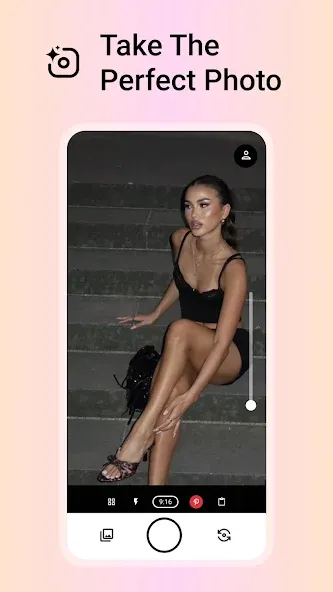
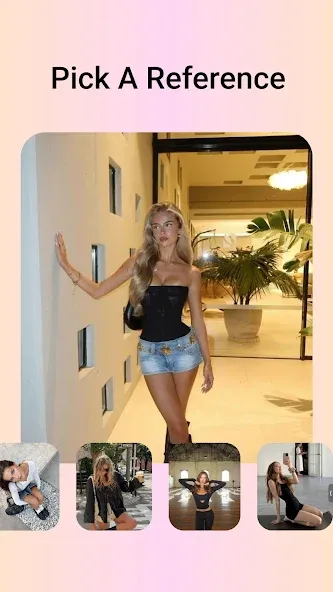
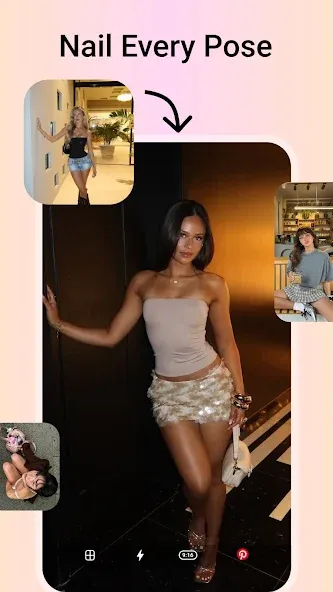
Pinch to zoom, drag to position, scale, and rotate your reference outline.
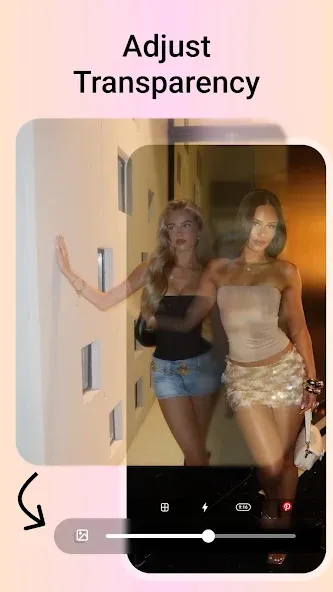
Smooth Opacity Slider
Precisely adjust transparency to align your subject with a reference pose.
Composition Grids and Level
Built-in leveling tool and "rule of thirds" grid to ensure a perfectly straight horizon.
Aspect Ratio Options
Choose between 9:16 (for Stories/Reels/TikTok), 3:4 (portrait), or 1:1 (square) formats.
Professional Exposure Compensation (EV)
Fine-tune lighting and exposure directly within the viewfinder.
Real-time color grading, inspired by vintage film, moody tones, the warm glow of the "golden hour," and clean, modern aesthetics.
Live Filter Carousel
Preview cinematic filter effects before you even press the shutter.
Highlights:
Open the photo and video overlay application, then select the type of overlay (image or video).
Add new video or photo layers, text, or audio.
Customize fonts, sizes, colors, and other engaging text overlay options.
Trim clips, adjust audio volume, and set start/end points.
Adjust the position and size of added videos or images.
You can also specify start/end points for images, start positions for videos, as well as aspect ratios, transparency levels, and audio volume.
Configure output video settings—define the output dimensions, processing speed, and video quality.
Create overlay videos and add photo layers quickly, in ways you’ve never experienced before.
Enjoy a seamless video editing experience; creating smooth image overlays and photo layers has never been more enjoyable.
User comments:
I really love your app—it’s absolutely perfect. Thank you for keeping it free! Photos taken with the app appear directly in its own gallery.
This app meets all my needs. It’s perfect for taking "before and after" photos or documenting the progress of a project. You can take a photo now and use it later to align subsequent shots; the camera’s orientation (X, Y, and Z axes) is overlaid on the screen, making it easy to replicate the exact same angle.
I appreciate the quick access to the history folder and the automatic overlay feature. The timer is also very useful—it helps me keep the camera steady while taking a shot. For a free app, it’s truly perfect. Thank you!
Advantages and disadvantages:
Pros
Fully featured
Compact size
Many templates
Cons
Contains ads
Summarize:
All in all, Camera Overlay is a fantastic camera app, especially for those who want to easily create composite photos. With its clean and intuitive interface, anyone can effortlessly produce stunning images. Download the app today and start creating your own unique photos!



-
Latest Updates
-
Featured Apps