Photo Editor Pro Max
Photography
2026-11-06
28.78MB
6.0
Android
204
Screenshots
Introduction
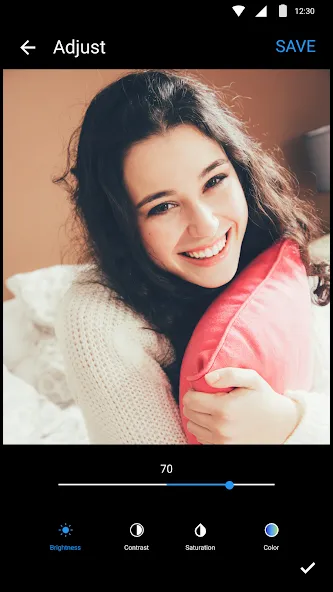
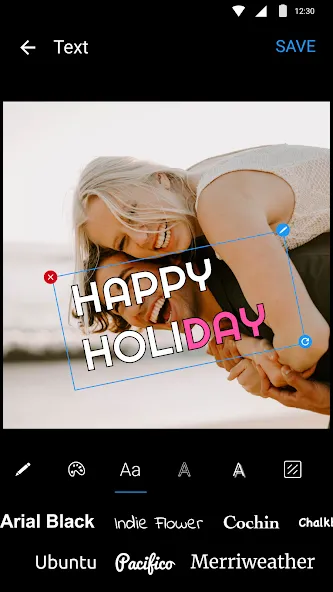
Photo Editor Pro Max is a photo editing application designed for the Android operating system. Featuring a comprehensive suite of tools and a clean, intuitive interface, it allows users to get started quickly and easily. The app enables users to perform tasks such as color correction, brightness adjustment, and the application of various filters. It also offers robust customization options, allowing users to add text in different colors or create drawings within specific areas of an image. With excellent compatibility across a wide range of Android devices, the app makes it simple to share your edited photos on other platforms or with friends and family. Regular updates—which introduce new features and address existing limitations—ensure that users consistently enjoy a high-quality experience.
Features:
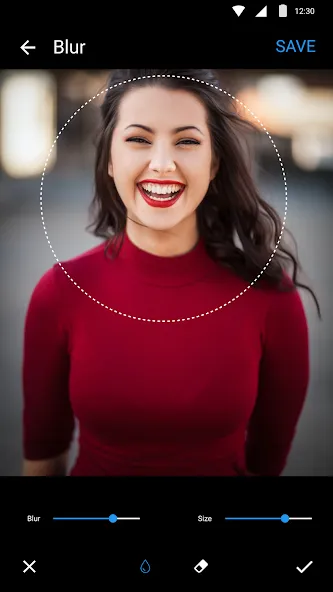
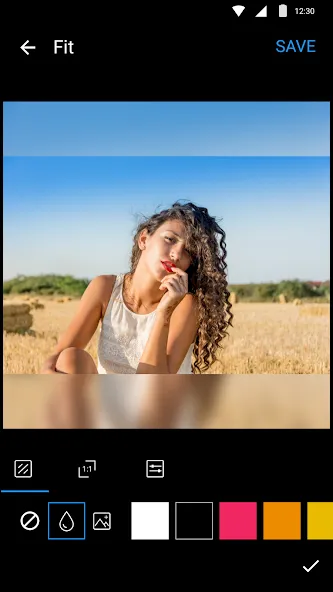
Blur Photo Editor
Add a blur effect to your photos, allowing you to post uncropped images on Instagram.
Filters and Effects
Enhance your photos with over 30 stunning filters, effects, and a wide range of free photo editing tools.
Powerful Editing Tools
Use this professional photo editor tocrop, rotate, resize, and flip your photos.
Collage Maker
Combine your photos into various layouts or collages.
A Variety of Decoration and Collage Tools
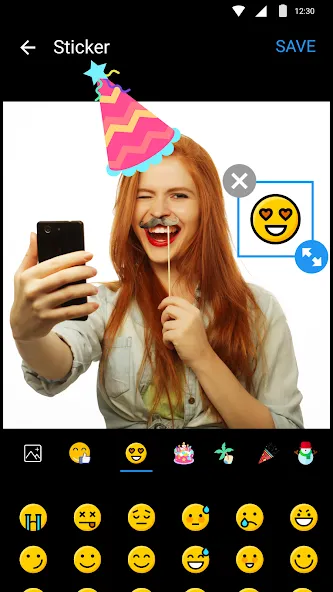
Apply professional effects, and add stickers, text, mosaics, drawings, and more.
High Quality
Save your photos and collages in high quality—ready to be shared on social media or printed.
Highlights:
One-tap auto-enhancement and built-in presets Vivid, Golden Hour, Nordic, Monochrome, Black & White, Faded Film, Cinematic, and Bright & Airy
Custom looks Save your favorite edits as presets and import .cube LUT files
On-device AI Auto-enhancement, portrait retouching, background removal, sky replacement, and 2x upscaling to 4K
Masks and brushes for selective adjustments, plus photo layers and blending modes
Add, resize, and edit text, stickers, and fun face props
Before-and-after comparison Split-screen view or long-press to see the original; unlimited undo and redo
Non-destructive editing Your original photo remains unchanged
Photo animation: 123 animation effects, including camera movements, reveals, color shifts, retro styles, glitches, light effects, weather, party themes, and emojis
Export as MP4 video or looping GIF
Supports square, portrait, story/short-form, and original aspect ratios
FAQS:
What is Photo Editor Pro Max?
It is a photo editing application that offers a wide range of tools.
Can Photo Editor Pro Max remove watermarks?
Yes; exporting without watermarks is a premium feature of the photo editor.
Is it safe to download Photo Editor Pro Max?
You should download it from a trusted source—such as this website—to ensure it is safe and reliable.
Advantages and disadvantages:
Pros
Collages can combine up to 18 photos
Broad mix of filters, text, stickers, and light effects
Anime and cartoon face transformations
Useful brightness, contrast, and temperature controls
Cons
Limited depth for professional editing
Conclusion:
Photos are an indispensable part of everyone’s life, helping us capture wonderful moments. With advancements in technology, many new ways to take photos have emerged. Today, you can use your smartphone to capture high-quality images that rival those taken with a DSLR camera. Download Photo Editor Pro Max now.



-
Latest Updates
-
Featured Apps