Time Cut Pro
Photography
2026-09-21
60.37MB
2.6.0
Android
146
Screenshots

Introduction
Time Cut Pro is a video editing tool designed for Android. Packed with powerful features, it enables users to create professional-quality videos and images. Thanks to its user-friendly interface, getting started and mastering its functions is quick and easy, with the system providing helpful prompts based on user actions. The app offers a range of capabilities, including frame-by-frame editing, the addition of various special effects, and subtitle integration. It boasts broad compatibility across a wide range of Android devices and delivers high-quality video output. Users can easily share their creations on other platforms or with family and friends. Even beginners can achieve professional-grade video editing results.
Features:
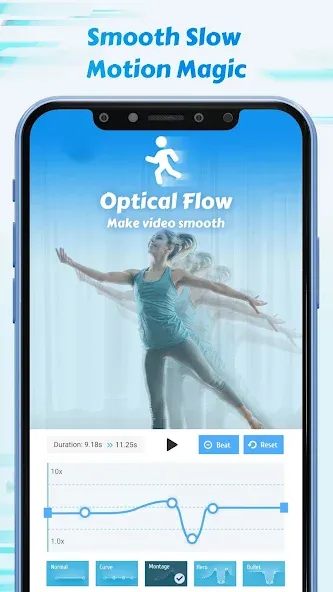
Smooth Slow-Motion—Create high-quality slow-motion clips from standard 30fps or 60fps footage using AI-powered optical flow technology.
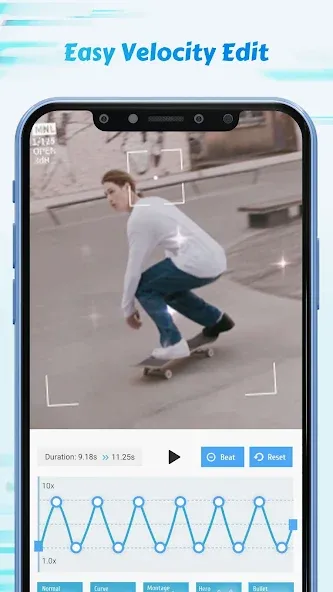
Custom Speed Curves—Manually adjust clip speeds using a graph-based editor to achieve professional variable-speed effects.
Motion Blur Integration—Apply realistic motion blur to slow-motion sequences to mimic the look of high-end action cameras.
High-Resolution Export—Save your edits in up to 4K resolution with customizable bitrates tailored for social media platforms.
Social Media Presets—Apply pre-configured aspect ratios and export settings optimized for Instagram, TikTok, and YouTube Shorts.
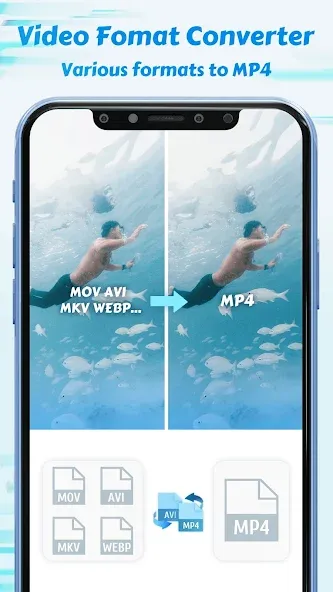
Format Support—Import a wide range of video formats directly from your device's gallery without manual conversion.
Action Camera Stabilization—Correct shaky footage captured by action cameras using built-in stabilization algorithms.
Precision Trimming—Cut, split, and merge video clips with sub-second accuracy using a frame-by-frame editor.
Color Grading—Adjust brightness, contrast, and saturation to enhance the cinematic feel of your speed-ramped clips.
Highlights:
The application is designed to be able to give its users the ability to edit video movements extremely professionally.
Edit videos with slow frame motion into amazing videos at 60/120/240 fps with ease.
The reverse editing capability allows users to give their videos 24 fps or 30 fps videos.
All genres of fast or slow motion that the application brings to users will be supported with extremely professional editing effects.
Make videos special with motion blur fx right on compact mobile devices like RSMB After Effects plugin on PC versions.
FAQs:
What is Time Cut Pro APK?
Time Cut Pro is an Android video editing app focused on speed adjustments, slow-motion creation, frame interpolation, motion blur, and other visual editing tools.
What can Time Cut Pro be used for?
It can be used to create slow-motion clips, speed-ramped videos, sports footage, dance clips, gaming highlights, travel videos, and short-form social media content.
Does Time Cut Pro support slow-motion video?
Yes. The app is designed to slow down video playback and uses frame interpolation technology to make significantly slowed-down footage look smoother.
What is frame interpolation in Time Cut Pro?
Frame interpolation involves creating additional frames between existing ones in a video. This helps reduce the choppiness or stuttering that can occur when a video is significantly slowed down.
Advantages and disadvantages:
Pros
Advanced speed control with presets and customizable curves
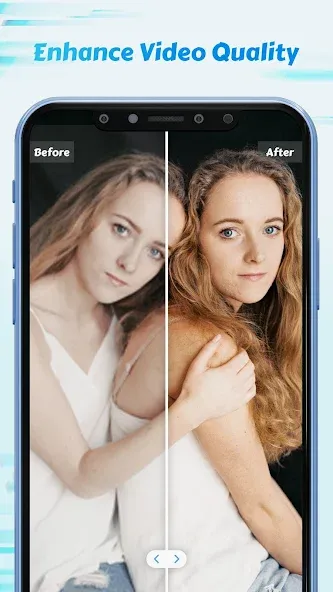
AI-powered HD enhancer improves video and image clarity throughout editing
Frame Rate Converter supports cinematic frame rates and reduces file size
Cons
Limited features in free version
Conclusion:
It is a must-have app for all video enthusiasts, suitable for both casual creators and seasoned editors seeking precise control over their projects. Features such as customizable speed curves, AI image enhancement, and frame rate conversion provide users with the tools needed to produce professional-grade edits. Download Time Cut Pro now to start using these features.





-
Latest Updates
-
Featured Apps