FordBrowser
Tools
2026-11-07
45.17MB
3.0.3
Android
581
Screenshots

Introduction
FordBrowser is a web browser application designed for the Android operating system. It features a user-friendly interface, making it easy for anyone to get started. Users can search for a wide variety of content, including apps, videos, and other information. The browser includes efficient menus and a navigation bar, ensuring quick loading times. It also prioritizes security, utilizing encryption to keep user data transmission safe. Additionally, it comes with a built-in downloader, allowing users to save various resources directly through the browser. The app is lightweight and offers fast download speeds. It also provides robust customization options, and users can easily review their browsing history and download list. Furthermore, the application receives regular updates to introduce new features and improve existing functionality.
Features:
Lightweight and Fast Browsing
Designed with speed in mind, this browser ensures rapid page loading and smooth scrolling. Its low resource consumption helps enhance the stability of mobile devices. By minimizing wait times when switching between pages, it provides a more fluid everyday browsing experience.
Smart Search and Search Engine Switching
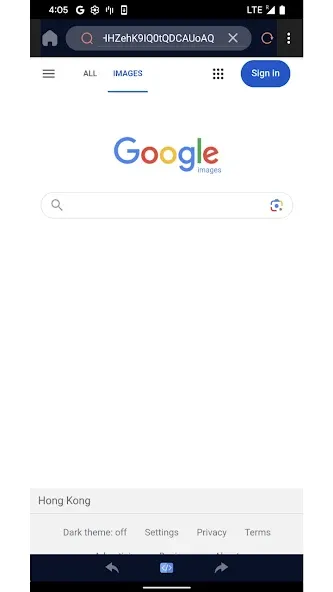
Get quick results for your search queries, and easily switch between different search engines without navigating through complex menus. This flexibility allows you to compare search results or locate specific sources of information, making your search process clear and seamless.
Browsing History and Quick Search
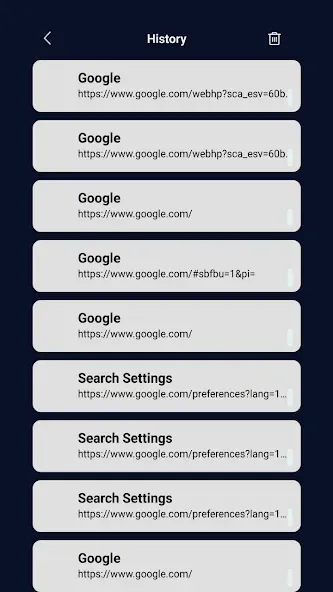
Effortlessly view and manage your browsing history. You can search through your past activity to quickly find the pages you need, and clear individual entries or entire sets of records as desired. This keeps your history organized and helps you access important links instantly, without any extra steps.
Built-in View Source with Syntax Highlighting
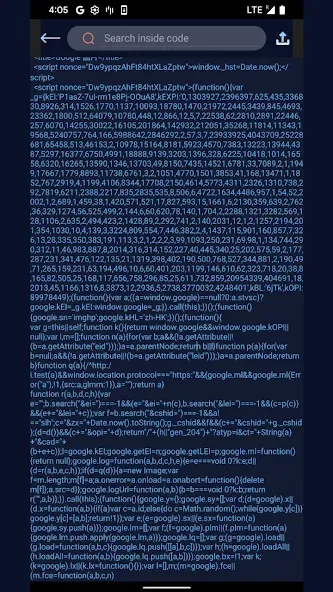
Includes a View Source tool that features syntax highlighting for HTML, CSS, and JavaScript. This makes page code much easier to read—an invaluable resource for students, web developers, and tech enthusiasts alike. You can examine code structures and scripts to learn, debug, or understand how a page functions.
Customizable Quick Access
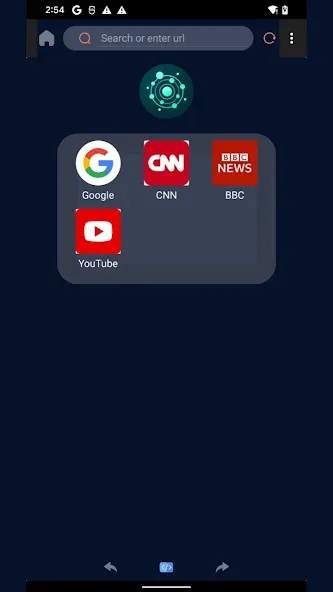
Add one-tap shortcuts for your favorite websites directly to the start screen. This keeps your most-visited pages within easy reach, saving you from having to type URLs repeatedly. You can update these shortcuts at any time to reflect your changing habits, ensuring your start screen always stays relevant.
Highlights:
Quick Navigation
Fast page loading and smooth scrolling—perfect for extended reading or research sessions, with no lag or stuttering.
Smart Search
Search the web or the current page with just a few taps; results appear instantly as you type.
Your Choice of Search Engine
Switch between different search engine providers at any time, and set your preferred one as the default to best suit your needs.
History and Search Management
Find past browsing history in seconds, and manage your records easily using simple filters and quick-action tools.
Source Code Viewer
View the HTML, CSS, or JS of any page with syntax highlighting—ideal for learning, debugging, or satisfying your technical curiosity.
Customizable Shortcuts
Access your favorite websites with a single tap; everything you need is right at your fingertips.
Privacy-Focused
Clear, intuitive controls help protect your data, ensuring a seamless browsing experience that remains uninterrupted, even during long sessions.
Clean, Minimalist Interface
A clutter-free layout with commands placed exactly where you’d expect them—no distractions, just a focus on what truly matters.
FAQS:
Do I need to register to use the FordBrowser APK?
You do not need to create an account or provide any personal information to access the content. Simply download the app and start watching immediately—no registration process required.
What is the streaming quality like on the FordBrowser APK?
The app offers high-definition (HD) streaming with resolutions up to 1080p, ensuring an excellent viewing experience. Streaming quality automatically adjusts based on your internet connection speed.
How can I find the movies or series I want to watch on FordBrowser?
You can search by title, genre, or keyword. Additionally, the platform organizes content into categories, making it easy for you to browse and discover new titles.
Advantages and disadvantages:
Pros
Built-in source code viewer
Customizable search and shortcuts
Efficient history management
Cons
Limited feature set
Conclusion:
With its intuitive interface and smooth operation, FordBrowser is an ideal choice for everyday web browsing—whether for personal use or technical exploration. Its focus on privacy protection and seamless navigation ensures a satisfying user experience, making it an excellent tool for those seeking efficiency and convenience on their mobile devices.




-
Latest Updates
-
Featured Apps