Mp3Juice
Tools
2026-11-07
28.58MB
v11.6.3
Android
368
Screenshots

Introduction
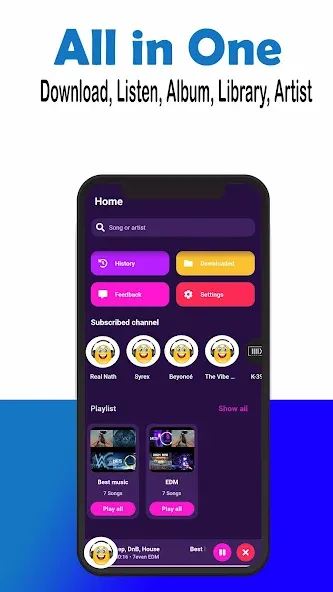
Mp3Juice is a music downloader designed for Android devices. It is very simple to use: upon opening the app, you can access its features immediately without needing to register. Simply copy a link from YouTube or another media platform, paste it into the app, and tap "search" to retrieve the corresponding track. The software converts the content into MP3 or MP4 format. You can also adjust playback settings to your preference. If you want to explore more options, just tap the "load" button at the bottom to view additional results—all designed for your convenience.
Features
Vast Music Library: Access millions of songs across all genres — Pop, Hip-Hop, Rock, R&B, Electronic, Classical, and more.
Dual Search Mode: Search by song/artist keywords or paste any YouTube URL directly into the search bar.
High-Quality Audio: Download crystal-clear audio with bitrates ranging from 128kbps up to 320kbps.
Free & Unlimited: Enjoy unlimited music downloads without paying a single cent or hidden subscription fees.
No Registration Required: Start searching and downloading immediately — no accounts, emails, or personal data needed.
Built-in Audio Player: Preview and listen to any track before downloading to make sure you get the right version.
Multi-Device Compatible: Works smoothly across smartphones, tablets, laptops, and desktop computers.
Advantages and disadvantages
Pros
Zero-registration downloads for immediate use
Built-in player with background playback and playlist management
Search finds tracks by artist, title, or album quickly
Supports high-bitrate MP3s up to 320kbps depending on source
Cons
Download quality depends on external sources
Presence on official stores can be volatile
How to Use
Enter your search query in the field above. Suggestions may appear to help you find the exact match. Click the “Search” button to continue. You can also paste a YouTube link directly into the search field to get the track as an instant result.
MP3Juice will then search YouTube for matching results. Once matching tracks appear, you'll see a list that can be downloaded as MP3 or MP4 files. YouTube downloads are available in 192 kbps audio quality. You can also listen to any result by clicking the “Play” button.
If you'd like more options, extend your search to SoundCloud by clicking the “Load SoundCloud results” button at the end of the list. Please note that SoundCloud results can only be downloaded as MP3 files in 128 kbps.
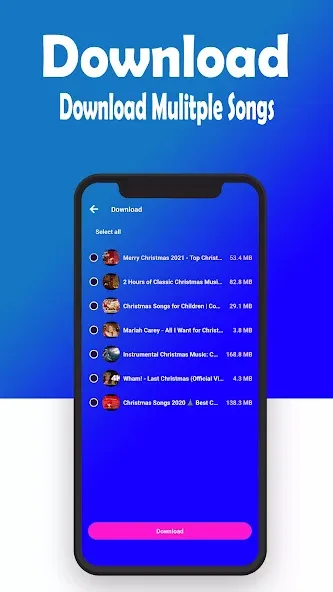
Choose your favorite result and click the “Download” button. SoundCloud tracks download instantly, while YouTube results need to be converted into the final format first. This may take a moment. Once the conversion is complete, click the “Download” button to save your file.
Summarize
Mp3Juice is a free and handy download manager that provides limitless downloads. With a straightforward and intuitive interface, you will be able to easily navigate and grasp all the offered functions of this application. Freely listen from indie to the most popular and trending songs in the industry.





-
Latest Updates
-
Featured Apps