Assistive Touch
Tools
2026-11-06
4.78MB
2.6.9
Android
119
Screenshots
Introduction
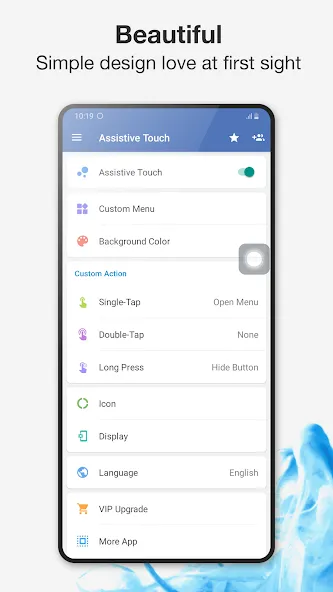
Assistive Touch is a system utility designed for Android devices. Once enabled, a floating button appears on the screen, allowing users to quickly adjust the volume or perform actions such as returning to the previous screen or navigating to the home screen. The floating menu offers a wide range of functions; for instance, users can take screenshots or toggle Bluetooth and Wi-Fi on and off with a single tap. The app also supports screen recording, with no watermarks added to the captured footage. Users can customize the icon of the floating button, and the app is completely free to use. With its simple, intuitive interface, it is easy for anyone to get started right away.
Features
Floating button with virtual keys
Assistive Touch places a small floating button on the screen that is always accessible. You can use virtual Home, Back, and Volume keys to navigate without pressing hardware buttons. This setup helps on big devices and can extend the life of physical controls.
Quick toggles and one-tap tools
You can open common settings and tools with one tap. Available actions include Screenshot, Power popup, Notifications, Wi Fi, Bluetooth, GPS, Ring modes, Rotation, Airplane mode, and Flashlight. You can also launch favorite apps and games from the panel, which keeps frequent actions in one place.
Built in screen recorder
Assistive Touch includes a screen recorder that works without root. There is no time limit and no watermark on recordings. You can capture video in HD or Full HD and choose to record mic audio when needed, which is useful for tutorials or gameplay clips.
Customization for look and behavior
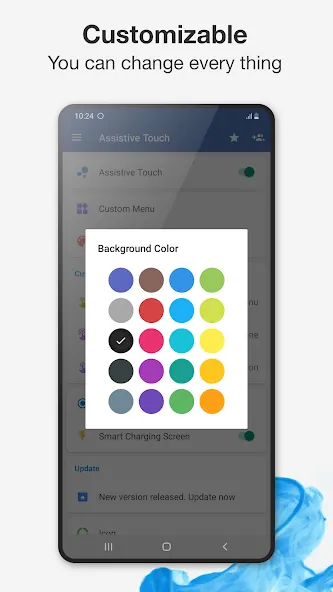
You can change background colors and icon styles to match your home screen. Gestures are configurable for single tap, double tap, and long press, so the panel reacts the way you prefer. This level of control makes it easy to create a layout that fits your routine.
Ergonomics for big screens
Assistive Touch places key actions closer to your thumb, which helps when reaching the top of tall displays. It is also helpful if physical buttons are hard to press or starting to wear out. Important controls stay visible, and you can move the button to avoid blocking content.
FAQS
How do I customize the Assistive Touch icon?
You can easily change the appearance of the floating button by selecting from various themes and colors within the settings menu.
Is Assistive Touch available for free?
Yes, Assistive Touch is free to download and use, though it may offer premium features for those seeking more advanced customization options.
Can I lock my screen using this tool?
Absolutely, the interface includes a one-tap lock feature that allows you to turn off your display without pressing the physical power button.
User comments
Wow. This app is very very impressive, does everything that I want and more. My volume button has been bad for a while now, but with this app, I can now control my volume with a click, it even has control the power button too. Impressive. I love it
Very helpful app! It adds a floating shortcut button just like on iPhone, easy to use, and works smoothly on my Vivo phone. Makes navigating much faster! Highly recommended
Good app. Does what it does. Ads popping up every time you click anything inside the main menu of the app but since it's free and well made, dev deserves it.
Summarize
Assistive Touch is an excellent app for using your smartphone more efficiently in a quick and simple way. Customize the button to your heart's desire, creating shortcuts to access anything on your smartphone in a matter of seconds.





-
Latest Updates
-
Featured Apps