
Super Backup and Restore
Tools
2026-09-16
18.25MB
2.4.03
Android
570
Screenshots
Introduction
Super Backup and Restore is a data application backup program. Users can use this app to back up apps, contacts, SMS messages, and more, saving them to an SD card. These backups can then be restored while at school. The app also allows users to share APK installers with others. With location permissions granted, peer-to-peer Wi-Fi transfer is also possible. Users can add the app to the task manager to run it in the background. The app features a user-friendly and simple interface, along with a streamlined backup and restore process, providing a convenient user experience.
Features
Backup and restore to SD card
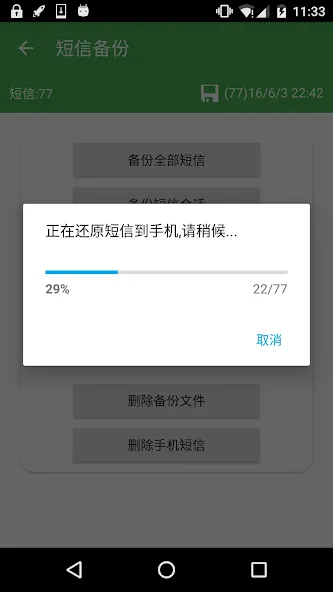
Super Backup lets you save apps, contacts, SMS, call logs and calendars to an SD card and restore them when needed. You can choose specific SMS conversations before creating a backup. If you plan a factory reset, set the backup folder to external SD card first to keep your copies available after the reset.
App installers, sharing and transfer
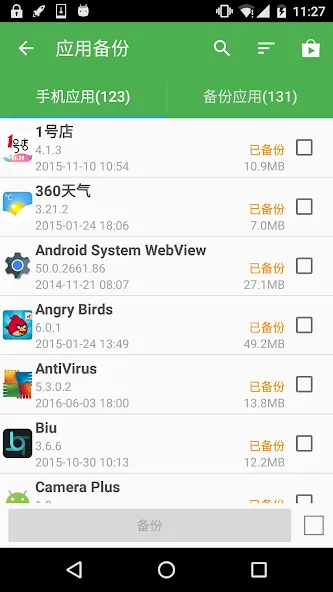
After you download Super Backup, you can back up app installers and the download links of installed apps. Super Backup also lets you share APK installers with others. You can change the backup folder to an external card to manage storage. You can transfer backup files between devices using Wi Fi peer to peer. On Android 8 and above, the system requires location permission for Wi Fi peer to peer.
Automation and important limits
Scheduling is unavailable on Android 13 and later.
Add Super Backup to task killer allowlists so background jobs can run.
Reboot after SMS restore if messages do not show in the default app.
Tips
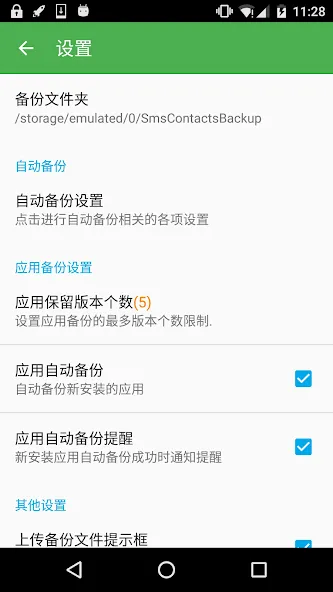
If you plan to perform a factory reset on your phone, it is crucial to ensure that the default backup folder is located in your external SD card. If not, please copy the entire backup folder ("SmsContactsBackup" by default) to your external SD card.
Due to the limitations imposed by Android M 6.0 and above, Super Backup is unable to backup and restore bookmarks accessed through third-party applications.
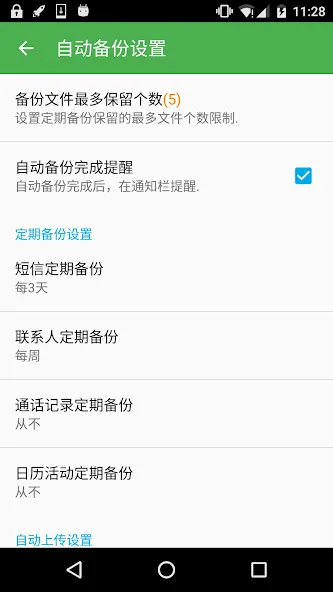
If you use apps such as Task Killer or Memory Clear and have scheduled automatic backups, it is essential to add Super Backup to their White List or Ignore list. Failure to do so may prevent Super Backup from running in the background and render automatic backups ineffective.
In the event that SMS messages do not appear in your default SMS app after completing the restore process, try rebooting your device.
Pros and Cons
Pros
Backs up your contacts, SMS, calendar entries and more.
Can run automatically based on a backup schedule you set on Android 12 or earlier.
Backups can be saved to SD card or in the cloud.
Cons
Can back up apps, but requires a rooted device to save app data.
Bookmark backup is not supported on Android 6.0 and later.
Conclusion
The application boasts a user-friendly interface that simplifies the backup and restore process. Users can quickly navigate through the options to select specific data types for backup, including call logs and bookmarks. Additionally, Super Backup and Restore provides features for scheduling automatic backups, which enhances convenience for users who prefer a set-it-and-forget-it approach to data management. Overall, this utility stands out for its versatility and practicality in maintaining data integrity on Android devices.





-
Latest Updates
-
Featured Apps






