
ES File Explorer/Manager PRO
Tools
2026-10-27
6.97MB
Pro1.1.4.1
Android 9.0 and up
212
Screenshots
Introduction
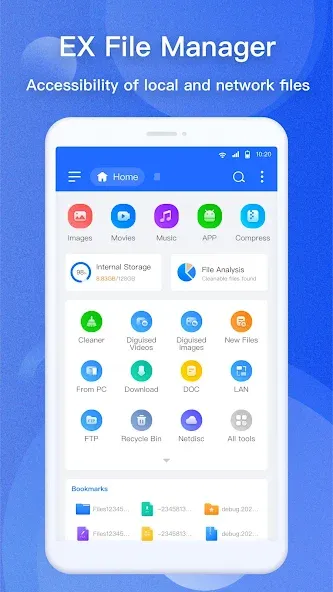
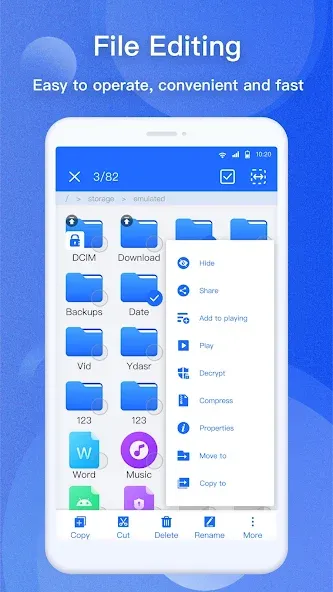
ES File Explorer/Manager PRO is a highly practical file management application. Featuring a user-friendly interface, it allows users to get started quickly and manage the data and files on their mobile devices with ease. The app supports operations like copy and paste, enabling efficient file handling and boosting productivity. It provides access to a wide variety of file types and documents, and facilitates seamless connectivity with various mobile devices. Users can also share or forward files, and even compress them for storage as needed. With a strong focus on security, the app ensures that user files remain safe and protected—preventing data loss through secure, encrypted storage. Furthermore, it supports multiple languages, catering to the needs of a diverse user base.
Features:
Desktop-Class File Management
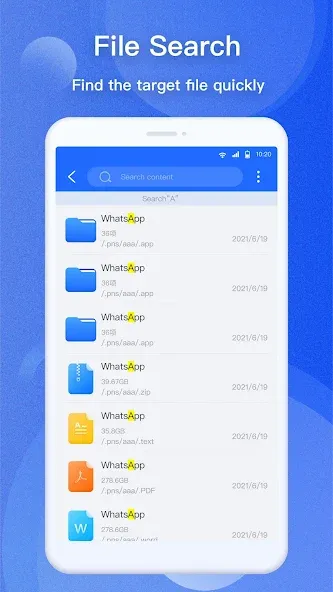
Manage files just as you would on a computer: select multiple items, cut, copy, paste, move, create, delete, and rename. Create new folders and text files; filter and search for files quickly by type, size, or date. Hide files, create shortcuts, add items to favorites, and bookmark folders or files. Manage APK files—view their contents, check app details, and install APK, XAPK, or APKS packages.
Access Files Anywhere
Access cloud drives, network storage, and local area networks (LAN). Reach your phone’s files from a PC, and enjoy guided access for SD cards and USB storage devices.
View, Read, and Play
Document Viewer Open Word, Excel, and PowerPoint files. PDF Reader: View and search within PDF files. Image Viewer: Supports slideshows and dynamic photos. Video Player: Play videos from local storage, the cloud, remote sources, or network streams; includes support for subtitles, gesture controls, and picture-in-picture mode.
Compression, Decompression, and Encryption
Compress and decompress formats including Zip, Rar, 7zip, tar, gz, xz, bz2, obb, iso, and dmg. Browse and manipulate Zip files as easily as regular folders. Secure your data with 128-bit file encryption.
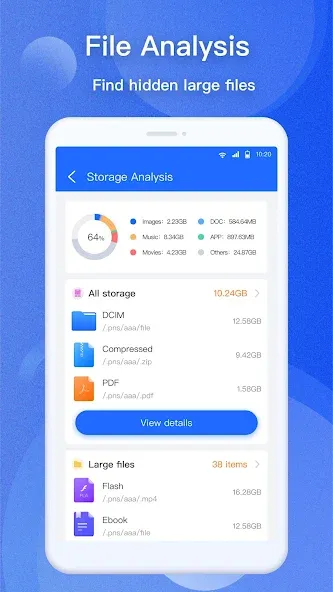
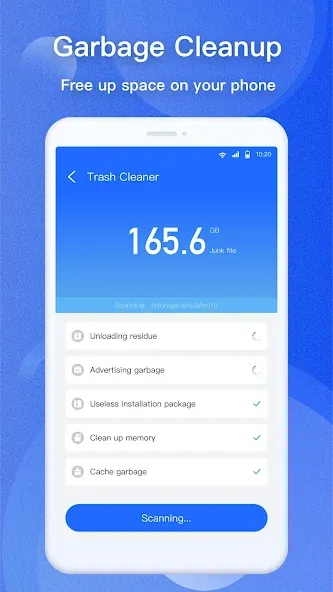
Analyze Storage and Remove Junk
Analyze storage usage, identify large files, categorize content, track recent files, and check folder sizes. Clean up app caches, residual files, unnecessary APKs, empty folders, and temporary files. Detect duplicate or redundant files and similar images. Analyze apps, sensitive permissions, APK details, and unused application data.
Edit Notes and Code
Create and edit notes, text files, scripts, and configuration files. Features include Regex search/replace, line navigation, undo/redo, line numbering, character encoding selection, and support for handling large files.
Highlights:
Quick and easy sharing: With advanced application management, downloading, copying, and many other tasks have become simple.
No migration required: This alignment creates benefits such as no need to change platforms or applications.
Fast and powerful operations: Operations you often do with a file will be boosted more quickly.
Filter the necessary information: By using filtering, an important element will appear before your eyes.
Take advantage of information-sharing servers: Famous channels that are compatible with applications such as FTP, SMB, Web DAV, and DLNA.
Share faster: Using one platform as a bridge, users can transfer files easily.
Lock important files: Various elements can be moved to a secure area created by the application.
FAQS:
What is ES File Explorer/Manager PRO?
It is a comprehensive file manager for Android.
Can I download it for free?
Yes, you can download it for free, but the advanced features within the app require payment.
Is it safe to download ES File Explorer/Manager PRO?
You should download it from a trusted source—such as this website—to ensure it is safe and reliable.
Advantages and disadvantages:
Pros
Makes navigation easier
Manager capability for cloud storage
Support for compressed files
Cons
Click fraud issues
Conclusion:
That covers everything regarding the ES File Explorer/Manager PRO APK; we hope you’ll download it from this page. Many users are on the lookout for a download link for the ES File Explorer/Manager PRO APK—if you are one of them, you’ll find it to be an incredibly useful tool, especially for advanced Android users, as it enables a wide range of powerful features with ease.





-
Latest Updates
-
Featured Apps






