
Audio Manager
Tools
2026-10-26
12.02MB
8.5
Android 4.1 and up
384
Screenshots

Introduction
Audio Manager is a music management application designed for Android devices. It features a clean, intuitive user interface, allowing users to get started quickly and easily. With this app, you can effortlessly create playlists and manage your audio files. It offers excellent compatibility, supporting the conversion of various audio formats into the format you need for playback. The app provides access to an extensive library of music, ensuring you can listen to whatever you’d like. It also includes powerful customization options, enabling you to tailor the app’s appearance and style to your personal preference. Furthermore, you can share your music with friends via various social media platforms. With a wide selection of themes available, the app is well-equipped to meet all your needs.
Features:
Extensive Customization Options
The app supports a wide range of widget sizes and skins, catering to the personalized needs of different users. With over 100 widget skins to choose from, users can easily switch between large 4x1 and compact 2x1 widgets. Furthermore, users can flexibly save, edit, and manage audio profiles or presets, allowing for seamless transitions between different audio configurations to suit any situation.
Enhanced Features for Power Users
Pro users can conveniently create shortcuts for their profiles and utilize a built-in scheduler, which automatically applies specific presets at designated times. A volume-locking feature ensures that other applications cannot alter your volume settings without authorization. Additionally, users can personalize their presets by choosing from various themes, including Standard, Blue, Red, Yellow, Green, and Pink.
Global Accessibility and User Control
Supporting over 10 languages, the app serves a global user base, ensuring a user-friendly experience. The ability to create and publish custom skins via a dedicated skin development kit further expands the app’s personalization capabilities.
Highlights:
An app disguised as a fully functional audio manager (with other disguise options available, such as a calculator).
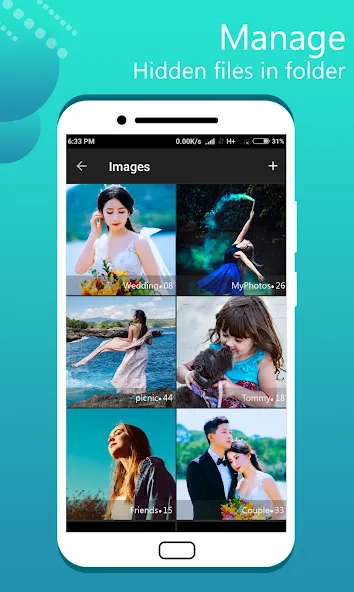
Organize media files into hidden folders of your choosing.
Free cloud-based file backup.
The app disappears from your list of recently used apps, leaving no trace.
Built-in slideshow feature, with options to share content to platforms like WhatsApp, WeChat, and Facebook.
Integrated video player (compatible with players like VLC and MPlayerX).
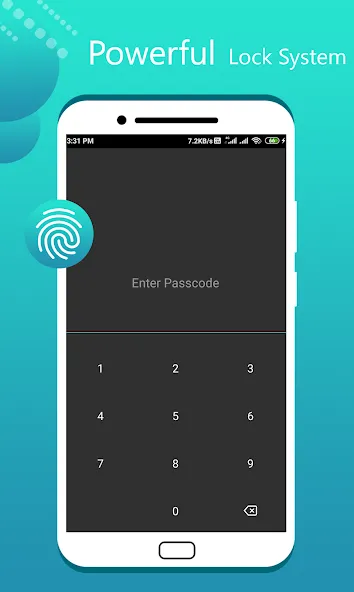
Multiple lock screen options: PIN, password, or pattern.
Fingerprint unlock.
"Escape" PIN/password for use when you are caught or forced to open the app.
Built-in encryption tools to protect your most sensitive files.
Additional features, including secret chats, private messaging/calls, private browsing, and app locking.
Hide the app icon from your phone’s app drawer.
User comments:
Fantastic! This app is absolutely amazing! I spent a long time looking for an app like this, and as soon as I found it, I bought it right away. I especially love the "Audio Manager"—it’s incredibly useful, and I use it all the time to control the volume. It feels like getting two apps in one!
Great program! I really love it. To show my appreciation—and because it’s free—I purchased the ad-free version to support the app. Keep up the good work!
The Audio Manager works perfectly on my device. It’s excellent, though you might not end up using every single feature. Personally, I use the app-locking function to keep my collection of animal videos and photos safe. It’s very user-friendly, and the app never crashes or force-closes.
Advantages and disadvantages:
Pros
Disguises private vault behind an audio manager interface
Protects access with a passcode and optional fingerprint on supported devices
Hides photos, videos, audio files, and notes in one place
Cons
Multiple reports of hidden photos being deleted or disappearing
Summarize:
Overall, the Audio Manager is a highly practical tool for users who want to manage their device's audio settings efficiently. It offers a wide range of customization options, making it easy to organize audio files. Furthermore, it supports streaming music from popular platforms, allowing you to enjoy your favorite tracks anytime, anywhere!




-
Latest Updates
-
Featured Apps






