SnapEdit
Photography
2026-09-22
154.96MB
7.8
Android
572
Screenshots


Introduction
SnapEdit is a powerful photo editing app that leverages advanced AI capabilities to help users easily remove unwanted objects from photos, change backgrounds, and more. It is incredibly easy to use; simply upload a photo or capture a new one directly within the app. Edited photos can be exported in PDF or JPEG formats, making it convenient to share them across various social media platforms. Additionally, the app offers a wide range of creative filters with unique styles, allowing users to create stunning visual effects.
Features:
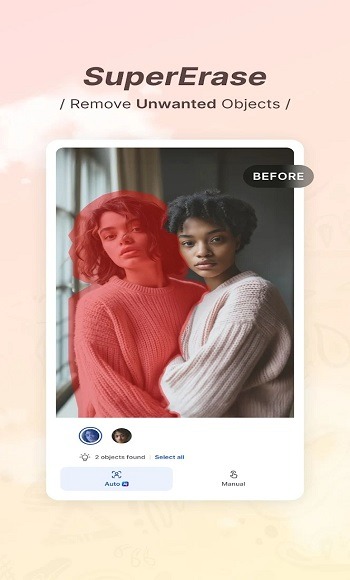
Delete anything you do not want in your photos
Upload the photo you want to edit or Take a photo
Brush over objects/Pick objects you want to remove
Can brush and remove Using a brush to paint over unwanted objects
Highlights:
Keep your photos organized in folders. No more hunting for that one photo you want to edit!
Protect your edited photos with a password. Only you can access your masterpieces.
Share your edits as PDFs or JPEGs—easy sharing across all your devices and apps.
Get print-ready photos in high quality. Frame your favorites and show them off!
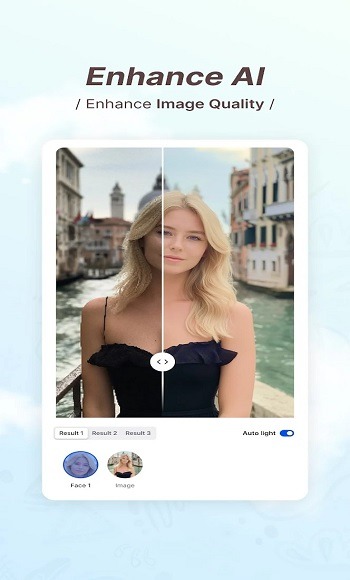
Photo editing apps help make pictures look better. Snapedit app uses smart tech to boost shine and clarity. It also tweaks brightness, contrast, and colour with simple sliders.
Snapedit can remove unwanted things from photos, too. Like people or objects cluttering the background. One tap is all it takes.
Pros and Cons:
Pros
One-touch removal targets photobombers and other distractions
Backgrounds can be replaced with colors, images, or transparency
Includes sky replacement, basic adjustments, filters, and anime effects
Cons
Erased areas can retain visible brush-like artifacts
Super Erase requires Pro and premium access uses a recurring subscription
FAQs:
What is SnapEdit?
SnapEdit is a photo editing app that uses AI tools to remove unwanted objects, clean up backgrounds, retouch images, and apply quick visual edits with minimal effort.
What is SnapEdit used for?
It is mainly used to fix photos quickly. People use it to erase photobombers, remove distracting objects, adjust image quality, replace backgrounds, and create cleaner social media pictures.
Which features stand out in SnapEdit?
The most useful features are AI object removal, one-tap photo adjustment, background replacement, portrait cleanup, and creative filters for stylized edits.
Who should use SnapEdit?
It suits casual users, content creators, online sellers, and social media users who want fast edits without learning complicated desktop software.
Conclusion:
SnapEdit is a great app for anyone who wants to edit their photos like a pro. It can help you remove unwanted elements, enhance image quality, and create stunning visual masterpieces. If you are looking for a simple and effective photo editing app, you should try SnapEdit.
-
Latest Updates
-
Featured Apps