SatFinder
Tools
2026-11-03
41.49MB
24.0.2
Android
496
Screenshots
Introduction
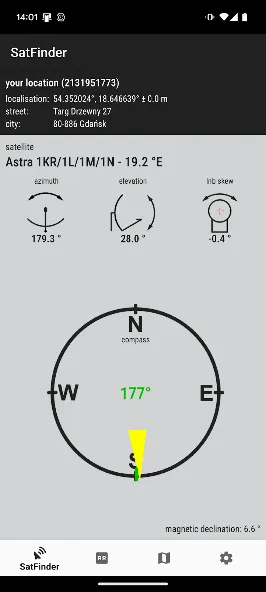
SatFinder is a practical tool for Android devices designed to help users accurately locate the direction of satellites and achieve a stable signal. The app features a clear, straightforward interface, making it easy even for beginners to configure the necessary settings. It assists in positioning a satellite antenna in the optimal spot and helps determine the correct tilt angle to ensure signal reception. The app has a wide range of applications and can be used anywhere in the world, provided there is GPS coverage.
Features:
got better navigation,
has possibility to use gyroscope sensor or magnetometer and accelerometer,
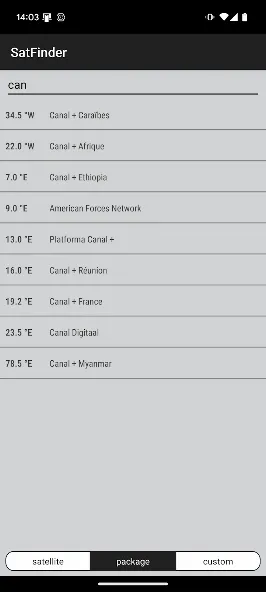
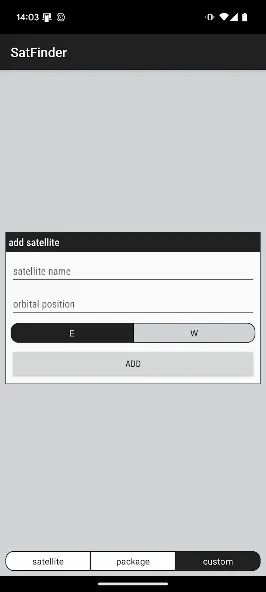
got built-in custom satellite list editor.
Highlights:
One of the best things about SatFinder is its clear and concise interface. With these types of technical tools, it's important to be given well-structured information in order to configure each parameter of your satellite dish quickly and easily.
Not only does SatFinder indicate the ideal position to anchor the satellite dish -- you'll also be able to select the necessary inclination to make sure your television is able to tune in to the channels that you'd like to watch after the installation is complete.
Using the Azimuth angle, it'll be easy to install your satellite dish without too many problems. It's all thanks to the clear instructions found in this productive app.
Usage:
First of all, you should enable GPS and Internet on your phone. Remember – in most cases it is impossible to receive GPS signal inside buildings. So if you want to get very accurate location – please go near windows or go even outside.
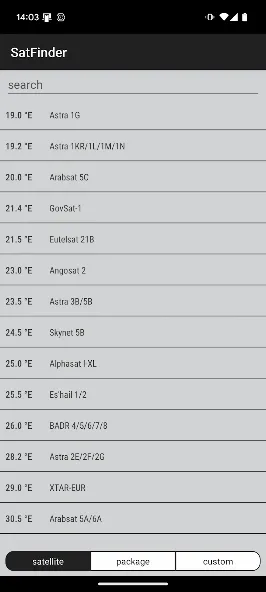
If app found your location, you must select desired satellite. To do this you must find icon with magnification glass and tap it. On the list you will find all satellites with elevation angle above zero degrees. Remember: satellite name doesn’t affect the calculation of angles. Important thing is satellite position.
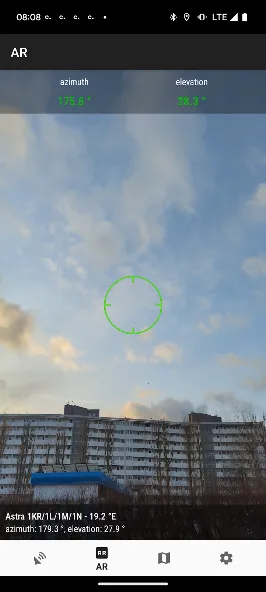
The azimuth, elevation and skew angle is calculated for your location and chosen satellite. Under calculated values there is a compass with graphical representation of azimuth angle. The azimuth angle is calculated with magnetic inclination. Remember – every time you use compass – you should calibrate it. Green line represents your phone azimuth. So if on compass green and red indicators are on each other – front of the phone should show you direction to the satellite. If the compass value is correct – phone azimuth value will go green.
FAQs:
Q: Can I use it anywhere in the world?
A: Yes, the app works globally and can be used anywhere with GPS support.
Q: Does the app require an internet connection?
A: The app uses GPS primarily, but internet access may enhance certain features.
Q: Is the app suitable for beginners?
A: Yes, it is designed with a simple and user-friendly interface.
Q: Can I view available TV channels with this app?
A: Yes, the app provides satellite lists with available TV channels.
Q: Does it support signal strength detection?
A: Yes, it includes a signal strength indicator for precise alignment.
Conclusion:
SatFinder is a reliable tool for anyone using satellite TV services. With its advanced tracking, compass, and alignment features, it ensures you can always find the right satellite direction and enjoy strong signals. Whether you are setting up a new dish or adjusting an existing one, this app provides all the tools needed to make the process simple, fast, and accurate.



-
Latest Updates
-
Featured Apps