AutoClicker
Tools
2026-11-03
1.68MB
1.7
Android
393
Screenshots
Introduction
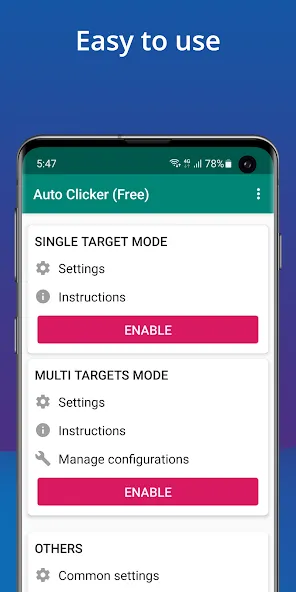
AutoClicker is a highly practical automatic clicking tool. It features a clean, minimalist interface that allows users to get started quickly. The app offers two modes—single-target and multi-target—and includes robust customization options, enabling users to design specific click patterns and create macros. It also provides excellent tutorials, helping users learn the ropes efficiently and saving them a significant amount of time. The software requires neither root access nor registration; you can simply open the app, grant the necessary permissions, and begin using it immediately. It boasts great compatibility, working seamlessly across a wide range of Android devices and platforms. Furthermore, it features a vibrant community where users can share their insights, exchange ideas, and learn from one another.
Features:
Multi-Point Tapping and Swipe Paths
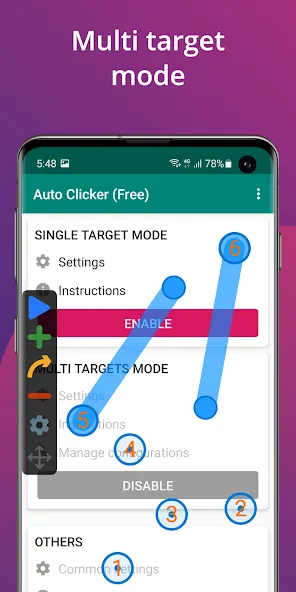
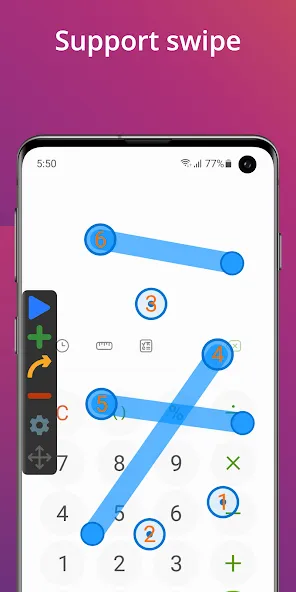
The Auto Clicker allows you to set multiple tap targets and create swipe paths that execute in a specific sequence. This is useful for tasks requiring multiple touches, such as repeated confirmations or navigating through multi-step screens. You can arrange the sequence to suit your workflow and ensure consistency across different sessions.
Precise Timing Control
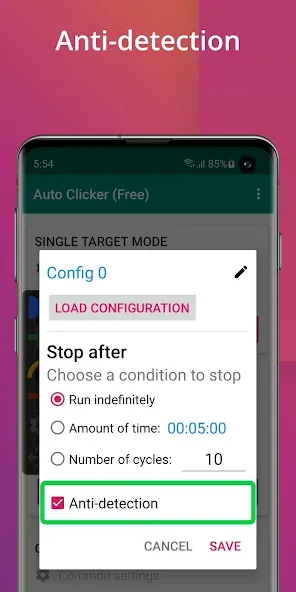
For scheduled tasks that require steady execution, you can set intervals, delays, and press durations for each action. The Auto Clicker also lets you define the number of repetitions and set session timers, making loops more predictable and easier to stop. This level of control helps synchronize taps with application animations or loading times.
Floating Overlay Controls
The Auto Clicker provides a compact control panel that remains visible over your current application. You can start, pause, or stop automated actions without switching screens, and fine-tune target positions while observing the app in real-time. If something unexpected occurs, you can quickly halt operations using the pause or stop buttons.
Script Management for Repetitive Tasks
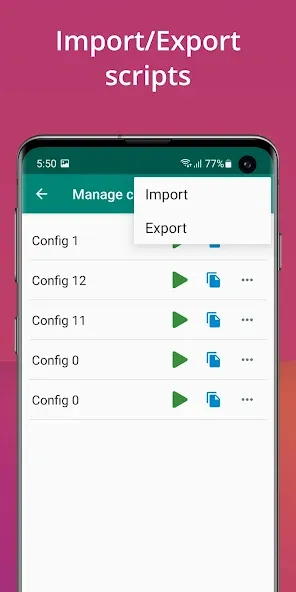
You can save your configurations as scripts and reload them whenever you need to perform the same task again. The Auto Clicker supports importing and exporting for easy backup or sharing, while separate configuration files help keep your gaming setups and work-related workflows organized. This structure reduces setup time and keeps your automation processes well-ordered.
No Root Access Required; Versatile Usage
The Auto Clicker operates via Android’s Accessibility Services, meaning no modifications to your device are necessary. An onboarding guide explains the required permissions and walks you through your first session. Beyond gaming, it can assist with filling out forms, navigating through apps, or handling any workflow that involves repeating the same tap actions multiple times.
Highlights:
Choose between following the cursor or clicking at a fixed location.
Set the number of clicks (or choose unlimited clicks).
Select which mouse button to use.
Choose between single, double, or triple clicks.
Customize keyboard shortcuts.
Convenient—shortcuts work even when the application is running in the background.
Settings are saved (including the last fixed click location).
Free and open-source software.
Clean, simple user interface.
Low CPU usage.
Portable.
User comments:
In today’s fast-paced digital world, efficiency and convenience are more important than ever. The Auto Clicker app is designed to help users automate repetitive tapping tasks on their devices—making it especially useful for gaming, testing applications, or handling routine operations that don’t require constant manual input.
This auto-clicker app is a total game-changer; it offers precise, lightning-fast tapping and effortless automation for any repetitive task. I find it particularly helpful for games like Tinder or Roblox—for instance, it allows me to AFK (stay away from the keyboard/screen) in Roblox without needing Robux. It even helps me win matches in my favorite game, Bedwars, which is a huge deal for me. I honestly don’t know what I’d do without it—it’s a real lifesaver. People who were used to using auto-clickers on their PCs can now enjoy the same functionality on their mobile devices.
Overall, the app delivers on its promises, though it comes with both pros and cons. One of its greatest strengths is its simplicity; the interface is intuitive and easy to navigate, even for beginners. Users can quickly set up automated taps, adjust the speed, and target specific locations on the screen. This makes it an ideal choice for anyone looking for a quick, effective solution without needing advanced technical knowledge.
Advantages and disadvantages:
Pros
Easy-to-use interface with customizable settings
Cross-app tapping and Smart Click feature
Regular updates for bug fixes and performance optimization
Cons
Occasional freezing and crashes
Conclusion:
If you are looking for an excellent app that can automate certain actions—especially within video games—download the AutoClicker APK. Should you discover clever ways to use this app in games or other applications, feel free to quickly share your ideas with the community.





-
Latest Updates
-
Featured Apps