
LADB — Local ADB Shell
Tools
2026-09-15
11.25MB
2.6
Android
579
Screenshots
Introduction
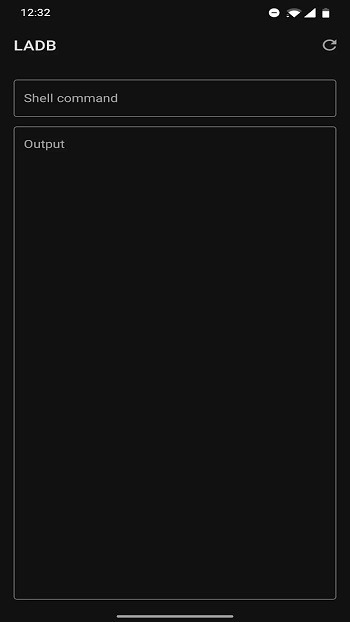
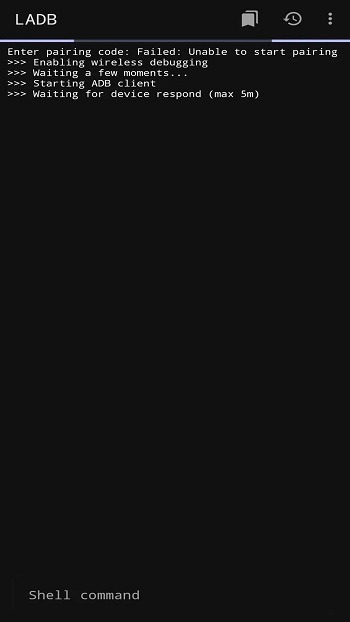
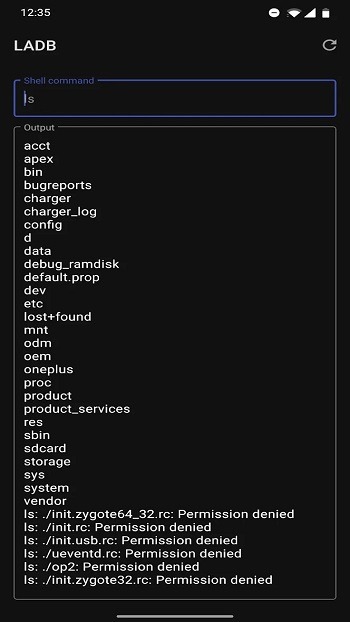
LADB — Local ADB Shell is a powerful connectivity tool that helps users effectively manage files and applications on their mobile devices. It allows users to execute ADB shell commands directly on their Android devices, enabling various tests without the need for a computer. Furthermore, the app does not require root access, offering a safer option for wireless Android debugging. Connecting is incredibly simple—requiring only a basic USB connection—and the user-friendly interface makes it easy for users to get started and manage various tasks.
Features:
Compatibility: LADB is compatible with many Android devices, making it accessible to many users. The app supports various versions of Android, from Lollipop to the latest Android releases.
Multiple Commands: LADB supports multiple ADB commands, including the ability to install, uninstall, and list packages, access shell commands, manage files, and more.
Debugging: The app allows users to debug their Android device by providing access to the device’s log. This allows users to diagnose and resolve any issues they may encounter.
Root Access: LADB provides root access to the Android device, allowing users to perform advanced tasks that are impossible with standard permissions.
Easy Connection: LADB allows users to connect easily to their Android devices using a simple USB connection. This eliminates the need for any complex setup or installation, making it easy for users to get started with the app.
Lightweight: LADB is a lightweight app, taking up minimal space on the device and consuming little memory. This makes it an ideal choice for users with limited device storage.
Easy to use: This app has a super intuitive UI that helps manage all tasks. Besides its intuitive interface, users can also support multiple commands simultaneously. Generally, The lightweight nature of this app makes it easy to use.
Usage:
First, open Settings, go to Developer options, and turn on Wireless debugging.
Next, tap “Pair device with pairing code” to show the pairing code and the pairing port.
Then use split screen to keep Settings and Local ADB (Android 11+) open together. In the app, choose Pair and enter the code and port without closing the dialog in Settings.
After that, wait for the local shell to connect and display a prompt. You can now run the commands you need for installs, logs, or file actions.
Finally, when you finish, turn off Wireless debugging or remove the connection in Settings to keep your device tidy.
Pros and Cons:
Pros:
Simple to install and use
Doesn’t require root access for basic functions
Works offline
Lightweight with minimal resource use
Open source and secure
Cons:
Limited functionality on older Android versions
Some advanced commands require root access
Can be confusing for complete beginners
FAQs:
What is LADB used for?
LADB is used to run ADB shell commands directly on an Android device, helping users manage system settings, check logs, control packages, and test commands without a computer.
Does LADB require root access?
LADB does not require root for many common ADB tasks. It uses Android’s wireless debugging feature, which makes it safer for users who want advanced control without rooting their device.
Why does LADB need split-screen during setup?
Split-screen helps keep Android’s wireless debugging pairing code and port visible while you enter them into LADB. If the settings window closes too early, the pairing information may expire.
Who should use LADB APK?
LADB APK is suitable for Android developers, testers, advanced users, and anyone who understands basic ADB commands and wants device-level control without using a USB cable or PC.
What problems can happen when using LADB?
Common issues include pairing failures, connection errors, and conflicts with apps like Shizuku. Clearing app data, removing old wireless debugging connections, and restarting the device often helps.
Conclusion:
Overall, if you’re looking for a reliable and easy-to-use tool for connecting your Android device with your computer, then LADB is definitely worth checking out. With its user-friendly interface and powerful features, this app makes it easier than ever before to manage your mobile device’s files and applications from your desktop or laptop computer.





-
Latest Updates
-
Featured Apps






