PREQUEL AI Filter Photo Editor
Tools
2026-11-03
142.34MB
2.5.0
Android
238
Screenshots
Introduction
Features:
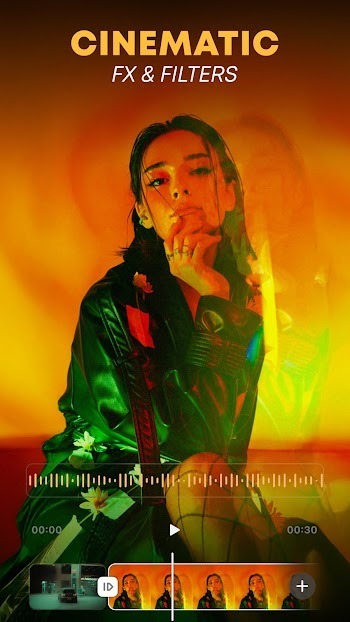
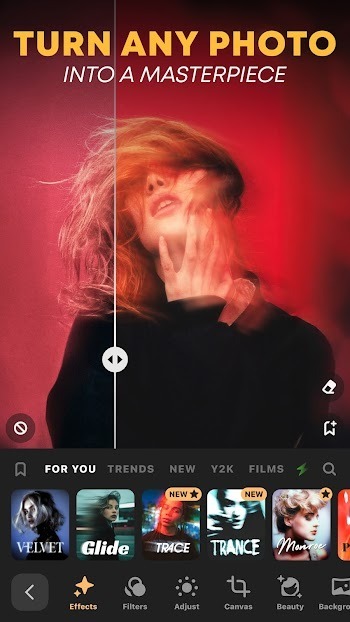
Over 800 One-Tap Effects and Presets
Access an extensive library of photo and video effects, including 3D elements, AR objects, and captions. Apply popular aesthetic styles—such as retro, nostalgic, Y2K, or indie—with a single tap. You can also search by name—try terms like VHS, prism, cyan, Miami, sparkle, or diamond—to quickly discover the perfect look for your content, with the flexibility to fine-tune settings as needed.
AI-Powered Transformations for Portraits and Avatars
Use AI-driven effects to turn your selfies into stylized portraits, such as cartoons or artistic renderings. Create striking avatars through automated, complex editing processes—no need for time-consuming manual masking. This is ideal for generating profile pictures for social media; simply preview the effects and select the version that best fits your vision.
Advanced Color and Lighting Controls
For projects requiring high precision, take advantage of granular controls for depth of field, blur, HDR, and ultra-sharpening. Fine-tune midtone details, density, contrast, brightness, saturation, and color temperature. These tools allow you to correct exposure or balance colors across video clips and still images. Start with a preset, then adjust individual sliders to achieve a consistent, polished result.
Photo and Video Retouching Tools
Enhance your photos and videos with built-in retouching features. Use specialized tools to soften skin, whiten teeth, or reshape facial features and body contours—perfect for short-form video content that demands a clean, refined look. Your edits remain seamlessly applied as you switch between different images and video clips.
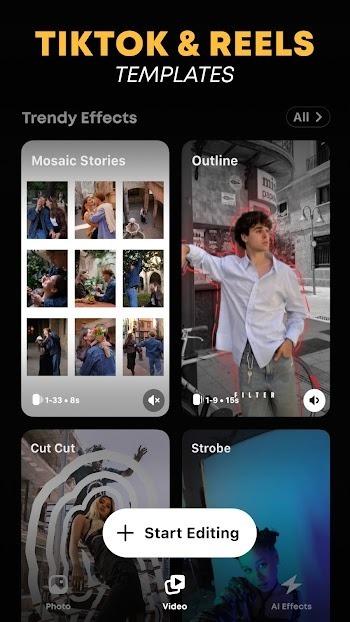
Templates and Creative Toolkits for Reels
Speed up your production workflow with video templates that include intros, outros, and background music. The creative toolkit features over 200 fonts, animated text options, 60 textures, and 250 stickers. You can precisely replace backgrounds, batch-edit up to 10 photos at once, and save custom presets for future use. Exports run in the foreground, ensuring an uninterrupted rendering process.
Highlights:
Easy to use and intuitive user interface.
Ability to create multiple projects with different tasks.
Automatically sync data between devices in real time for seamless collaboration on the same project from anywhere at any time.
Create custom reminders and notifications so you never miss a deadline or important task again.
Customizable themes that allow users to customize their workspace according to their preferences, including color schemes, font sizes etc.
Advanced search capabilities allow users to quickly find what they are looking for within large datasets of information stored across all your projects/tasks.
Powerful analytics tools which provide insights into how much work is being done by each team member as well as overall progress towards completion of goals set out in individual projects & tasks.
FAQS:
Is PREQUEL AI Filter Photo Editor suitable for beginners?
Absolutely—its layout is very beginner-friendly, while still offering powerful tools that allow anyone to easily create professional-quality content in just a few minutes.
Can PREQUEL AI Filter Photo Editor also edit videos?
Yes, PREQUEL AI Filter Photo Editor supports full video editing features, including speed control, special effects, music, and text—making it perfect for platforms like TikTok and Reels.
Does PREQUEL AI Filter Photo Editor require an internet connection?
Most features in PREQUEL AI Filter Photo Editor can be used offline; however, some tools—such as downloading new presets or cloud syncing—require an internet connection.
Advantages and disadvantages:
Pros
Feature-packed multimedia editor
Over 500 filters and effects collection
D3D feature
Basic to advanced editing options
Cons
Effects and filters take too long to load
Crashes frequently
Conclusion:
If you are a photography or video enthusiast, you should download PREQUEL AI Filter Photo Editor. This app will help take your content creation to the next level. With its extensive collection of filters, effects, and fonts, you can easily make your videos and photos more engaging and professional-looking. Enjoy the creative process as you edit as many images as you like and explore thousands of possible combinations.





-
Latest Updates
-
Featured Apps