Lime3DS
Tools
2026-09-21
22.87MB
2118.1
Android
482
Screenshots
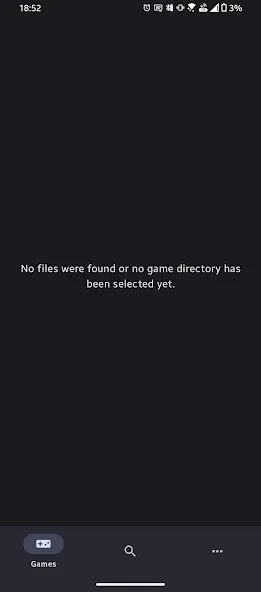
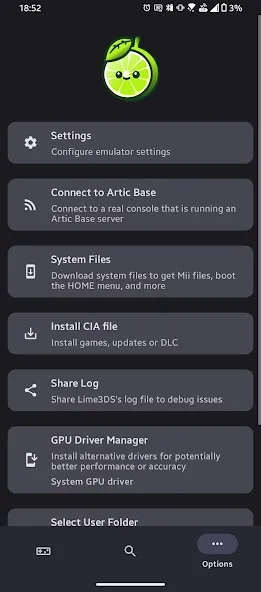
Introduction
Lime3DS is a highly powerful 3DS game emulator. It supports a wide range of 3DS titles and continuously adds new ones, offering players a fresh gaming experience. The app provides extensive configuration options, allowing users to adjust game resolution to their preferences and apply various texture filters to enhance visual quality. Users can also customize the on-screen button layout to suit their playing style. Additionally, the app features a "save state" function, enabling users to save their progress anytime, anywhere, for an improved gaming experience.
Features:
Greater Performance
Lime3DS is a lightweight 3DS emulator that focuses on performance. Hence, it is designed to provide a faster and more efficient gaming experience. You can play games even on low-end devices. Citra focuses on accuracy and broader compatibility.
Several Configuration Options
You have several options to configure Lime3DS to get better performance results on Android. You can choose the graphics API according to your choice (OpenGLES by default). Similarly, you can choose the internal resolution to improve gaming. Moreover, you can add texture filters to enhance your game. Further, the app provides the ability to customize the console button layout from the control settings.
Extensive Gaming Compatibility
Lime3DS provides support for an extensive gaming library. You can play most 3DS titles, with new games tested and added. However, you can also use the search feature on the website to find the list of compatible games.
Save State Feature
Lime3DS allows you to save states and resume your game from where you left off. It is a feature that offers both convenience and flexibility. Plus, you can maintain your progress using the save state feature.
Highlights:
A number of configuration options
Even though you'll be able to start playing right away, if you want, you can always configure Lime3DS to optimize its performance on your Android device. From the configuration tab, you can choose the graphics API you want to use (OpenGLES by default), change the internal resolution at which the games will start (400x240 by default), and add texture filters to make the games look different. From the control settings, you can also customize the layout of all the console buttons on your Android device's screen. If you want, you can even use a Bluetooth controller.
An extensive video game catalog
Lime3DS's compatibility list is not only very extensive, it's also getting longer every day. From the official website, you can take a look at all the compatible titles. This compatibility list also includes a search field, thanks to which you can quickly find any video game you want. All the titles will show one of the following statuses: Not Tested, Menu, Bad, Okay, Great, or Perfect. Thanks to these statuses, you can quickly figure out whether a ROM is in working order. If you want to contribute to the compatibility list, it's easy to do so.
Pros and Cons:
Pros
It is a lightweight and fast emulator optimized for low-end devices.
The emulator supports the save state feature.
It uses Vulkan & OpenGL Support, which promotes better graphics rendering and smoother performance.
The emulator is compatible with a wide range of 3DS games.
You can use the customizable controls for better gameplay. It supports touchscreen, keyboard, and gamepad mapping.
It does not need BIOS files to run the emulator.
The emulator is ideal for 3DS homebrew applications and custom ROMS.
Cons
It supports fewer games compared to Citra MMJ or official Citra.
It lacks the advanced settings and graphics enhancements.
FAQs:
What is Lime3DS?
Lime3DS is an Android app that lets users play Nintendo 3DS games on their mobile devices with strong performance and customization.
Is Lime3DS free to use?
Yes, the app is free, though performance may depend on the device’s hardware specifications.
Can Lime3DS run all 3DS games?
Not every game works perfectly, but most popular 3DS titles are supported with solid compatibility.
Does Lime3DS support external controllers?
Yes, it allows players to connect gamepads for a more traditional console-style experience.
Who should use Lime3DS?
It’s a good choice for gamers who love Nintendo handheld titles and want an easy way to play them on modern Android devices.
Conclusion:
Overall, Lime3DS stands out as a significant step forward in the world of 3DS emulation. Its commitment to open-source development, combined with ongoing improvements and new features, makes it an essential tool for any 3DS enthusiast. From casual sessions on the go to extended gaming marathons, it brings handheld classics to modern Android setups with ease.
-
Latest Updates
-
Featured Apps