
GC Auto Clicker
Tools
2026-08-25
41.94MB
2.4.5
Android
321
Screenshots
Introduction
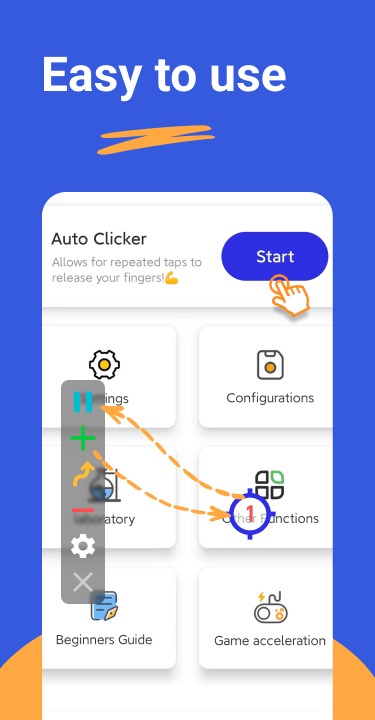
GC Auto Clicker is an automatic clicker tool for Android devices. It helps users free their hands and automate clicks. This app allows users to set multiple target points and simultaneously click multiple buttons within seconds to perform complex operations. It also supports long presses and complex swipe gestures, providing users with a wider range of applications. Users can also customize the click delay to the millisecond level. The app is very easy to use and set up, with a clean and clear interface, providing a good user experience.
Features:
Dynamic Multi-Touch Automation: Take full control by setting multiple target points across your screen. Whether you need to tap three buttons simultaneously or follow a complex sequence of activities, our intuitive interface makes it simple to set up in seconds.
Advanced Gesture Support: Beyond simple taps, GC Auto Clicker APK supports long presses and intricate swipe patterns. This is essential for navigating complex menus or performing special combat moves in action-packed mobile games.
Edge-to-Edge Clicking Precision: Unlike other basic tools, GC Auto Clicker APK allows for interaction on the very edges of your display. This ensures no part of your game’s UI is out of reach, providing a truly global automation solution.
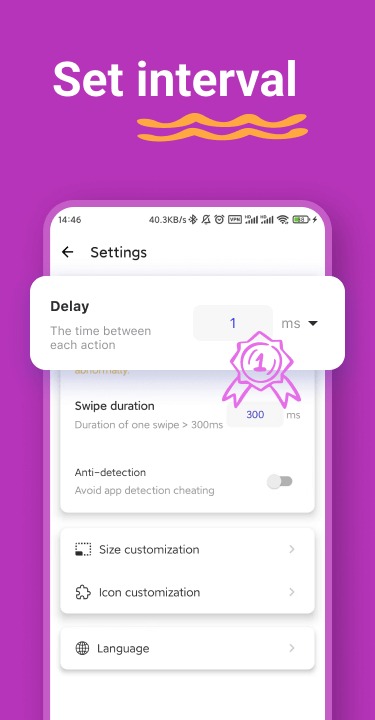
Customizable Timings and Delays: Fine-tune your automation with millisecond precision. Set delayed starts for timed events or adjust the interval between clicks to match the specific rhythm of any game perfectly.
Synchronous Tapping Mode: Need maximum speed? Enable synchronous tapping to perform multiple actions at the exact same moment, giving you a competitive edge in high-speed tapping challenges and clicker games.
Global Timer and Loop Control: Set your automation to run for a specific duration or a set number of cycles. This allows you to walk away while the app handles the repetitive work, maximizing your efficiency while you rest.
Highlights:
Multi-touch Automation: Throughout the process of use, the system often allows each person to tap multiple target points. At the same time, the variety of times performed is often freely adjusted.
Combined Action Support: The variety of interactive activities will often come from the needs of each person. Therefore, you can try to perform taps, swipes, and long presses based on the application used.
Edge-to-Edge Clicking: The interaction on the screen is not focused on a specific location. In particular, the locations where the effect can appear can often become the target that the application supports.
Delayed Timed Start: Many people can choose the time period for a process in some cases. In particular, the variations can appear in the form of many adjustments that you can switch.
Synchronous Tapping: Over time, you may find that the number of taps that can be performed can increase. However, you should choose a specific number and make the loop process easy.
Optimized Performance: Actions can often become more perfect after many trials. So you’ll quickly gain experience with familiar features that can be automated.
Pros and Cons:
Pros
Easy to set up and use, with a straightforward interface.
Highly customizable click settings for interval, duration, and click types.
Lightweight application, consuming minimal system resources.
Supports multiple hotkeys for convenient operation.
Allows for recording and playback of mouse clicks.
Cons
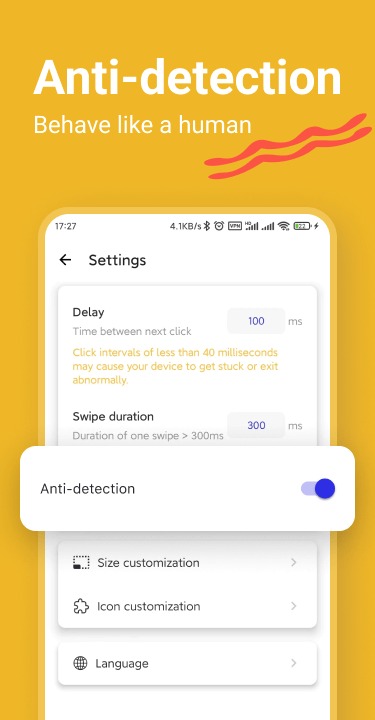
May be considered cheating in some games and applications, leading to potential bans.
Limited support or documentation available for troubleshooting.
FAQs:
Why use GC Auto Clicker?
GC Auto Clicker is an amazing piece of software. No root permission is required, you only need to set the time, location and other parameters to realize the automatic click function of the mobile phone screen. Auto Clicker can be used in games and applications on various platforms such as Android, IOS, Mac, and Win. GC Auto Clickers are great for people who need to click repeatedly all the time, such as gamers and software testers. As long as you do some simple settings, you can let the software click automatically and help you do a lot of things that you want to do, so as to free your hands and get achievements easily.
Does GC Auto Clicker have a virus?
GC Auto Clicker is a legitimate application, neither virus nor game hack. You can use it with confidence. It just simulates your finger to click, it doesn't collect your privacy, and it won't damage your phone or computer.
Conclusion:
The GC Auto Clicker application will revolutionise your smartphone user experience. This programme is compatible with Android versions 7.0 and above, and it offers the convenience of automated clicking, which is intended to give your tired fingers a much-needed break. What other information or details may be provided? The GC Auto Clicker operates without the need for ROOT permission. The main goal of this programme is to enhance your experience by removing unnecessary obstacles.









