Image & Video Date Fixer
Tools
2026-08-03
24.15MB
3.7.1
Android
78
Screenshots
Introduction
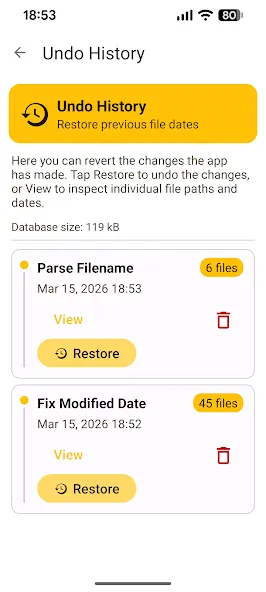
Image & Video Date Fixer is a date correction tool for Android devices that restores the dates on images and videos, allowing users to easily correct the dates and better organize their photos and videos. This app also features batch processing, enabling users to process multiple files simultaneously, saving time. Furthermore, the app can run in the background, allowing users to perform other tasks while processing data.
Features:
Fix dates using metadata
Reads the original capture date from EXIF (photos) or QuickTime (videos) metadata and restores the file modification date.
The most reliable method — works for any file taken with a camera or smartphone.
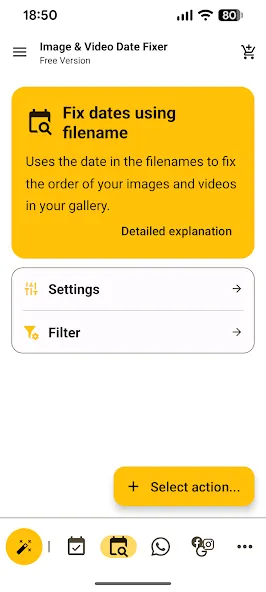
Parse date from filename
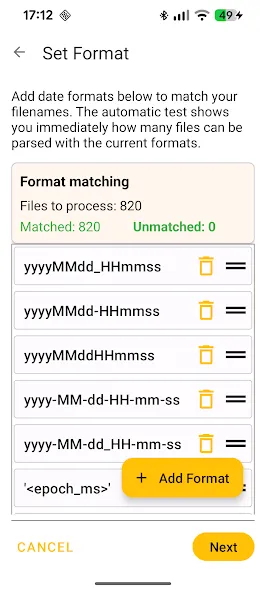
Files without EXIF or Quicktime metadata but with a date in the filename (e.g. IMG_20240315_143022.jpg) can still be fixed.
Supports camera formats, WhatsApp formats, Unix timestamps, and fully custom patterns. Multi-format mode lets you handle mixed naming conventions in a single run.
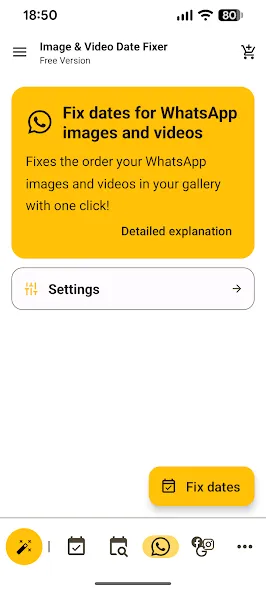
WhatsApp one-click fix
Fixes dates for all WhatsApp images and videos with a single tap. Also injects EXIF and quicktime metadata so dates survive future transfers.
Edit dates manually
Set dates one by one, apply a single date to all files, increment dates step by step, apply a time offset, and more. Full control over your file dates.
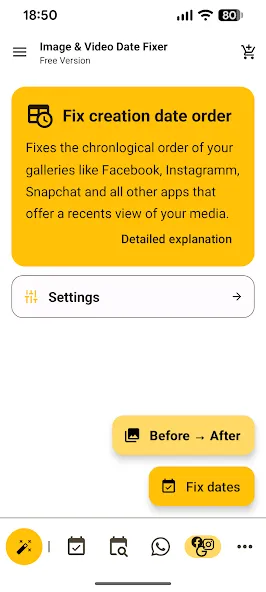
Fix creation date order
Corrects the order in galleries that sort by creation date — including Facebook, Instagram, Snapchat, and the "Recents" view in many apps.
Since creation dates are immutable, the app rewrites files with new creation dates in the correct chronological sequence.
Restore dates from archives
Download your data archives from Google Takeout, Meta (Facebook & Instagram), or Snapchat and restore the original capture dates using the included metadata files.
UTC Date Conversion
Converts local EXIF dates to UTC using timezone offsets or GPS timestamps and sets the result as file modification date.
Highlights:
FIGURE OUT THE PROBLEM OF MESSED UP ORGANIZATION
Have you ever found that after copying images from one phone to another, retrieving them from a cloud backup, or transferring them from an external storage device to your phone, you end up with a photo gallery that is a complete mess? That is because the most recent modification date is now present in each of your image files. You may determine when the photographs were downloaded or moved to your device by looking at the date. Because the modification dates of the files are being used to order the media at the moment, the images are now shown in a chaotic manner.
EXTRACT AND CHANGE THE DATES ON THE PHOTO
Image and Video Date Fixer is here to provide the assistance you require. It is possible to extract the dates that photos and movies were captured from their metadata and then use those dates to restore the file modification time stamp to its original value. The extra feature works magnificently with smooth and fluid procession, and then the next thing users need to do is put in the correct dates and then change the metadata content. The metadata is a type of content within every picture that will get recognized by the system wherever they go for quick organization.
PROCESS THE EXIF FORMAT FOR A MORE ACCURATE STRUCTURE
Suppose your photographs do not include EXIF Metadata. In that case, Image & Video Date Fixer can analyze the filename to extract the date, store it as an EXIF date attribute, and update the file modified date all at once. That method will help every image has the EXIF metadata, and users can edit and change some properties before putting them back. That will save users a lot of time in processing the structure in the metadata, and the app supports numerous features to process.
BATCH PROCESSING TO SAVE MORE TIMES
Image & Video Date Fixer also allows you to adjust the dates of several files simultaneously to save you tons of time if you want to deal with many photos that have messed-up dates. Dates can be defined manually, a single date can be applied to several files, time differences can be used, and a specified amount can increment data after each file. Users can select all the photos and then store the same data for batch processing. The progress can also be performed in the background and give you some leeways to work with other things while the data is done.
Workflow:
The internal engine of Image & Video Date Fixer APK is built for speed and precision. Once you launch the app, it performs a comprehensive scan of your selected storage folders. It compares the current ‘File Modified Date'—which is often changed by system transfers—against the ‘Date Taken’ stored in the EXIF header. If a discrepancy is detected, the app highlights the files for correction.
For files that have been stripped of their metadata—often a result of social media compression or legacy backup methods—the app employs a sophisticated filename-to-date conversion algorithm. This secondary layer of recovery ensures that even the most stubborn files are correctly timestamped. Once you confirm the changes, the app executes a high-speed write operation, updating the system's file attributes so that gallery applications, cloud storage services, and social media platforms recognize the correct chronological order instantly.
Changelog:
3.7.1
Fixed an issue with the wizard not recognizing files without metadata
3.7.0
Added Tasker Plugin support
Added ignore daylight saving for parse filename
Metadata only option for parse filename
Fixed OOM crash on wizard
Fixed Android 9 crash on wizard
3.6.0
Added Facebook Messenger End2End encrypted chat support
Filepicker remembers last selected path again
Show warning for samsung users regarding favourites
Conclusion:
This is a very useful application that can be used to fix the date of files. It can be used to fix the date of images and videos. It is a very simple and easy-to-use application. This is a very useful application for those who are in the middle of a photo transfer or video import from another device. It is very easy to use and will save you a lot of time and effort.
-
Latest Updates
-
Featured Apps