GPS Photo Location on Map
Photography
2026-10-29
51.64MB
3.2
Android
187
Screenshots
Introduction
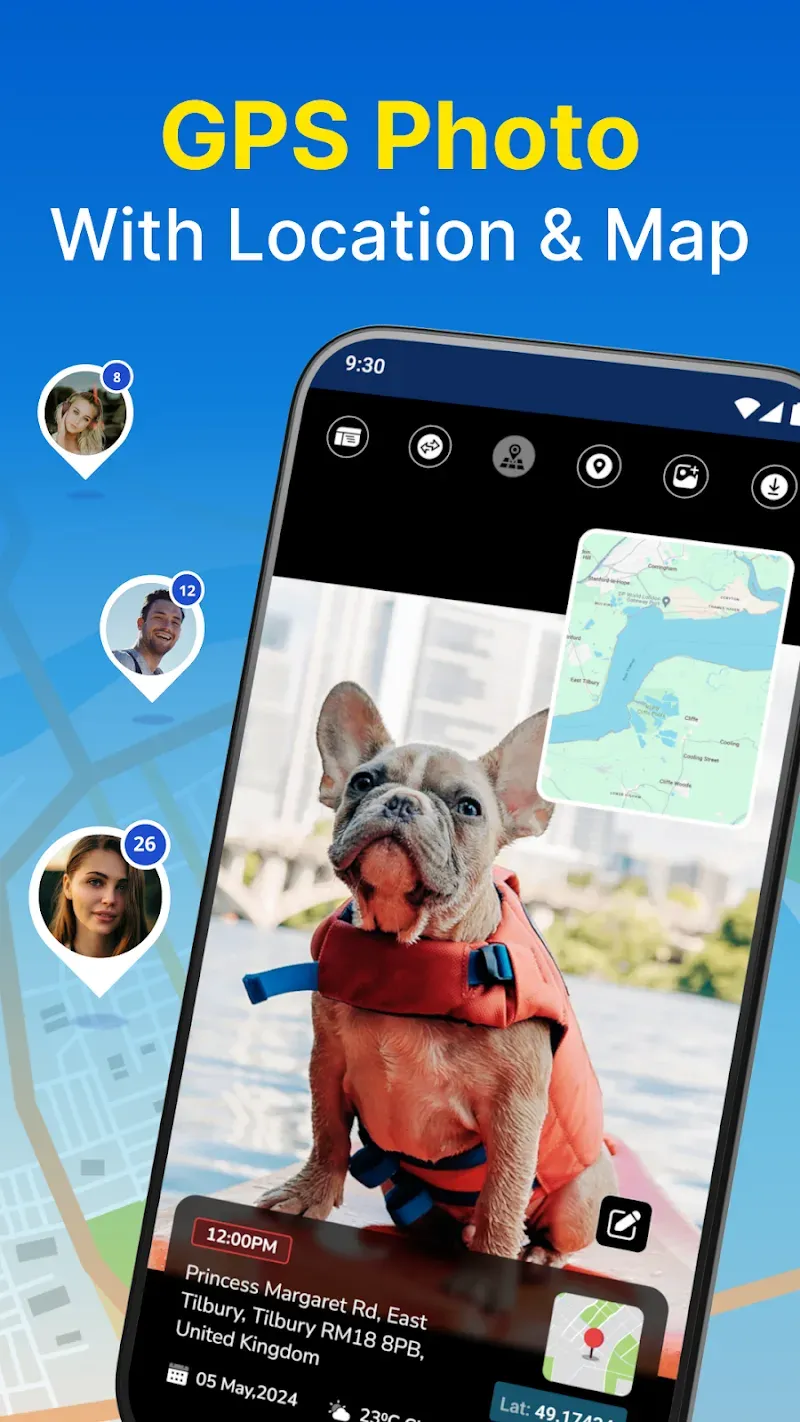
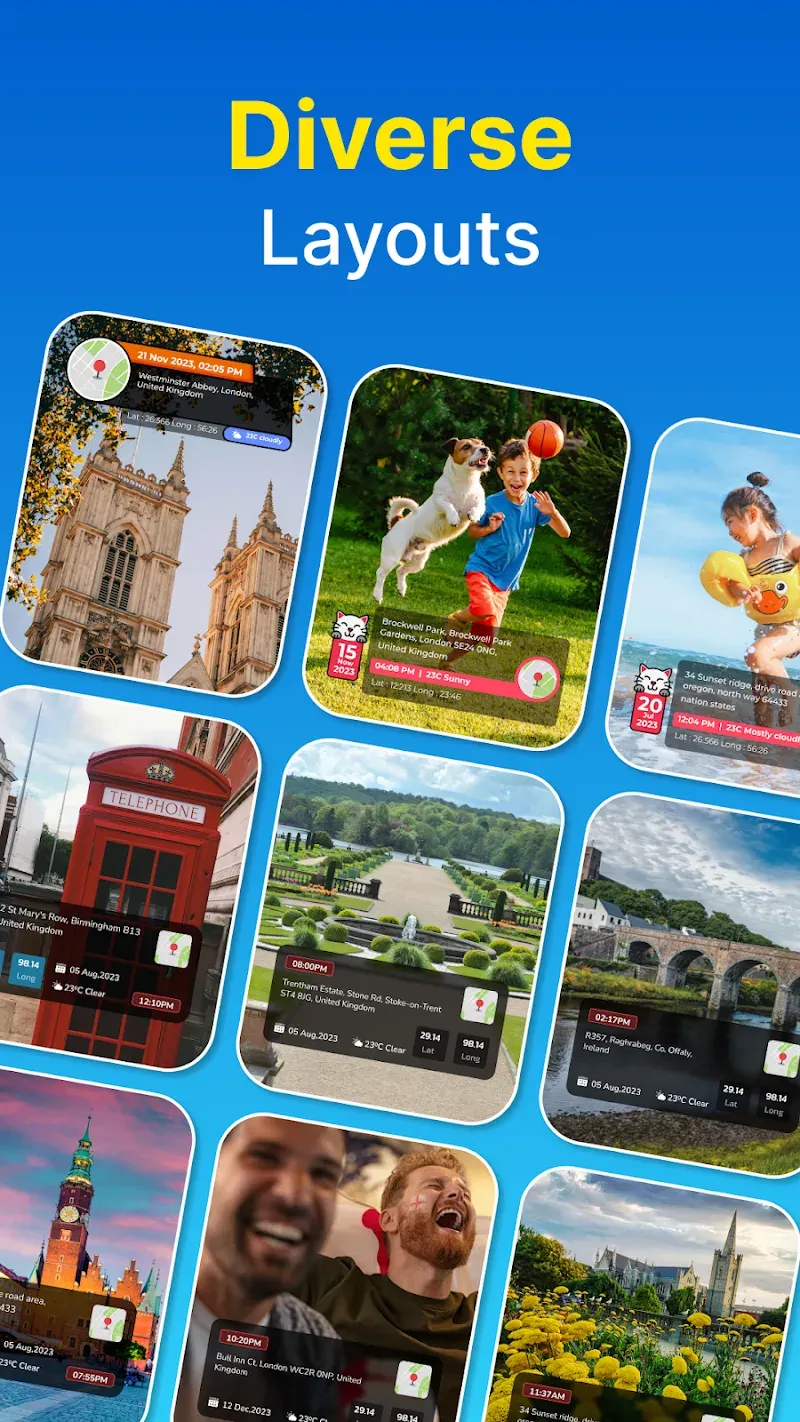
GPS Photo Location on Map is a powerful GPS camera application that allows users to embed various GPS data—such as latitude, longitude, altitude, and timestamps—into their photos, providing rich geographical context. The app offers a wide range of personalization options, enabling users to adjust the color style of their photos, as well as add custom text and annotations to the timestamps. It also features a real-time preview, ensuring that users can verify the results meet their expectations before taking a shot.
Features:
Precise Geotagging Data: Every area the user passes through leaves a memorable memory. Recording beautiful photos has become a habit for everyone. The application has researched and developed a map that can display photos taken at any location. Users can observe the exact location information right on the image.
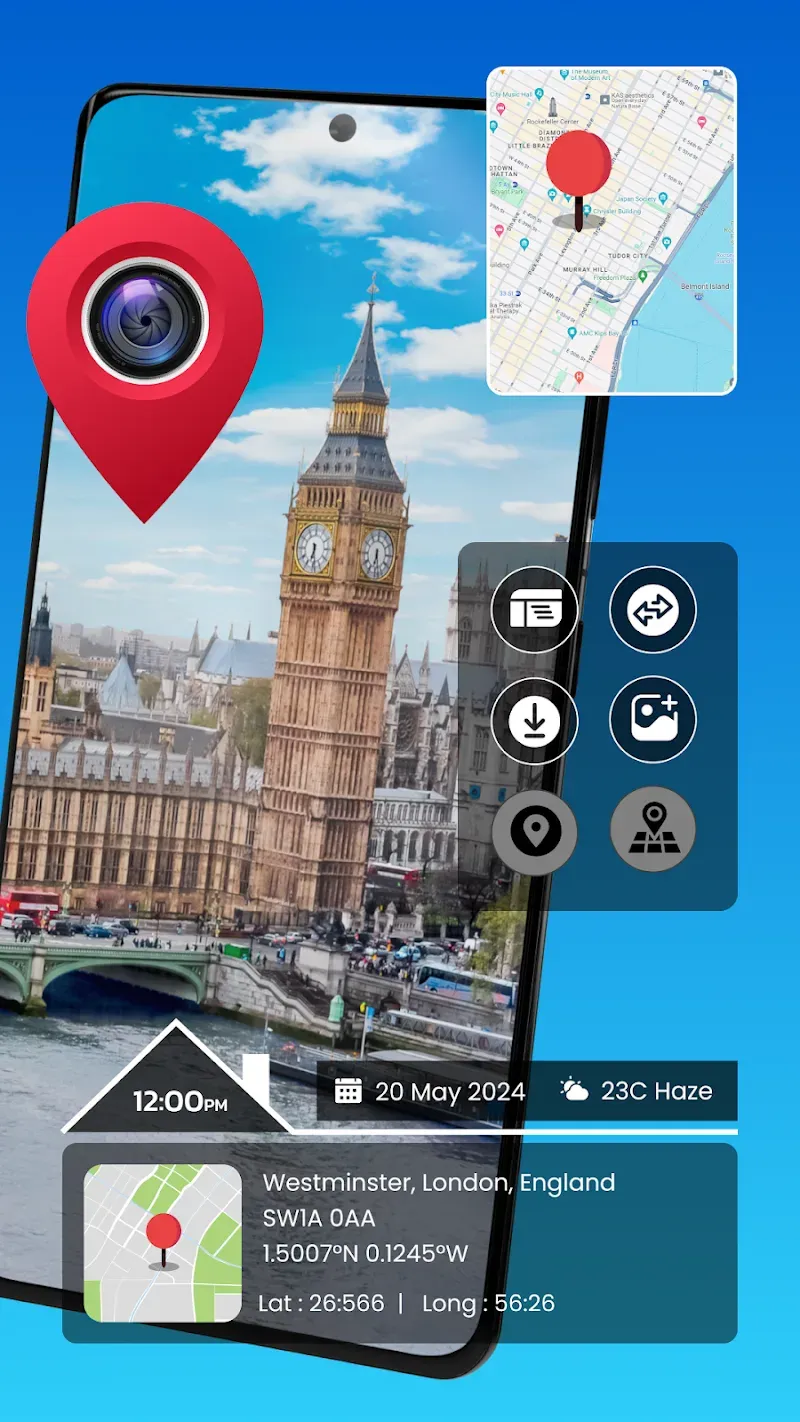
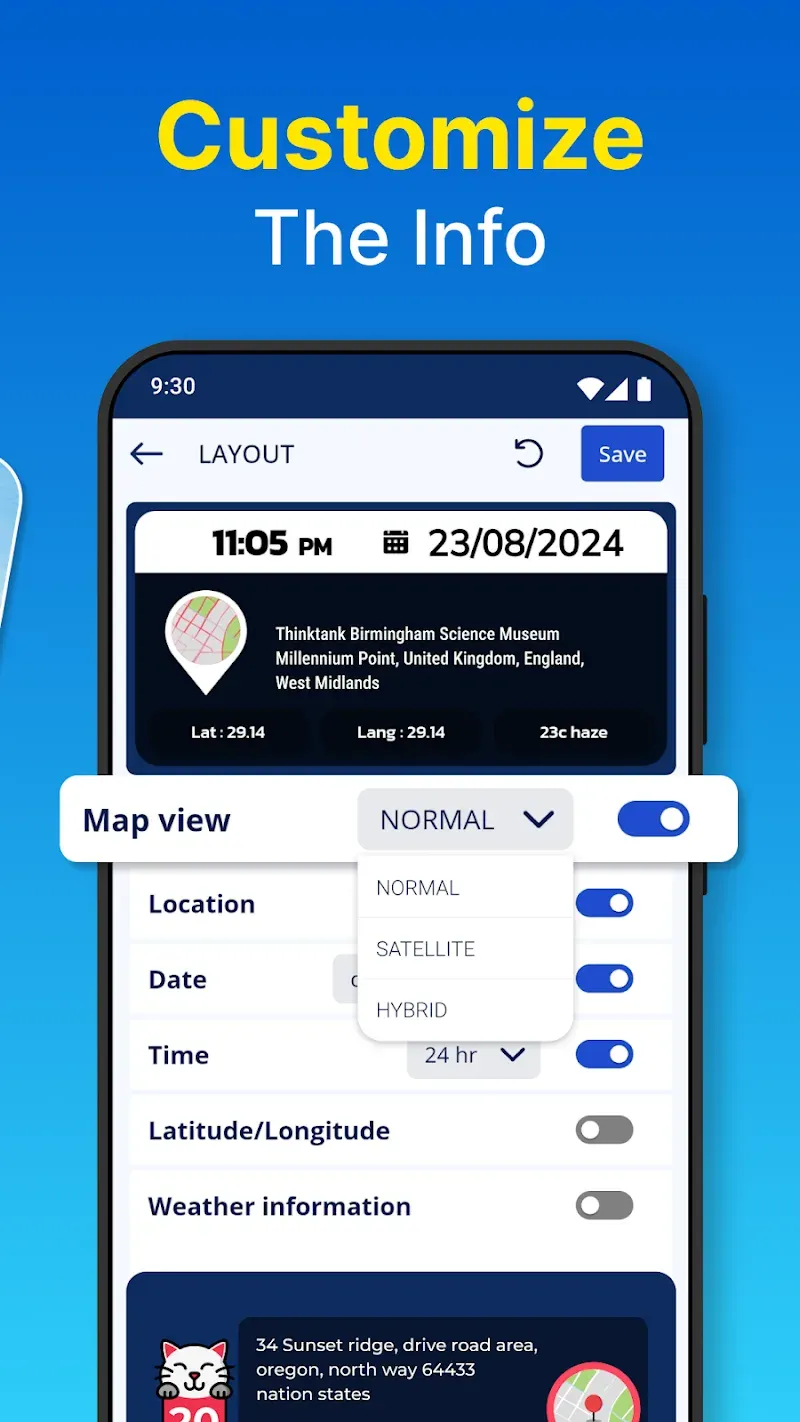
Custom Layout Views: Photos taken with the GPS camera will display all information related to the location and time of shooting. The application allows users to preview the layout of the photo. Before the photos are saved, the application allows them to edit the location of the location information display.
Real-Time Capture: The time the photos were taken is the time stamp recorded on the information board. In addition to providing location information, the application also shares time information. Real-time photography and recording increase the level of accuracy.
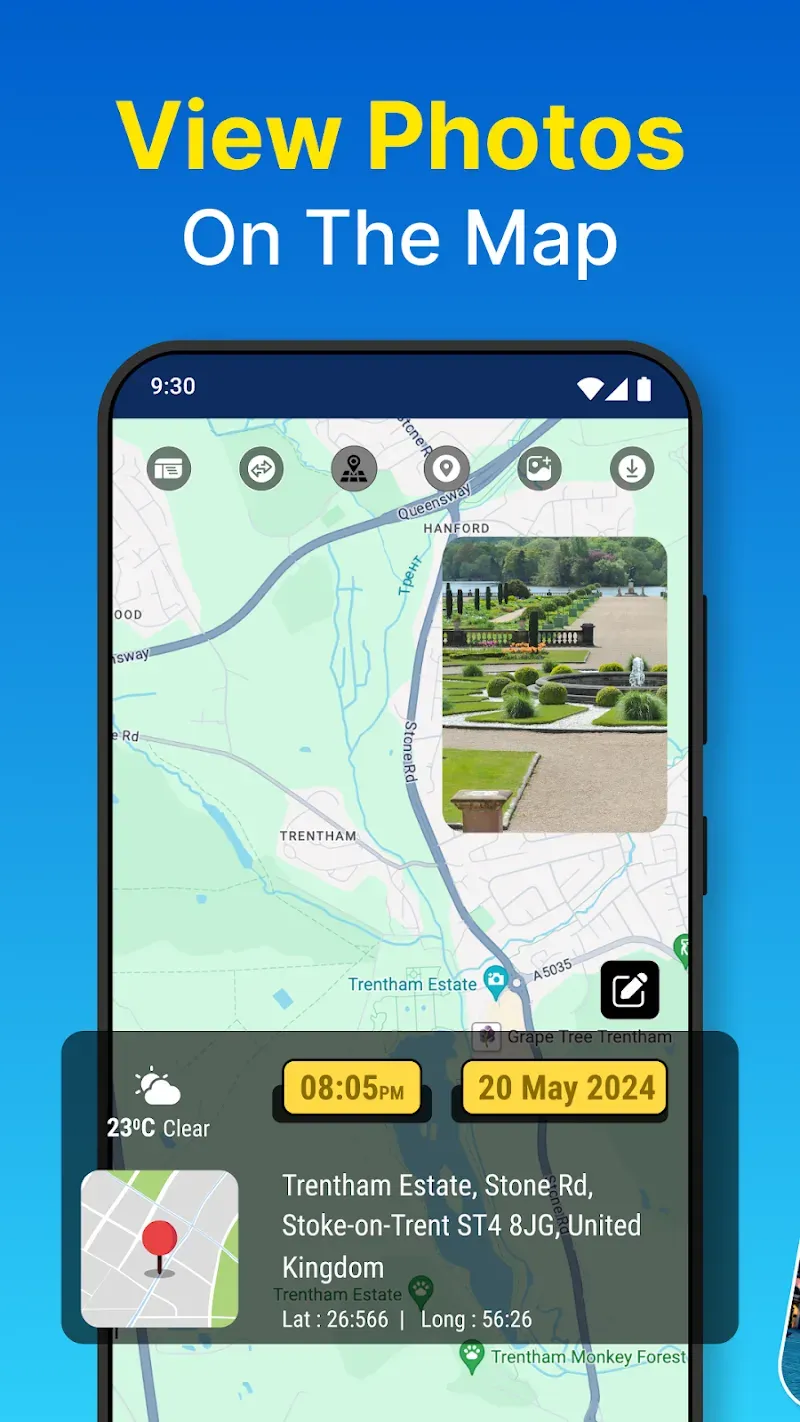
Location-Based Browsing: The application organizes photos according to the location where they were taken. Users can mark memorable moments at multiple locations using this application. The photos will be browsed before being displayed on the common map.
Date Place Sorting: All photos will appear on a large map. The locations that the user has visited will be marked with memorable images. This is also a perfect way to mark memories. Date and location of capture are important information that influence the sorting process.
Gallery Data Editing: Users can view a summary of the images that appear on the map in the library. This huge source of data can be edited and reorganized. Users review and filter the images that have been captured. They can use them for many other purposes.
Highlights:
Enhance Photos with Location and Weather Details
GPS Photo Location on Map lets you add essential location elements such as maps, latitude, longitude, altitude, weather conditions, and timestamps to your photos. These details can be inserted while taking pictures or applied later to images from your gallery, making it an ideal tool for travelers, event documenters, or users who need location-stamped visuals for professional or personal use.
Customizable Tools for Unique Photo Outputs
The app features advanced personalization options, allowing you to adjust the placement, color, and style of timestamps on your images. It supports the addition of custom text, offering the flexibility to include annotations or important notes. The live preview function ensures that all adjustments are accurate before capturing the image, ensuring tailored results to suit your needs.
Seamless Camera Functions and Advanced Features
With practical tools like autofocus, zoom, a remote timer, and multiple aspect ratios, GPS Photo Location on Map achieves professional-grade functionality for every user. The app also includes assistive grids, auto-rotate modes, and shooting-quality adjustments for enhancing the photography experience, catering to both casual and advanced users.
Pros and Cons:
Pros
Extensive customization abilities
Provides comprehensive geodata
Has a built-in camera with high-functioning features
Cons
Camera can run into zoom and focus issues
App takes up a good amount of battery life
Ads can block parts of the app
FAQs:
How does GPS Photo Location on Map handle privacy settings?
The software respects user privacy by allowing you to toggle location access on or off for specific sessions. You maintain full control over which photos contain embedded metadata before sharing them externally.
Is GPS Photo Location on Map compatible with various social media platforms?
Yes, the images generated are standard high-resolution files that can be uploaded to any social platform. The embedded data remains visible as part of the image, providing clear context to your audience.
Does the tool consume excessive battery life?
The system is optimized for power efficiency, though constant GPS usage will naturally impact battery consumption. It is recommended to use the tool in short bursts during intensive field work to preserve longevity.
Conclusion:
For those who are always on the go or who love chronicling their world in pictures, this application is an essential tool. With its streamlined interface, you can capture, enhance, and manage your images with minimal effort while maintaining a clear record of your photographic journey. Embrace the functionality of GPS Photo Location on Map and add enduring value to every image you take or have taken in the past.





-
Latest Updates
-
Featured Apps