DROID VPN SETTINGS
Tools
2026-11-06
4.79MB
1.0
Android
451
Screenshots
Introduction
DROID VPN SETTINGS is a powerful VPN application. It features a user-friendly interface, allowing users to get started quickly and easily. With this app, users can bypass geographical restrictions and firewalls to access the internet with ease. It offers excellent compatibility, supporting a wide range of Android devices as well as various network formats and connection types. The app provides robust security by encrypting network traffic to protect user data and masking IP addresses to safeguard personal privacy. It is a comprehensive and practical internet tool that ensures fast server access and efficient system performance. Furthermore, it enhances page loading speeds, enabling users to browse websites without interference.
Features:
The application establishes an internet traffic tunnel using ICMP (Internet Control Message Protocol). This unique feature allows users to access the internet even in environments where standard web browsing is blocked by firewalls, but ping requests are still permitted—a capability particularly useful for users in regions with strict internet censorship.
It offers flexible connectivity options, encrypting network traffic through a secure connection to protect user data from potential interception. This is especially important for those who frequently use public Wi-Fi networks, which often carry higher security risks.
The application provides both free and paid subscription options. Free accounts are limited to 200MB of data per day, which may be insufficient for heavy users. Upgrading to a paid subscription removes these data limits and grants access to all available servers, enhancing the overall browsing experience. Users can easily switch between free and paid servers within the app interface to select the option that best suits their needs.
The app includes a variety of features tailored to different user preferences. For instance, it allows users to connect to paid Wi-Fi hotspots at no extra cost—a highly attractive benefit for frequent travelers—helping them save on connectivity expenses while staying online.
A data compression feature optimizes data usage, which is particularly advantageous for users with limited data plans. By compressing data before transmission, the app helps users make the most of their available bandwidth while browsing.
A built-in ad blocker enhances the browsing experience by removing intrusive advertisements. This not only speeds up page loading times but also ensures an uninterrupted browsing session, allowing users to focus on the content that interests them.
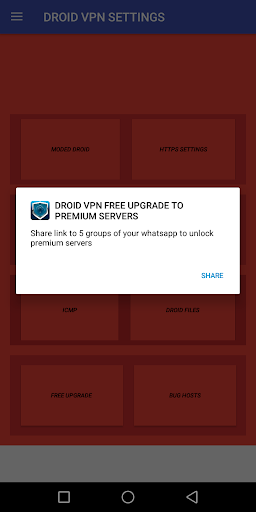
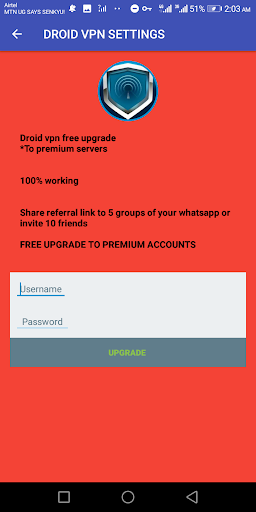
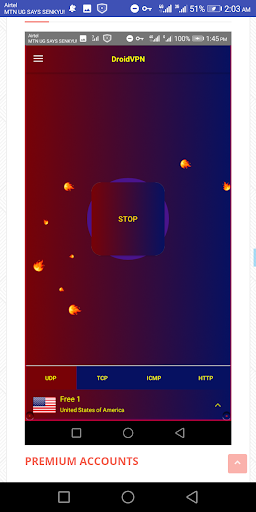
The application features a clean, intuitive interface that is easy to navigate. Users are prompted to enter their registered username and password. Those with free accounts can select the "Free Server" option before connecting. A large "Connect" button initiates the VPN connection, and a notification confirms once the connection is established. From that point on, the user can browse the web, with their internet traffic securely routed through a VPN server.
This tool is especially valuable for users who prioritize online privacy and security. By masking their IP address, users can browse the internet without revealing their actual physical location. This is a crucial feature for users who wish to remain anonymous when accessing sensitive information or engaging in online activities.
The app is compatible with a wide range of Android devices, making it accessible to a broad user base. It has been carefully designed to run efficiently across various versions of the Android operating system, ensuring that users can take full advantage of its features regardless of their device's specifications.
Highlights:
Allows users to access the internet anonymously and securely.
Unblocks websites blocked in certain countries or regions.
Offers unlimited bandwidth for free users and premium plans with added features such as increased speeds and more server locations.
Compatible with Android devices running version 4 (Ice Cream Sandwich) or higher operating systems.
Supports OpenVPN protocol on UDP/TCP ports 53, 80, 443 & 9201 connections for enhanced data transfer security over public networks like WiFi hotspots.
It has a user-friendly interface that is easy to use even by beginners without any technical knowledge about VPNs.
Automatically connects you to the fastest available servers based on your location so that you can always enjoy an uninterrupted streaming experience.
FAQS:
Can DROID VPN SETTINGS access all blocked websites?
The application works for many blocked websites and services; however, some sites may employ technology to detect and block the use of VPNs.
Does DROID VPN SETTINGS affect internet speed?
You may experience a slight decrease in speed, especially when connecting to a remote server or when a server is congested.
How can I optimize the application's performance?
You can try connecting to a different server, or upgrade to a paid version for faster speeds.
Advantages and disadvantages:
Pros
Bypass Firewalls, Access Location-Restricted Content DroidVPN - Easy Android VPN encrypts your traffic and transports it securely so you can get around even the worst content filters on most networks.
Browse the Web 100% Anonymously If ad-trackers can’t tell who you are or where you’re coming from, they won’t be able to keep tabs on you while you browse.
All You Need is ICMP DroidVPN - Easy Android VPN will work even if TCP is disabled over your network; all you need is the ability to ping and you’re good to go.
Cons
Free Accounts are Limited to 200MB per Day The free service is definitely for light network use.
Summarize:
Overall, it offers a wide range of options, such as selecting the protocol to use, choosing the country/region for the connection, and more. Users can also add custom protocols and use them as proxies for all network requests. It effectively delivers on its promised functionality. For users who need quick access to VPN settings on their Android devices, it is an excellent tool.





-
Latest Updates
-
Featured Apps