DevCheck Hardware and System Info
Tools
2026-09-23
22.88MB
6.55
Android
409
Screenshots
Introduction
DevCheck Hardware and System Info is a utility app for Android devices that provides users with highly detailed information about the CPU and system. It allows users to monitor CPU clock speeds, memory usage, battery status, and more, enabling quick troubleshooting of phone issues. The app also displays Wi-Fi details, making it easier to track changes in network connectivity. Additionally, it offers a variety of testing tools that can be added to the home screen as widgets for instant access, greatly enhancing the convenience of managing the device.
Features:
Live dashboard monitoring
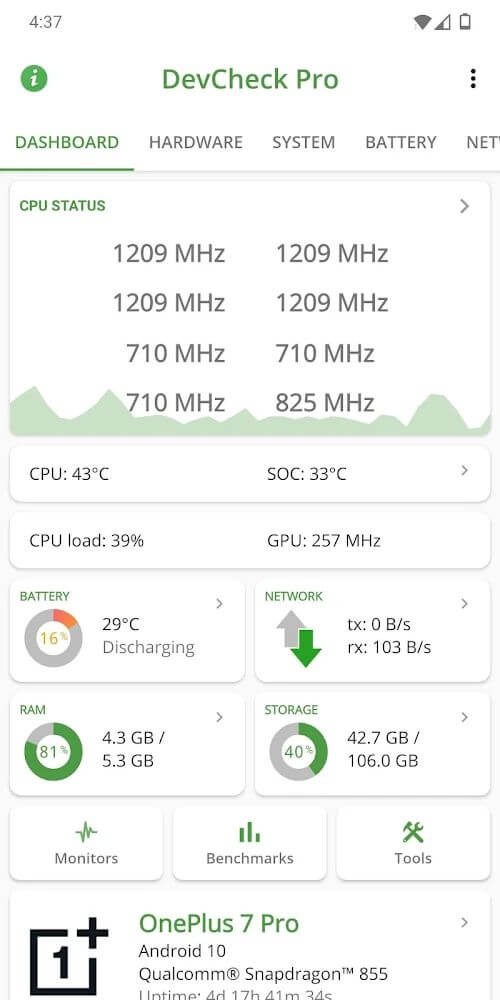
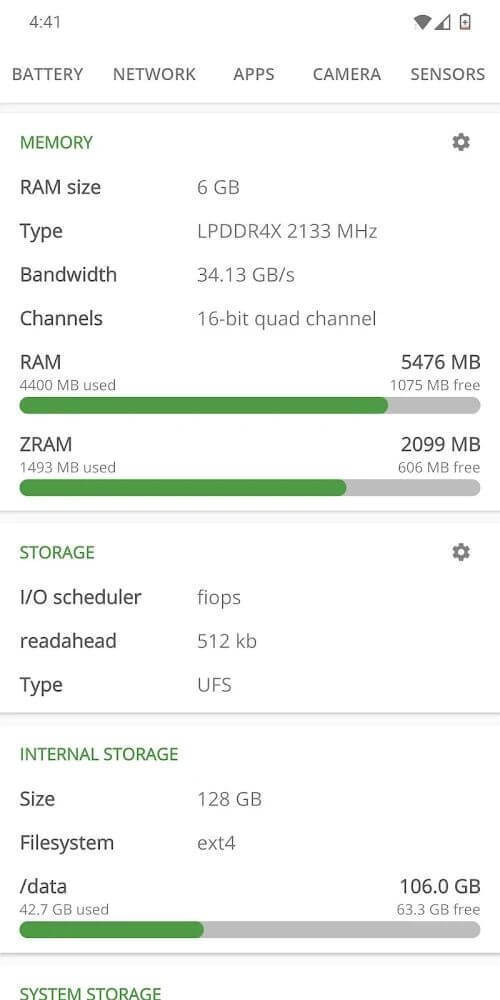
DevCheck Hardware and System Info shows CPU frequencies, memory use, battery stats, deep sleep, and uptime on a single screen. The data updates continuously, so you can watch behavior during gaming or streaming. You also get quick links to system settings for faster troubleshooting.
Detailed hardware insight
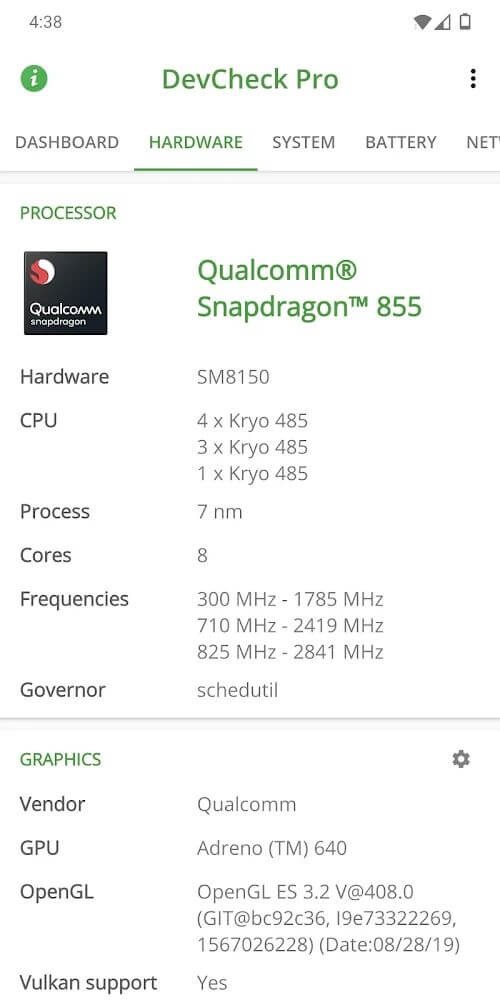
DevCheck Hardware and System Info lists SoC, CPU, and GPU models with clocks and process info, plus RAM, storage, display, and camera details. You can confirm lens resolutions and sensor vendors with one tap. Moreover, it identifies Bluetooth and input devices attached to your device.
Network and dual SIM diagnostics
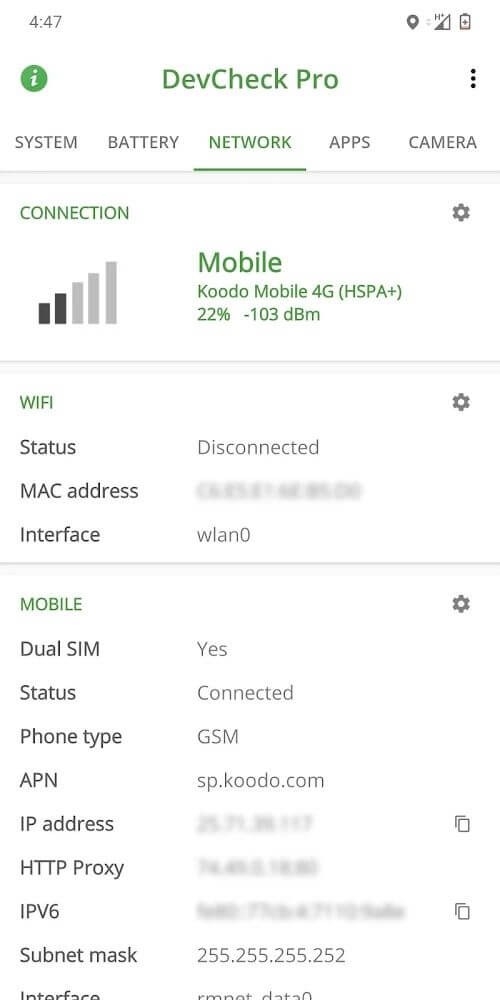
DevCheck Hardware and System Info reports WiFi and cellular information including IPv4 and IPv6, operator name, and public IP. You can track live signal levels and data speeds for each SIM. Therefore, it is easier to see roaming status and network type changes in real time.
Battery health and charging
DevCheck Hardware and System Info reads health, temperature, voltage, and estimated capacity. You can verify charging current and wattage to compare cables and chargers. In addition, the Battery Monitor in DevCheck Hardware and System Info Pro helps track long term usage and charging behavior.
Sensors and system checks
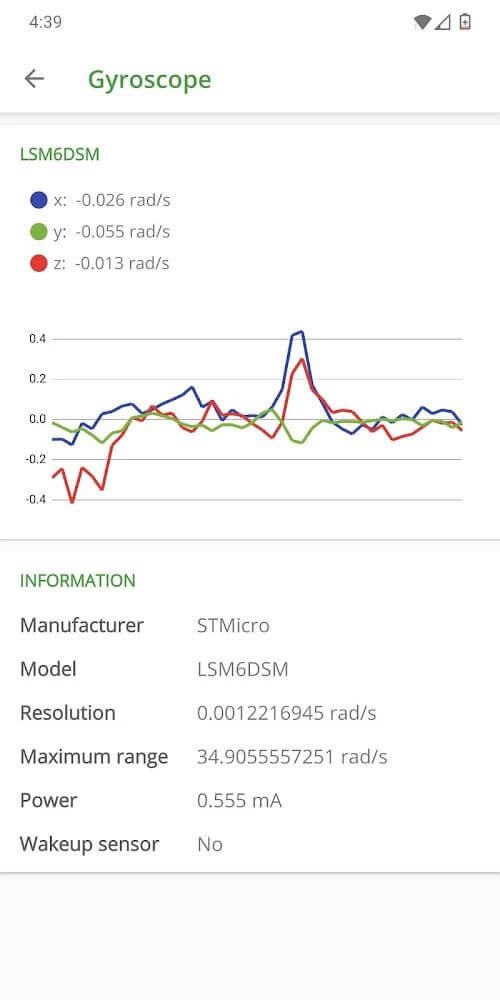
DevCheck Hardware and System Info lists all available sensors with live graphs for quick validation. It shows build number, kernel, and security patch, plus checks for root, BusyBox, and KNOX. Optional root or Shizuku access can unlock a bit more low level data where supported.
Tools, widgets, and overlays
DevCheck Hardware and System Info includes an app manager, WiFi scan, USB tester, GPS view, permissions explorer, and simple benchmarks. You can add widgets to the home screen for always on stats. Moreover, DevCheck Hardware and System Info Pro offers floating monitors that stay on top during games and stress tests.
Highlights:
The application provides the user with all the necessary parameters that a phone or tablet has.
Parameters about the center console will be the most critical parameters affecting the device’s power.
The most basic information about the hardware as well as the system of the device you are using will be listed in detail.
The necessary hardware that users are always interested in, such as front, rear camera, or battery, will be counted.
Extremely accurate measurement of other parts such as applications, sensors, or the device’s network.
Pros and Cons:
Pros
Detailed CPU, GPU, camera, battery, network, and sensor information
Real-time readings for processor activity, memory, temperature, and sensors
App permission details are easy to inspect
No advertising
Supports additional data through root and Shizuku on compatible devices
Cons
Many diagnostic tests and tools require the Pro version
The volume of technical data may overwhelm casual users
Tips and Tricks:
Open DevCheck Hardware and System Info and review the dashboard to see CPU, memory, and battery updates in real time.
Tap Hardware to view chipset, RAM, storage, display, and camera details. After that, open Network to check WiFi, SIM status, signal strength, and public IP.
Then go to Battery to see health, temperature, and charging data. On Android 14 and newer, follow the prompt to grant the battery stats permission for hidden fields.
Explore Tools to run a WiFi scan, test USB devices, view GPS status, and review app permissions in the Apps section. So enable widgets or floating monitors in settings if you use DevCheck Pro.
Finally, use quick links to jump into system settings when you need to change radios, developer options, or battery optimization.
Conclusion:
DevCheck Hardware and System Info is the most detailed and accurate CPU and System-on-a-chip (SOC) info available. It provides detailed information about your device's CPU, including specifications, frequencies, cores, and configurations. It also provides a deep look at the device's power and architecture. You can see all the information you need about your device in a clear, accurate, and organized way. It provides all the info you need about your hardware and operating system.
-
Latest Updates
-
Featured Apps