Files By Google
Tools
2026-10-14
19.10MB
1.12735.98734684
Android 5.0 and up
65
Screenshots
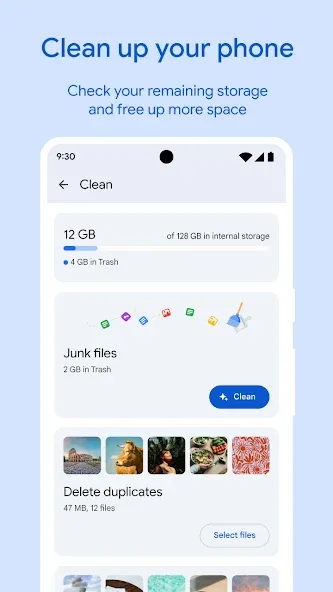
Introduction
Files by Google is a powerful file management tool. It automatically identifies duplicate files and helps organize file categories, allowing users to free up space with a single tap. You can quickly locate files without needing to memorize folder names. The app supports transfer speeds of up to 480 Mbps and enables backups to the cloud, SD cards, and other USB devices. It automatically locks sensitive files and features a built-in media player for playing media files.
Features
Smart clean-up suggestions
Files by Google highlights duplicate files, large videos, low-resolution media, chat caches, and temporary items so you can free up space in a few taps. The suggestions are personalized to your storage. Therefore, you keep what matters and remove what does not.
Find files without folders
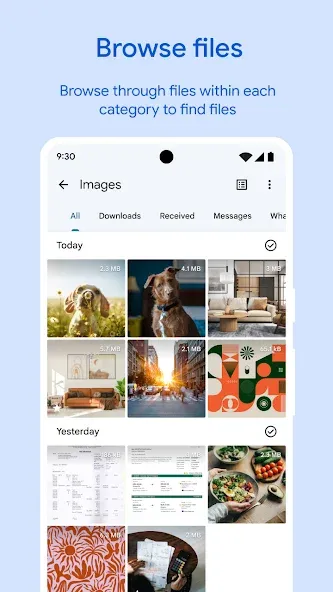
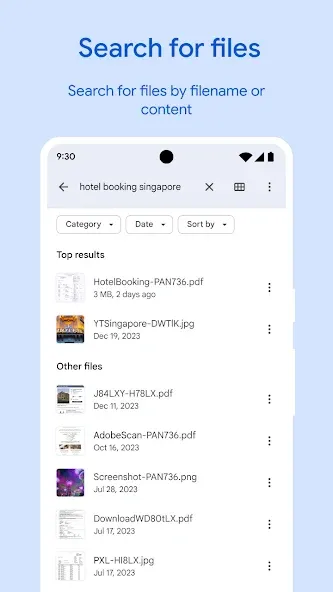
Powerful search and smart filters help you locate content by type, size, or date, even if you do not remember the folder path. You can quickly browse images, videos, audio, and documents. Moreover, sorting options make it easy to review big items first.
Quick Share offline transfers
Share photos, videos, apps, and documents privately with nearby devices at up to 480 Mbps, no internet or mobile data required. Transfers are end-to-end encrypted to protect your content. In addition, sharing works with nearby Android phones and Chromebook devices.
Backup to cloud, SD card, or USB
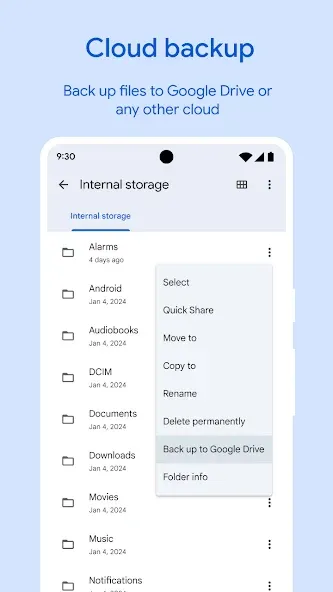
Files by Google lets you back up items to Google Drive or other cloud storage apps installed on your phone. You can also copy files to an SD card or a USB drive to keep device storage clear. Therefore, you always have options when you run low on space.
Locked folder for sensitive items
Protect private files in a locked folder secured by a PIN or pattern that is separate from your device lock. Only you can open it inside the app. Moreover, this provides an extra layer for documents, IDs, or personal media.
Built-in media player
Play videos and music directly without switching apps. You can preview content while cleaning or searching, then decide what to keep or remove. In addition, the experience stays lightweight with no ads.
Advantages and disadvantages
Pros
Offers speeds of up to 480 megabytes per second
A built-in cloud storage service
Users can delete unnecessary files when desired
Cons
Will not work efficiently with a slow internet connection
Some types of personal data may be collected
User comments
This app is an absolute lifesaver for keeping my phone organized! The duplicate files cleaner freed up so much storage space instantly, and the junk file remover is super effective. Navigating through downloads, large files, and received media is incredibly smooth and intuitive. The built-in secure folder adds great peace of mind for sensitive documents. Plus, transferring files wirelessly is a fantastic bonus. Highly recommended for anyone looking to declutter their device effortlessly!
Ok,...I usually don't give this kind of rating review, but, this particular review is very much deserved. After using Microsoft for many years, My review findings and ratings for this particular Google app is "You have very much convinced me to ditch Microsoft strictly because "Google Files has absolutely blown the doors off microsofts programming for internal junk cleaners as well as some very good security features, so if I could give more than five stars,...you'd get all! Thanks again Google
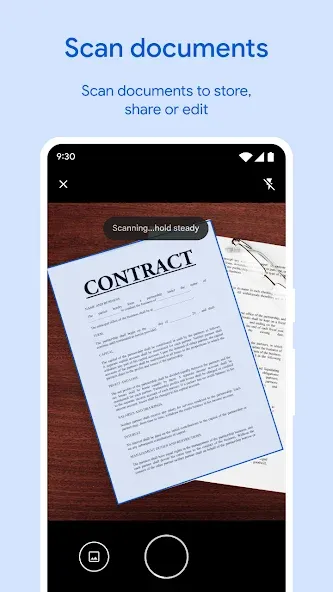
This files app provided by Google by default is very useful in finding large files and delete in one click it has also one more capability to create a pdf no separate app needed I like this app so much and I appreciate google they are working hard to provide a seamless experience for there users , I used all the google products and thier speciality is that all google products synced together
Summarize
Files by Google is Google's official file explorer and manager that will help you keep your Android device clean and tidy effortlessly. Like other alternatives such as ES File Explorer, this tool will help you easily find all the documents, images, apps, and videos stored on your device. All of this through a clean, ad-free interface that provides you with everything you need for a pretty satisfactory experience.
-
Latest Updates
-
Featured Apps