UC Turbo
Tools
2026-10-19
44.69MB
1.10.9.900
Android 4.1 and up
391
Screenshots
Introduction
UC Turbo is a browser designed for Android devices. It features exceptionally fast download speeds, capable of handling large files with stable, reliable transfers. The browser includes built-in ad-blocking and page-cleansing functions, resulting in a cleaner, more streamlined browsing experience. It can also reduce data usage by up to 90%, making it highly advantageous for users with poor network conditions. Additionally, UC Turbo offers cloud acceleration to facilitate quick access to online content, while also providing tools to protect user privacy and store files—which can even be accessed and viewed offline.
Features
Faster video downloads
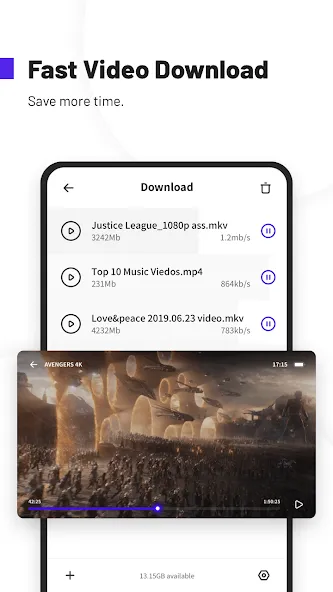
UC Turbo uses multi threaded downloading with server acceleration to improve speed and stability. Large files start quickly and continue reliably, even on spotty connections. You can queue videos and keep browsing while downloads run in the background to save time.
Ad blocking and cleaner pages
You can block banners, pop ups, and video overlays to reduce on-page distractions. When the same type of ad appears again, mark similar items to block them in the future. Pages feel cleaner and load with fewer interruptions, which helps with reading and scrolling.
Data Saver up to 90 percent
UC Turbo compresses web pages and downloads to use less mobile data. This is useful if you have a limited plan or are traveling on slower networks. With lighter pages, sites open faster and video playback can start with less buffering.
Free Cloud Acceleration
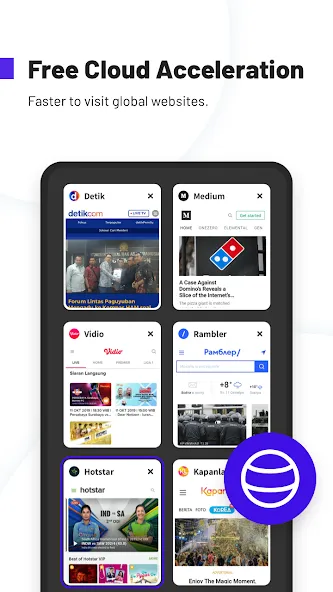
Cloud Acceleration routes traffic through optimized servers to help open sites and videos more smoothly. It works in a way similar to a VPN, improving speed and stability for content that is far from your location. This can make streaming and browsing feel more consistent during busy hours.
Private viewing and storage
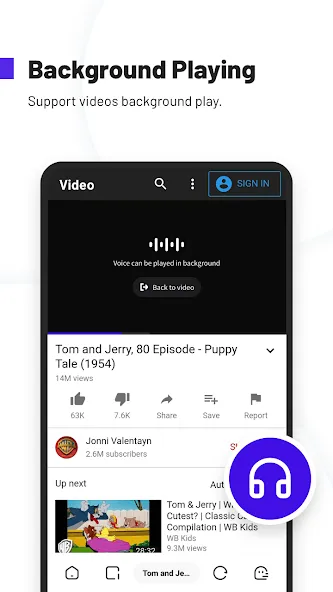
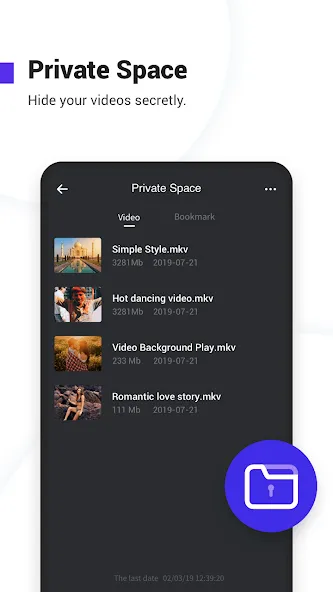
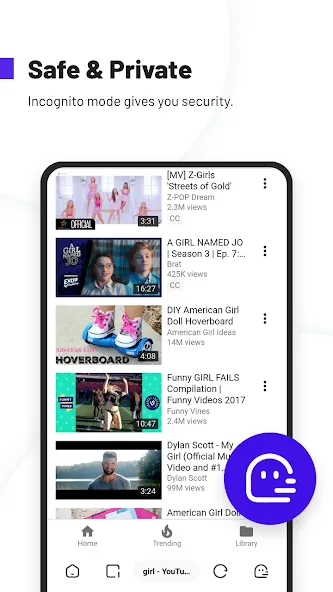
Use Incognito mode when you do not want to save history, cookies, or cache. Private Space lets you hide and password protect downloaded files in a separate area. You can also keep videos playing in the background, even in incognito, and save clips for offline viewing when there is no connection.
Advantages and disadvantages
Pros
Uc Turbo is a fast and secure browser that provides users with an enhanced browsing experience.
It has advanced features such as data compression, ad-blocker, night mode for low light conditions and more.
The app offers multiple language support so people from all over the world can use it without any problems.
Its intuitive interface makes navigation easy even for first-time users of Android devices or browsers in general.
Cons
May not be compatible with all Android devices.
Can take up a lot of storage space on the device.
How to Use
Open UC Turbo and enter a website address or a search term in the address bar.
Tap the menu, then enable Ad Block and Data Saver based on your needs.
When you find a video, use the download option to start saving it to your device.
To keep items private, move selected downloads into Private Space and set a password.
For uninterrupted listening, start a video, then switch apps to keep playback in the background or save it for offline viewing.
User comments
I use this browser when I am out at the lake where i have very poor slow connection. Before I could never browse internet when at my cabin, but with this browser it has made it possible with the ease as pages now actually load. You can tweak many thing like data saver and lower quality images which is what I think helps, I can't do this with other apps. One thing I would like to be improved is easy access option for desktop mode and the toolbar to have the option to be at the top.
This app is great for video downloading. I am using it now for about six months and it never fails me to download fast. The video player was convenient to use, I like the download button when the video is playing (because some kdrama website doesn't have download option). In terms in ad blocking, I guess 60% the ad blocking works (at least it minimizes, especially the annoying pop-up ads) but there are still some ads that you should manually blocks. I still give it 5
Definitely the best browser I've ever used before, so much so that I've developed a bias for it. It's fast, simple(yet complex) and gives a variety of options for it to suit your needs and wants(much like other browsers but this one has a certain charm to it), although I have been having issues with looking up anything these past months and I hope the developers fix this issue because I love this browser and I wouldn't want to switch to any other.
Summarize
The UC Turbo Apk is an incredibly useful tool for Android users. It provides a fast and secure browsing experience, with its advanced compression technology allowing data to be transferred quickly without compromising on security or privacy.Furthermore, it offers additional features such as ad-blocking and night mode that make the user’s online activity even more private and convenient. With all these benefits in mind, there’s no doubt that this app can help improve your overall mobile web surfing experience significantly!
-
Latest Updates
-
Featured Apps