HushSMS
Tools
2026-10-19
290.85KB
2.7.8
Android 2.2 and up
522
Screenshots
Introduction
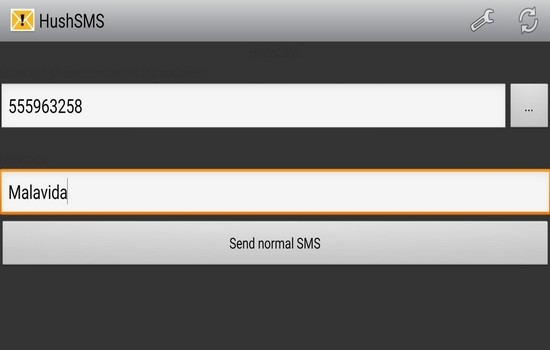
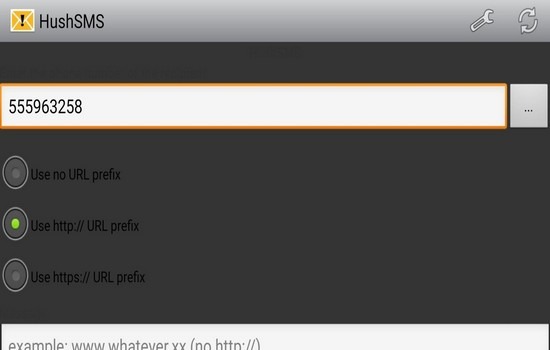
HushSMS is a system utility designed for the Android platform. It features a user-friendly interface, allowing anyone—regardless of prior experience—to get started quickly and utilize its core functions. The app enables users to perform tasks such as unlocking devices or sending push SMS messages containing links, all without requiring complex technical expertise. Furthermore, the software has a small footprint, ensuring quick installation and stable performance. It offers excellent compatibility across a wide range of Android devices, operates for free without the need for root access, and maintains a high level of security to protect user privacy.
Function:
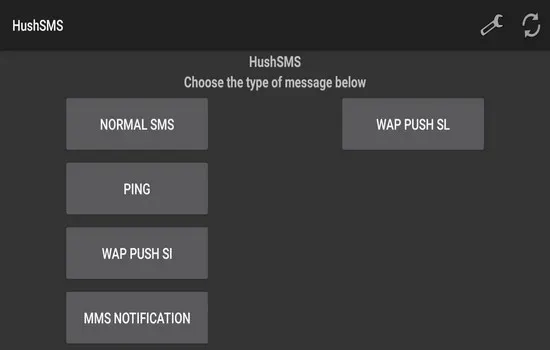
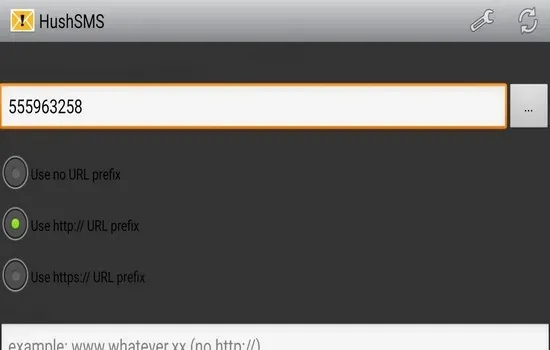
Sending WAP Push SL: The HushSMS app can send WAP Push SL messages, where SL stands for Service Load.
Sending WAP Push SI: The WAP Push SI feature is available on all devices. SI stands for Service Indication; service providers typically use this to notify customers about their credit balance or software updates. Similar to WAP Push SL, these messages are limited to a length of 40 characters.
Sending Ping Messages: This feature is only available on devices that support the `sendRawPdu` function. It is a silent message, meaning the recipient receives no notification. Using the HushSMS APK, you can send two types of such messages to a target device.
Sending MMS Notifications: The HushSMS APK can also be used to send MMS notifications.
Unlocking FRP: Samsung users can utilize HushSMS to disable or bypass the Factory Reset Protection (FRP) lock. However, this is only possible on Samsung phones running Android 6 or 7.
Highlights:
FRP Bypass Support: Helps you quickly and effectively bypass Google Account verification on Samsung devices.
SMS and WAP Push: Allows you to send specific messages to the target device to unlock FRP.
Lightweight and Convenient: Compact in size and easy to install, ensuring a smooth user experience.
No Root Required: Operates without needing root access, preserving the integrity of your device.
Rapid Unlocking Process: Complete the FRP unlock in just a few steps, minimizing user frustration.
Multiple Versions Available: Users can download different versions according to their needs, including Hushsms APK v2.7.6 and Hushsms APK v2.7.8.
User-Friendly Interface: Designed with simplicity in mind, making the application easy for anyone to use.
FAQs:
Does using HushSMS require two SIM cards?
According to the referenced guide, the process may require two valid SIM cards, a spare Android phone, and a Wi-Fi connection.
Why is HushSMS unable to send WAP Push messages?
Possible reasons include carrier restrictions, a lack of network support, or security limitations within the Android system regarding specialized SMS messages.
Why might a phone with a locked screen receive an SMS but fail to respond?
The device may receive the message, but the action could be blocked because the underlying methods are no longer supported by the device's Android version or its security measures.
Is the unlock function in HushSMS guaranteed to work?
No. Results may vary depending on the device, Android version, carrier, network, and security updates.
Advantages and disadvantages:
Pros
Free to use.
No computer required for the Google lock removal process.
Fully compatible.
Cons
Does not support Android devices from other brands.
Conclusion:
That covers everything regarding HushSMS; we hope you will download the HushSMS app from this page. Apps like HushSMS are quite rare, so you should definitely give this one a try before exploring other alternatives. Furthermore, it is compatible with most Android devices, so there is no need to worry about compatibility issues. Try Cloud Tools
-
Latest Updates
-
Featured Apps