Shizuku
Tools
2026-10-23
3.48MB
13.7.0-thedjchi
Android
388
Screenshots
Introduction
Shizuku is a system tool for Android devices. It can be launched via ADB or with root access, granting the application the ability to interact with specific system functions. It facilitates deeper integration with system APIs, enabling more comprehensive connectivity for apps, and includes features for managing application permissions. Shizuku simplifies the process of interacting with system applications and allows apps to utilize root-level capabilities—even without the device itself being rooted. Furthermore, the software provides detailed documentation and user guides.
Features
Start with ADB or root access
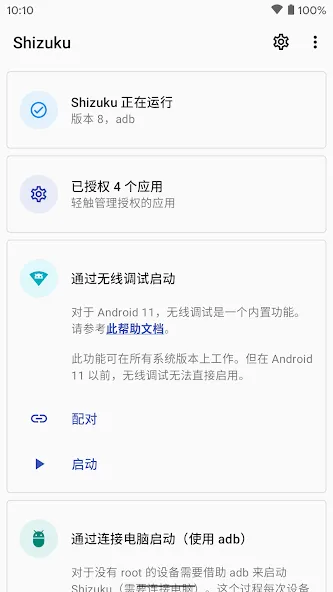
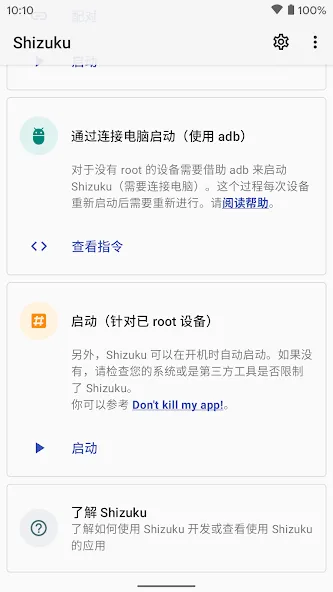
Shizuku can start through ADB when you prefer a no root setup. This option gives supported apps access to selected functions after the service is running. Alternatively, users with root access can start the service through root, which can make restarting it after a reboot more convenient.
Connect supported apps to system APIs
Shizuku provides a Binder based connection for apps that are built to use its service. These apps can request access to selected Android system APIs without repeatedly sending shell commands. For example, some permission managers, debloating tools, and device management utilities may use this connection for their supported actions.
Use a more direct app connection
Shizuku lets compatible apps communicate through Android interprocess communication rather than depending on command line output. This can reduce problems caused by command parsing or repeated shell actions. However, the result still depends on what the client app supports and what Android allows on the device.
Manage app permissions in one place
You can review which apps have asked to use Shizuku and decide whether to allow them. If an app no longer needs access, you can deny or revoke its permission from the manager. This makes it important to approve only apps that you know and intend to use with the service.
Check service status and setup information
Shizuku shows whether its server is active and provides setup tips and diagnostic information. You can use these indicators to confirm that the service started correctly before opening a compatible client app. When the status is inactive, the client app cannot use Shizuku functions until the service starts again.
Advantages and disadvantages
Pros
Root-like capabilities for compatible apps without actually rooting the device
Works with Wireless Debug for advanced operations over Wi-Fi and Bluetooth
Helps access restricted areas such as Android/data through supporting tools
Rich documentation with in-app learning resources and official guides
Cons
Steep learning curve for users unfamiliar with Android debugging or system services
High risk of serious issues or bricking if used carelessly
FAQS
What exactly does Shizuku do?
Shizuku acts as a bridge, allowing regular Android applications to execute system-level commands and access restricted APIs without requiring the device to be rooted. It essentially grants certain apps elevated permissions in a controlled manner.
Is Shizuku safe to use on my Android device?
Yes, it is designed with security in mind. Unlike rooting, which alters the core system, this solution operates within the Android security framework, offering a safer way to gain advanced functionalities without voiding warranties or introducing significant security risks.
Does Shizuku require root access to function?
No, Shizuku explicitly does not require root access. It achieves its functionality through either an ADB connection from a PC or via the wireless debugging feature available on modern Android versions, allowing non-root users to benefit from its capabilities.
What kind of apps can benefit from Shizuku?
Many utility and customization apps can leverage Shizuku to offer more powerful features. This includes advanced app managers, theming tools, backup solutions, and automation apps that need deeper access to system settings or other applications.
Summarize
Shizuku is an app that allows you to start the Shizuku server and manage any app that uses this service, like App Ops. And what is the Shizuku server, exactly? It is a process initiated either by root or ADB (Android Debug Bridge), which can invoke some privileges that many "normal" apps do not have permissions on. In other words, you can use any app that requires access to system services, without the device being rooted.
-
Latest Updates
-
Featured Apps