SD Maid Pro
Tools
2026-10-23
8.79MB
5.6.3
Android 4.4 and up
391
Screenshots
Introduction
SD Maid Pro is a highly intelligent junk-cleaning application. It features a user-friendly interface, allowing users to get started with ease. Equipped with a comprehensive suite of tools, it helps users identify and remove "junk" data, thereby optimizing phone performance. The app enables users to compress data and quickly free up storage space. It can locate a wide range of redundant or useless files, leaving the decision to delete them entirely up to the user. Its functionality is exceptionally practical: it performs deep cleaning, identifies duplicate files, and removes long-unused data—all of which helps reduce battery drain and extend the lifespan of your device.
Features:
Activating Pro Status in SD Maid Pro
The unlocker connects to the free SD Maid Pro system cleaning app, unlocking its Pro-level features. Simply keep the unlocker installed on the same device; the cleaning app will detect this paid add-on and enable the Pro functionality.
Please note that this functions as a paid add-on, not as a cleaning tool itself.
SD Maid Pro (the unlocker) does not scan storage, delete files, or manage applications; its sole purpose is to unlock additional features within the main cleaning app. It is important for users to understand that the unlocker and the main cleaning application are two interconnected components.
Enabling Additional Tools
Once activated, you continue to use the SD Maid Pro interface for all your cleaning and file management tasks. During daily use, the unlocker runs in the background, while the main application handles the actual cleaning operations.
Cleanup After App Uninstallation
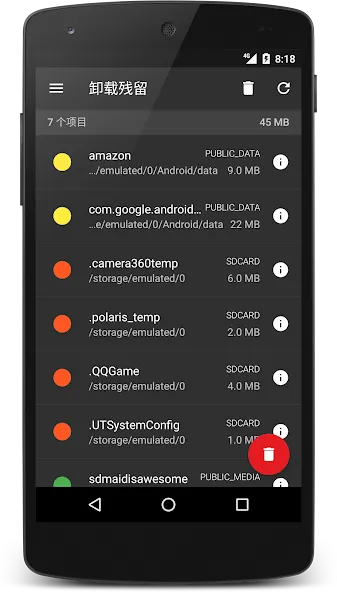
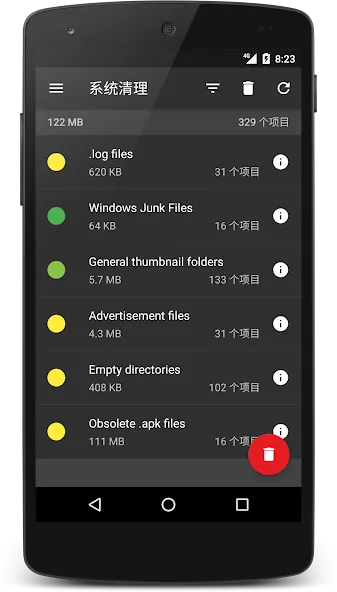
The app helps you identify "leftover" junk files, duplicate files, empty folders, and other unnecessary data remaining after applications have been uninstalled. Such items tend to accumulate over time—especially on devices where many apps have been installed and removed. However, you always retain full control over which files are deleted.
You Decide What Gets Deleted
The workflow allows you to review cleaning results before any files are removed. This is particularly useful when dealing with duplicate files, empty folders, or application remnants, as some folders might still be in use by other apps. To minimize the risk of losing important data, please carefully review the scan results and only delete files that you recognize and know to be unnecessary.
Highlights:
Deep Cleaning: SD Maid Pro helps to deep clean your Android device by removing unnecessary files, freeing up storage space.
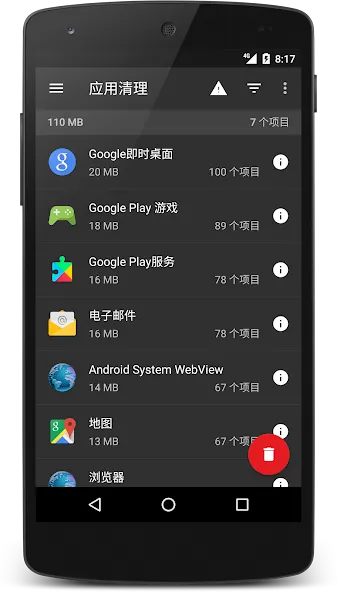
App Control: It allows users to control their installed apps and uninstall them if needed.
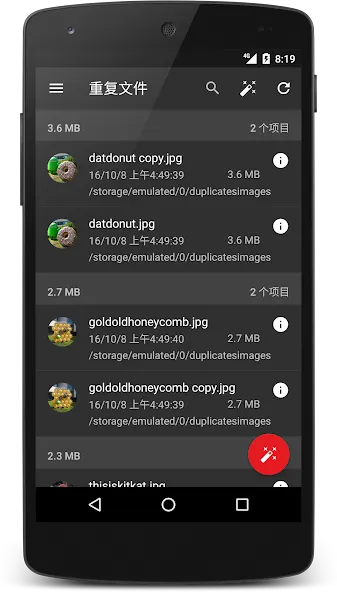
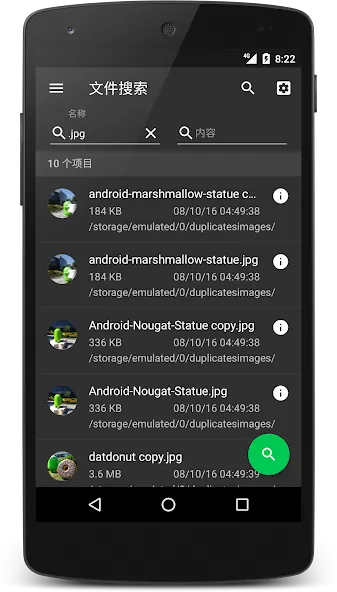
Duplicate File Finder: This feature scans the internal memory of a device for the same images or other file types so that they can be deleted quickly to free up more space on the phone’s memory card.
System Information & Logs Viewer: The app provides detailed information about system performance, such as CPU usage, RAM consumption, etc., along with helpful logs for troubleshooting purposes.
Database Optimization Tool: Allows you to optimize databases created by applications like WhatsApp, Facebook Messenger, etc., thus improving the overall performance of these services running on your smartphone/tablet devices.
CorpseFinder Feature: Helps find orphaned data left behind after uninstalling an application from users’ Android phones/ tablets, allowing easy removal without any manual effort required from the end-user side.
Advantages and disadvantages:
Pros
File editing and search functionality
Memory usage optimization
Minimalist interface
Cons
Contains advertisements
Conclusion:
SD Maid Pro delivers exceptional performance and has earned the trust of thousands of users. With this tool, you can safely manage your device’s storage space and applications. SD Maid Pro helps create a healthy, organized environment for your operating system—it is truly well worth the investment.
-
Latest Updates
-
Featured Apps