Termux
Tools
2026-10-23
24.54MB
2026.10.09
Android 5.0 and up
417
Screenshots
Introduction
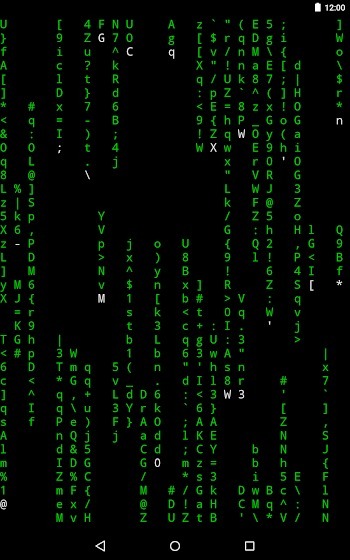
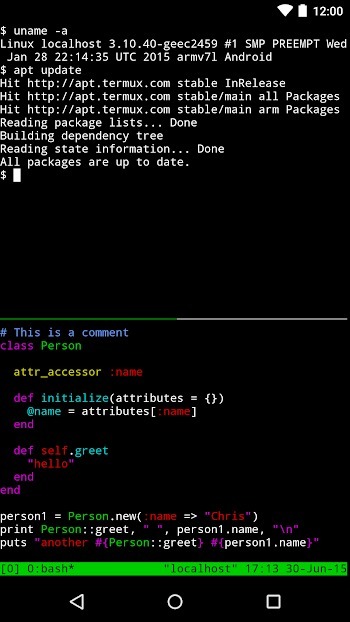
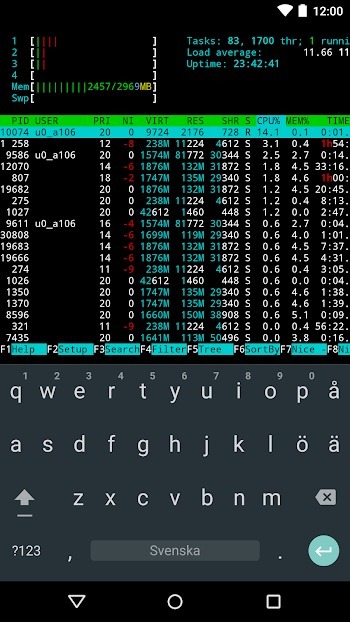
Termux is a powerful Android tool that provides a complete Linux environment, allowing users to emulate a Linux terminal directly on their mobile devices. It enables a wide range of tasks—such as programming, scripting, and server management—without requiring root access. Supporting various programming languages, the app allows users to compile and execute code right on their Android devices. It offers an excellent technical environment, providing tech enthusiasts and developers with a convenient way to take full control of their mobile devices.
Features:
Linux packages with APT
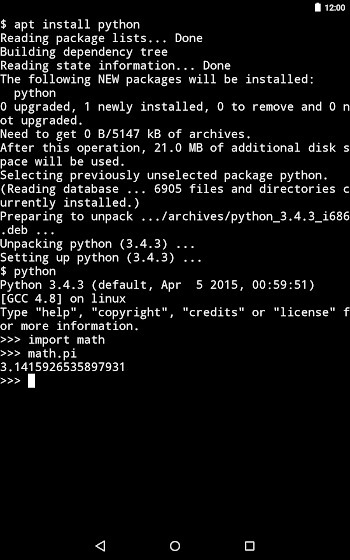
Termux provides a Linux environment that does not require root, so you can install and update packages with APT. You can access thousands of tools along with man pages and libraries, which makes learning and troubleshooting straightforward. This approach feels similar to Debian or Ubuntu workflows, so common commands work as expected.
Multiple shells and editors
You can choose a shell that fits your habits, including Bash, Zsh, or Fish. Editing is flexible as well, with options like nano for quick changes and Vim or Emacs for larger projects. For file management inside the terminal, tools such as nnn help you navigate and organize content efficiently.
Secure networking and remote access
Termux supports OpenSSH for logging into remote servers, which helps with maintenance and deployment while on the move. With curl and rsync, you can transfer files and back up data using secure protocols. This makes it practical to keep systems in sync without leaving the terminal.
Build and debug on Android
Termux includes developer toolchains that allow you to compile with clang and build projects with make or cmake. You can manage code using Git and debug with tools like gdb, lldb, and strace. This setup lets you iterate on code directly on your device and test quickly.
Scripting and Android integrations
Termux runs popular runtimes such as Python, Node.js, Perl, and Ruby for automation and small utilities. With the optional Termux:API add-on, shell scripts can read device information or trigger actions. For example, termux-battery-status and termux-location return useful data to your scripts. External keyboards, a mouse, and an external display are supported for longer sessions and more comfortable editing.
Highlights:
Read and send sms messages from your terminal.
Access device GPS location sensor from scripts.
Pipe the result of commands into the device text-to-speech engine.
Vibrate the device when something interesting happens.
Access the system clipboard from shell scripts.
List contacts from the system contact list.
Pros and Cons:
Pros
Runs bash and zsh without root access
Supports SSH, Git, Python, NodeJS, Ruby, and C tools
Manages multiple named terminal sessions
Minimal interface stays focused on command-line work
Cons
Steep learning curve for terminal newcomers
Editing commands can be awkward on phone keyboards
Some advanced tasks remain restricted without root
FAQs:
What is Termux?
Termux is an Android app that provides a Linux terminal emulator and a complete Linux environment for coding, scripting, and server management without requiring root access.
Can I program on Termux?
Yes, Termux supports various programming languages like Python, Node.js, and C/C, allowing you to compile, debug, and run code directly on your Android device.
Does Termux require rooting my phone?
No, Termux works without root permissions, though it can be combined with rooted devices for advanced setups, but rooting is not mandatory.
How do I install software on Termux?
You can install Linux packages through Termux’s built-in APT package manager, enabling easy access to thousands of tools like Vim, Git, and Python.
Is Termux safe to use?
Yes, Termux is safe as long as you use commands carefully, especially when running scripts or commands with elevated permissions. It does not alter your system without your input.
Conclusion:
In essence, Termux appeals to tech enthusiasts, developers, and anyone curious about Linux commands who want a powerful, portable workspace. It’s not just about running commands—it’s about owning your mobile device in a way that’s flexible, customizable, and surprisingly accessible.