MePic
Tools
2026-11-06
50.91MB
5.1
Android
65
Screenshots
Introduction
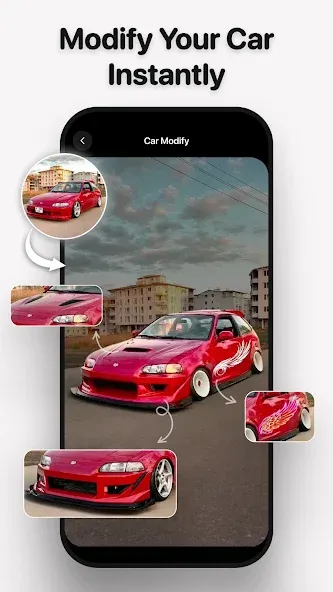
MePic is a powerful and creative photo editing application. Featuring a clean, minimalist interface, it allows users to get started quickly and easily. The app enables users to transform text into images and leverage AI to generate high-quality visuals with a single click—including the ability to create cartoon or anime-style versions of people based on their appearance. With excellent compatibility across a wide range of Android devices and support for various image formats, MePic makes it simple to share your creations on other platforms or with friends. Its comprehensive suite of intuitive, smart tools offers users immense creative freedom, empowering them to craft stunning images with a unique, personal style.
Features:
Text-to-Image
Describe a scene, style, or atmosphere to generate an image based on your prompt. Including specific details—such as portrait, soft daylight, warm tones, or shallow depth of field—helps guide the generation process and ensures more accurate results. If the output isn't quite right, simply adjust the style or lighting parameters and run it again to get closer to your desired look.
Portrait Tools and Filters
Enhance your selfies and portraits with features like skin smoothing, color adjustment, and object removal. You can apply filters to transform your photos into cartoons or digital paintings, then fine-tune the intensity to achieve the perfect balance. A preview feature allows you to review your changes before saving.
Avatar Creator and Pose Maker
Design a custom avatar by choosing from styles like cartoon, professional, or fantasy, and customize facial features, hairstyles, makeup, and accessories. Once your character is styled, select a pose to generate a polished image—perfect for social media profiles or project covers. You can modify the style or pose at any time without having to start from scratch.
Hair and Beard Changer
Explore new looks by trying out different hairstyles—short, long, curly, or straight—and experimenting with various beard styles. See how each change affects the portrait, with side-by-side comparisons to help you decide. Once you find a look you love, save that version to use as a reference for future photoshoots.
Photo Animation
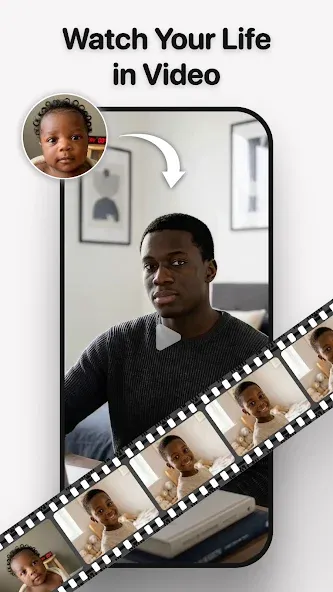
Bring static photos to life by adding facial motion or subtle visual effects. Create looping animations for social media posts or dynamic previews for your profile updates. The process is simple and intuitive—no complex timelines required to experiment with timing and movement.
Highlights:
Portrait and Photo Editing
Couple Portraits — Place yourself and your partner in a professional studio setting—no studio required.
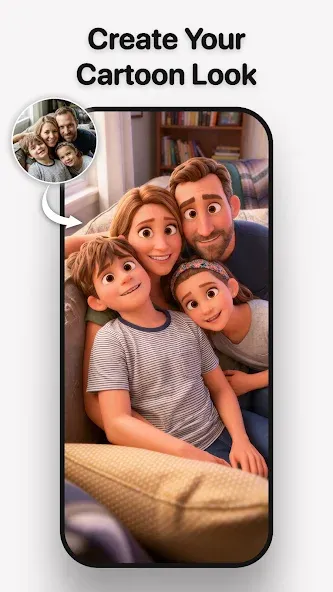
Family Portraits — Transform casual smartphone snapshots into beautiful family keepsakes.
Studio Portraits — Create professional-looking profile photos for LinkedIn, Instagram, and Facebook.
AI Photo Editor — Enhance, retouch, recolor, and reimagine any photo.
Makeup — Try out new makeup looks in your selfies.
Hairstyle & Style Makeovers — Experiment with new hairstyles, hair colors, and facial hair styles.
Photo Enhancer — Sharpen blurry, dim, or low-quality photos.
Image Editor — Crop, enlarge, remove backgrounds, and adjust lighting.
Video and Animation
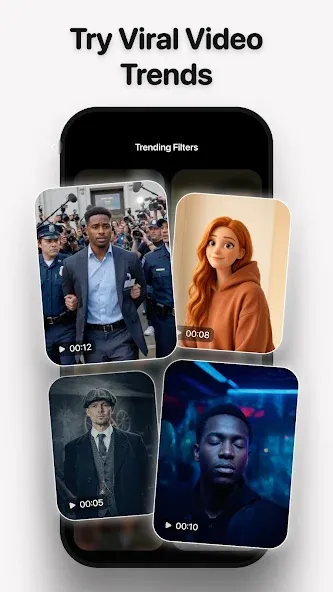
AI Video Generator — Convert text or photos into videos with a single click.
Animated Photos — Turn static images into videos with natural, dynamic motion.
Viral Dances — Make your baby, grandmother, or pet bust a move.
Singing Photos & Singing Babies — Bring any face to life with realistic expressions and singing.
AI Pranks — Send harmless, funny prank videos to your group chats.
Cinematic & Starring-Role Effects — Add movie-style transitions and put yourself in the spotlight.
AI Art and Effects
AI Image Generator — Turn text prompts into images in seconds.
AI Art Generator — Create digital art, paintings, and illustrations.
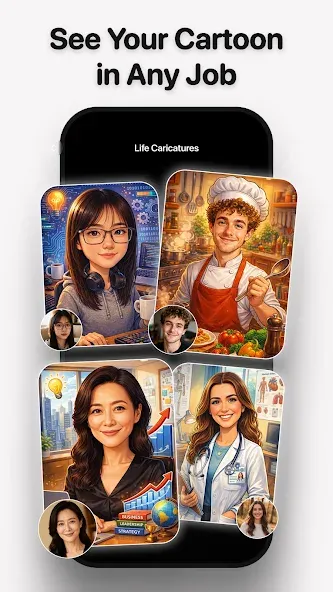
Cartoonify — Transform your selfies into cartoons, anime, or comic book characters.
80s Nostalgia — Achieve a retro, 80s-style cinematic look.
Time Travel & Aging — See what you would look like younger or older.
AI Posters — Create match-day sports posters, jersey swaps, and stickers.
Trending Effects — Explore the popular looks everyone is sharing this week.
FAQS:
Can I use this app to remove the background from a photo?
Yes, the AI background remover allows you to easily remove and replace photo backgrounds.
Does this app support cartoon-style editing?
Yes, the "cartoonize" tool can instantly transform your selfies into cartoon-style portraits.
Is this app suitable for beginners?
Absolutely. The app features a user-friendly interface, making it easy for anyone to get started with creative photo editing.
Advantages and disadvantages:
Pros
All-in-one AI editing suite
Diverse avatar and style options
Realistic hair and beard simulation
Efficient background and object removal
Cons
Functionality is limited without internet
Conclusion:
With its intelligent enhancement tools designed to improve image quality and clarity, MePic is the ideal choice for anyone looking to elevate their photo editing experience—especially photography and art enthusiasts. It is perfect for editing portraits, profile pictures, and creative artworks. Download it today and discover the future of photo editing!



-
Latest Updates
-
Featured Apps