Hypic Photo Editor
Photography
2026-09-28
169.02MB
9.3.1
Android
173
Screenshots
Introduction
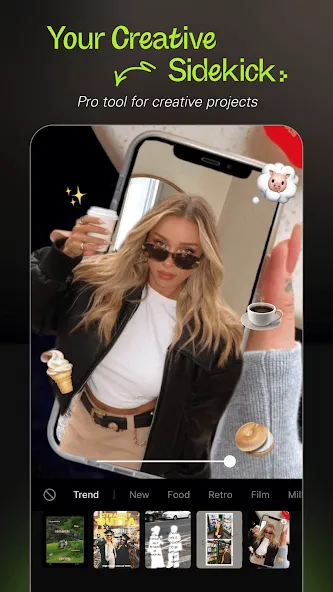
Hypic Photo Editor is a powerful photo editing app for Android. It offers robust features that allow users to remove blemishes, smooth out wrinkles, and enhance overall image brightness. The app features a user-friendly interface with helpful on-screen guidance. Powered by advanced AI technology, it helps users preserve their authentic look and personality while highlighting their unique charm. Users can edit photos and add various fonts, colors, and styles to create images with diverse, fresh aesthetics. Additionally, the app offers excellent compatibility, making it easy to share creations with friends across various platforms. It is a highly practical tool for photo editing.
Features:
AI editing features
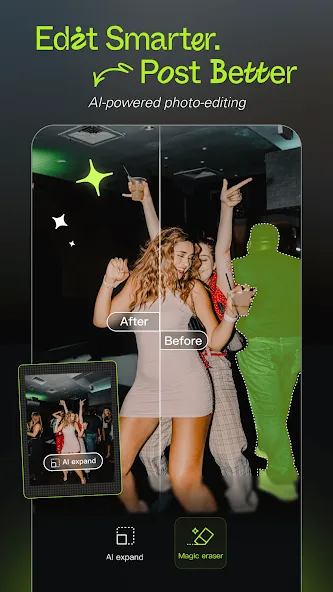
Hypic uses AI to remove or replace backgrounds, clean unwanted objects, and improve image quality. You get quick transformations with minimal manual work. Therefore, it is easy to create clean product photos, profile pictures, or styled scenes in a few taps.
Face retouch with natural controls
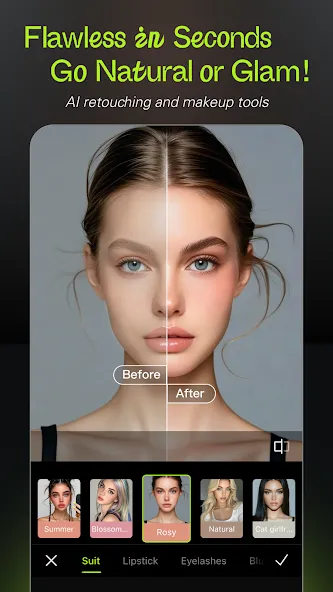
Hypic offers skin smoothing, brightness adjustment, and subtle reshape tools for eyes, lips, and proportions. Results aim to look natural rather than over-edited. In addition, sliders help you fine-tune the effect level with clear previews.
Aesthetic filters and effects
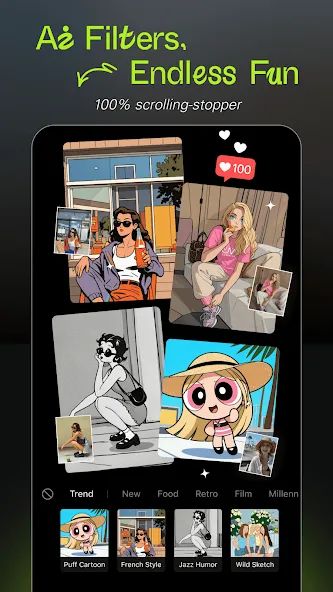
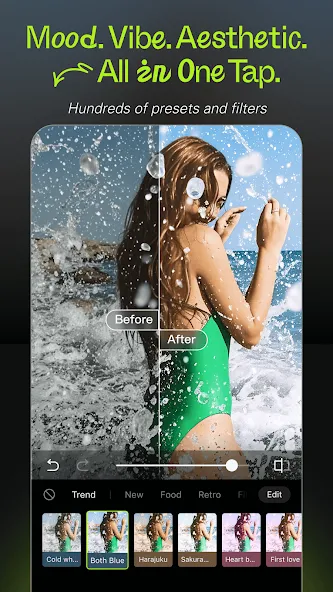
Hypic includes retro film looks, soft glow, and lo-fi styles to match different moods. You can apply a preset to keep a consistent feed across posts. Also, quick compare helps you check before and after to confirm the style.
Social templates and layouts
Hypic provides ready designs for Stories, Reels-style frames, daily vlogs, and photo dumps. You can drop images into a layout and adjust text or stickers. Moreover, built-in sizes help you export formats that fit common social feeds.
Collage and batch editing
Hypic lets you combine multiple photos and apply the same edits across a set. This saves time when you have a series of events. Therefore, you can keep a consistent tone for albums, previews, or thumbnails.
Beginner-friendly workflow
Hypic uses clear labels and one-tap styles so new users can get started fast. The app guides you with simple steps and instant previews. In addition, core tools are free, with optional Pro tools for advanced edits.
Highlights:
Portrait Photo Editor: Photography is an art and editing should reflect that. Hypic helps you achieve your ideal portrait photography and retouching goals with contouring and skin and smile enhancements in a look that is natural and never overdone.
AI Filters & Art Styles: Be the artist you’ve always wanted to be. With Hypic you can edit photos with the coolest filters, be it vintage, cinematic, or cartoon style.
Fast & Easy Photo Enhancement: With the help of Hypic’s AI engine, editing to achieve the best photo clarity, color and lighting is as easy as clicking a button. The engine does all the work and even enhances shadow details.
Batch Photo Editing: Hypic is the time saving photo editing app. No need to individually edit every album photos, batch editing an entire album is as easy as clicking a button.
Virtual Hairstyling: Hypic helps you experiment with a new look. You can virtually try on new colors and hairstyles first before making the real life changes.
Sophisticated Background Removal: With our AI cutout tool, you can accurately isolate any subject or replace the background with beautiful sceneries or artistic patterns.
FAQs:
What are the app's key features?
Key features include AI cleanup, photo quality enhancement, AI background removal, batch editing, collages and overlays, video thumbnail editing, and various artistic effects and filters.
Is it free to use?
It offers a free version that includes basic features.
Can I edit multiple photos at once?
It supports batch editing, allowing you to edit multiple photos in the same style simultaneously.
Advantages and disadvantages:
Pros
Makes use of AI for simpler editing
Has numerous editing tools and filters
Allows you to edit multiple images simultaneously
Cons
Can take time to apply some edits
Conclusion:
In short, the Hypic Photo Editor APK is a revolutionary tool in the realm of mobile photo editing, featuring cutting-edge AI capabilities and a wealth of creative options. Whether you are a seasoned photographer or an amateur enthusiast, Hypic Photo Editor meets your needs. Download Hypic Photo Editor today to effortlessly transform your digital photos into works of art and enjoy an experience defined by unparalleled convenience and superb craftsmanship.
-
Latest Updates
-
Featured Apps