AI Mirror AI Art Photo Editor
Photography
2026-09-25
207.77MB
7.1.4
Android
114
Screenshots

Introduction
AI Mirror is an AI-powered photo editing tool for Android devices. It enables users to transform the style of their photos, applying various artistic aesthetics—such as anime, cartoons, and game character styles—to their images. The app also features an animation function that turns static photos into dynamic short videos with just a few uploads. Additionally, it enhances photo quality, making images sharper and clearer. With its user-friendly interface, accessing various features is effortless, while powerful AI technology ensures rapid processing.
Features:
Style transformations for photos
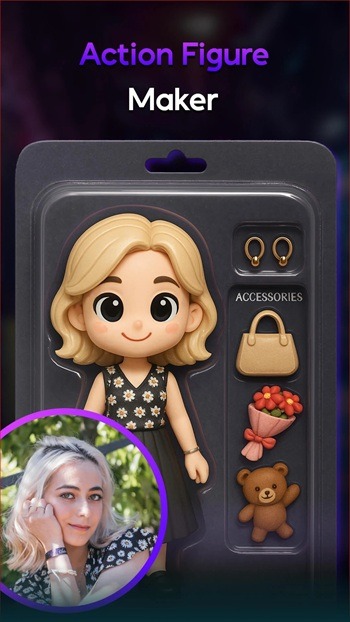
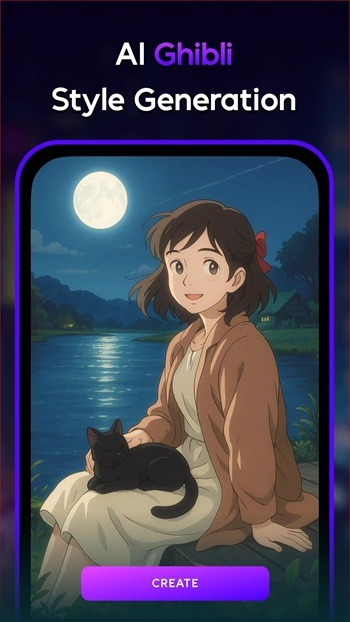
Apply artistic looks, including anime, cartoon, game-inspired characters, 3D figures, and painting styles.
Generate consistent results across multiple images with attention to facial details and lighting.
Video creation from images and templates
Use trending reels templates for short, eye-catching clips.
Convert a still image into a moving clip with the image‑to‑video option.
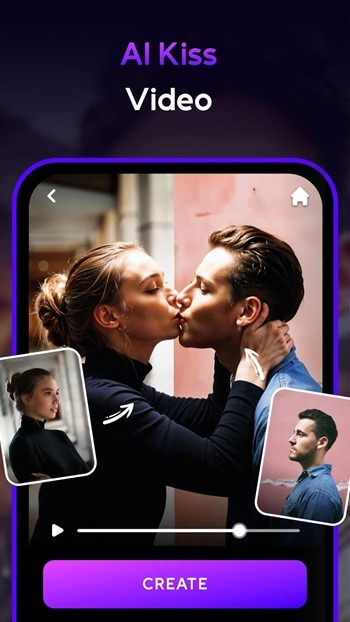
Create paired animations by combining two portraits for lifelike interactions.
Editing tools for cleanup and enhancement
Restore old photos by repairing, sharpening, and colorizing.
Enhance clarity, remove unwanted objects, and adjust backgrounds.
Try virtual hairstyle and makeup options before committing to a look.
Test outfit ideas with dress‑up and refine areas using a magic brush.
Edit with plain language commands using the chat edit tool.
Project control and updates
After you download AI Mirror, tools open from a clean home screen with clear labels. You can review results, compare alternatives, and save the version that fits your goal. Regular content updates add fresh templates and styles to keep projects aligned with current trends.
Highlights:
AI-Powered Anime Generation: Transforms selfies into anime characters using advanced AI technology.
Customizable Avatars: Users can modify their anime with different features and styles.
Easy-to-Use Interface: User-friendly design makes uploading photos and creating anime images simple.
High-Quality Results: Delivers clear and detailed anime avatars that look professional.
Interactive Editing Tools: Offers tools for fine-tuning and personalizing anime characters.
Diverse Style Options: Provides a range of anime styles and looks.
Meme Creation: Enables users to create memes featuring their custom anime avatars.
Profile Picture Maker: Ideal for generating unique profile pictures with anime flair.
Pros and Cons:
Pros
Tons of filters
Lets you choose an aspect tattoo
Imagine Value bar affects creativity
Fast image processing
Cons
Low quality of downloaded photos
Free users are inundated with ads
FAQs:
What is AI Mirror APK used for?
AI Mirror APK is used for AI photo editing, style changes, image restoration, background edits, object removal, and turning still photos into short animated videos.
Which features stand out most in AI Mirror APK?
The most notable features include AI filters, anime and art-style transformations, old photo restoration, virtual hairstyles, AI makeup, object removal, background editing, and image-to-video creation.
Is AI Mirror APK easy for beginners to use?
Yes. The app is designed for quick editing with simple tools, ready-made effects, and AI assistance, so beginners can make strong edits without learning professional software.
Does AI Mirror APK work well for social media content?
Yes. It is especially useful for profile photos, short-form video clips, themed portraits, and trendy visual styles that fit platforms like TikTok, Instagram, X, and Facebook.
Conclusion:
The AI Mirror is an exciting tool for anyone who loves anime and wants to create personalized avatars. With its advanced AI technology and user-friendly features, the app offers a fun and creative way to transform selfies into unique anime characters. Whether you want to make memes, profile pictures, or explore different anime styles, it is the perfect choice for all your anime creation needs.
-
Latest Updates
-
Featured Apps