Snapseed
Photography
2026-09-26
28.03MB
2.19.1.303051424
Android
532
Screenshots
Introduction
Snapseed is a photo editing tool for Android devices. It offers a wide range of styles and special effects that can be applied freely. Key features include smart masking and batch editing capabilities. Real-time effect previews help save time, while non-destructive editing allows for easy image reversion. The app supports various image formats and includes advanced features like soft glow and RAW processing. It also offers portrait enhancement tools to adjust poses and retouch facial features. It is a powerful yet user-friendly app that is easy to master.
Features
No Strings Attached: Get 30+ pro tools and filters - no subscriptions, purchases, ads, or watermarks
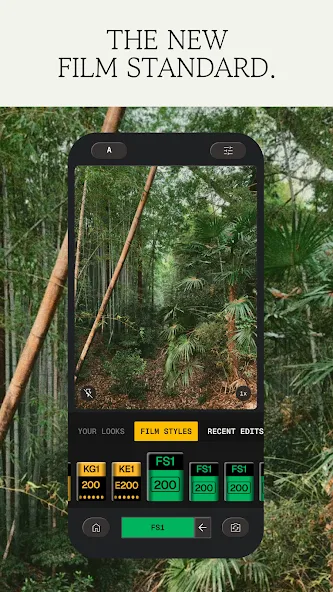
Vintage Styles: realistic film filters, plus Halation, Bloom, and Grain tools
Smart Masking: Instantly and intelligently isolate subjects or backgrounds with a single tap for fast, targeted edits
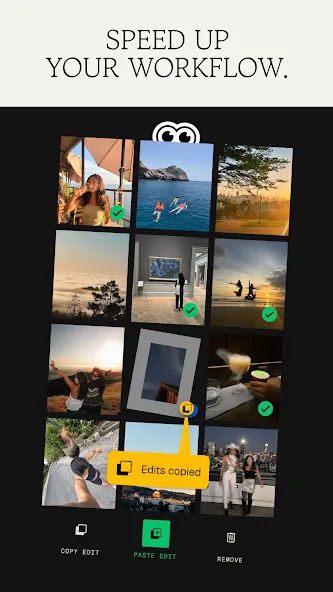
Batch Editing: Quickly apply your favorite looks and edits to multiple photos
Snapseed Camera: Capture using custom styles or film looks. Save time with real-time effects that can be edited or reset later
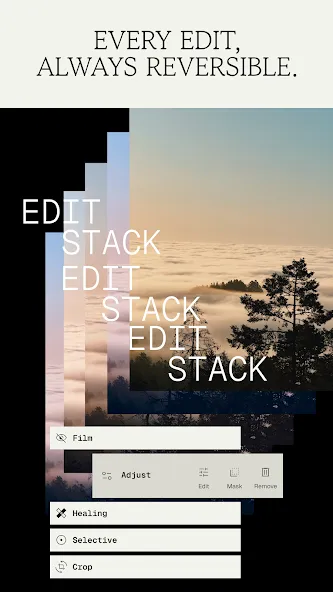
Non-destructive Editing: Easily undo changes or revert to your original photo at any time
RAW Support: Open and edit JPG and RAW files with precise control
Function
Bloom – create a soft, dreamy optical diffusion to light sources for a cinematic finish
RAW Develop – open and tweak some RAW file types
Double Exposure - combine two photos using blend modes inspired by film and digital processing
Portrait – modern tools to quickly enhance lighting, adjust poses, and refine facial features
Details – magically brings out surface structures in images
Crop and rotate – crop to standard sizes, rotate by 90°, or straighten a skewed horizon
Perspective – fix skewed lines and perfect the geometry of horizons or buildings
White Balance – adjust the colors so that the image looks more natural
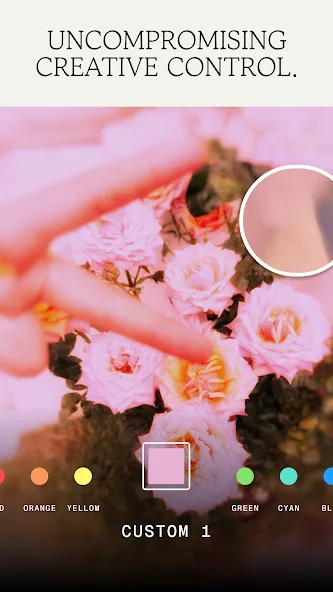
Brush – selectively retouch exposure, saturation, brightness or warmth
Vignette – darken image corners for a classic photographic effect
How to Use
Open Snapseed and tap to choose a photo from your gallery. Wait for the image to load on the main canvas.
Tap Tools, then select a basic option such as Tune Image or White Balance. Slide left or right to adjust the chosen setting until it looks right.
Use Selective or Brush for local edits. Place a control point on the area you want to change, adjust the size, then fine-tune brightness, contrast, or saturation for that region.
Add creative effects if needed. Try Curves for tonal control, HDR Scape for dynamic range, Double Exposure for blending, or Lens Blur for depth.
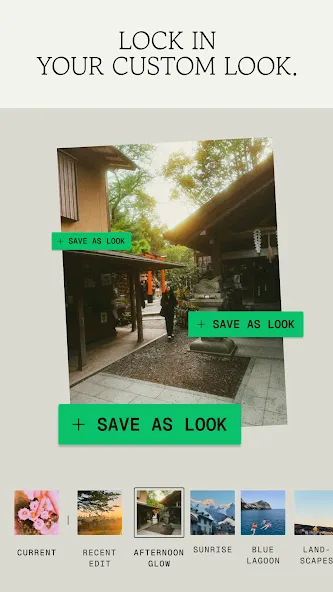
Tap Export when you are satisfied. Save, save a copy, or export at a chosen size, and optionally save your settings as a new look for later use.
User comments
Snapseed has been my editing companion for years! It’s one of the best photo editing apps out there—simple, powerful, and completely free. From basic adjustments to advanced tools like selective editing and healing, it never fails to enhance my photos just the way I want. Truly a must-have for anyone who loves clean and professional edits!
Snapseed is honestly one of the best photo editing apps I’ve ever used. It has so many useful tools, filters, and editing options, but still feels simple and easy to use. I especially love how naturally I can enhance my photos without making them look overly edited. The results are always clean, aesthetic, and professional-looking. Definitely one of my favorite editing apps!
I've been using it for a few years and enjoy the tools. Navigation changed when the app was updated, but all the tools are still there. I like the new look less than the previous classic look which was more straightforward. I also don't like the library that adds and stores photos. I keep having to go in and delete them. Otherwise, the features ballow me to get creative and I really like this app for that.
Summarize
Snapseed is a photo-editing app that provides you with endless possibilities for enhancing your photos. Download Snapseed's free APK for Android to access a wide variety of tools, filters, and effects to enhance and customize your images. Transform your photos with ease and precision, and achieve professional results with all its features.
-
Latest Updates
-
Featured Apps