GameHub Lite
Tools
2026-09-18
89.64MB
6.2.1
Android 5.0 +
353
Screenshots
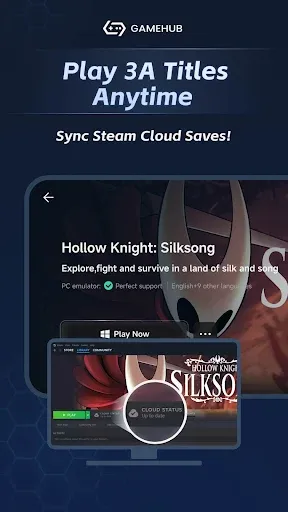
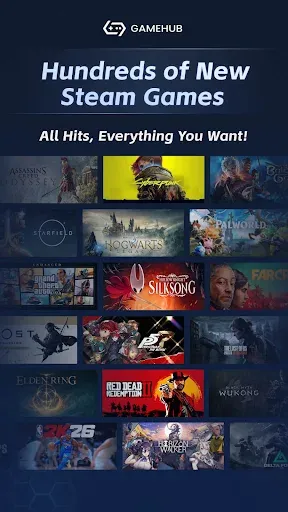
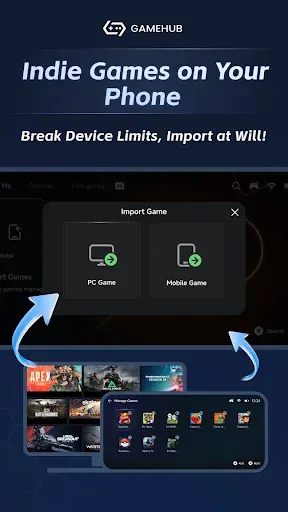
Introduction
GameHub Lite is an Android emulator designed to enhance the gaming experience and improve performance smoothness. It features a user-friendly interface that makes it easy to get started. The software boasts excellent compatibility, supporting a wide range of Android devices and various games, and allows for offline play when no internet connection is available. It also supports online multiplayer, enabling users to enjoy their favorite games with family and friends. Users can customize settings and adjust professional parameters to suit their specific needs. It runs on both smartphones and tablets and includes a game recording feature, making it a highly powerful application.
Features:
Enjoy Seamless Gaming
This app offers a powerful streaming solution that delivers your extensive PC game library to your Android device with exceptional clarity and ultra-low latency.
Intuitive User Interface
Designed specifically for mobile devices, the interface features a smooth layout that allows you to quickly browse, search for, and launch games without any hassle.
Optimized Performance
It intelligently adjusts streaming quality based on your network conditions, striking a balance between visual fidelity and responsiveness. This optimization ensures reduced lag and more stable frame rates, delivering a premium, desktop-quality gaming experience over Wi-Fi or mobile data.
Broad Compatibility
The app is highly compatible, working seamlessly with a wide range of PC games and hardware configurations. It supports various control schemes—from customizable on-screen touch controls to external Bluetooth gamepads—offering flexibility to suit your personal preferences.
Customizable Controls
Players can tailor game controls to their specific needs. With distinct control options available for different titles, you can customize settings directly within the game.
Highlights:
Native PC Game Support: Play your favorite desktop titles anywhere.
Privacy-First: All invasive tracking and mandatory online logins are removed.
Full Offline Play: Enjoy installed games without needing an internet connection.
External Launcher Ready: Seamlessly integrates with frontends like Daijisho and RetroArch.
FAQs:
What is GameHub Lite APK used for?
GameHub Lite APK allows Android users to run real Windows PC games natively on their devices. It’s a lightweight, privacy-focused emulator that removes logins, ads, and tracking systems, giving players full control and offline gaming freedom.
Is GameHub Lite APK safe to install on Android?
Yes. GameHub Lite APK is verified by the open-source community and contains no tracking SDKs or intrusive permissions. It doesn’t collect personal data, access your camera, or require any social-media login, making it one of the safest Android PC-emulation tools available.
Can I play PC games offline with GameHub Lite APK?
Absolutely. One of its main advantages is full offline functionality. Once a game is imported, it runs without any Internet connection—no updates, cloud syncs, or server checks. This makes it ideal for travelers or players in areas with limited connectivity.
What devices and controllers are compatible with GameHub Lite APK?
GameHub Lite supports most Android 8.0 devices using Snapdragon, Mali, or Exynos GPUs. It works seamlessly with Xbox, PlayStation, GameSir, IPEGA, Razer, and Logitech controllers, plus keyboard, mouse, and customizable on-screen touch controls.
Advantages and disadvantages:
Pros
Runs entirely offline
Lightweight and energy-efficient
Open-source and community-supported
Easy to set up
Cons
Contains ads
Conclusion:
GameHub Lite is an all-in-one emulator app for Android that lets you enjoy games from multiple platforms—including PS, Xbox, and PC—catering to whatever genre or title you wish to play. Download the latest version of this free emulator app on your smartphone or tablet today and enjoy a smooth gaming experience!





-
Latest Updates
-
Featured Apps