
Flow AI
Tools
2026-10-21
38.85MB
1.0.37
Android 6.0 and up
303
Screenshots
Introduction
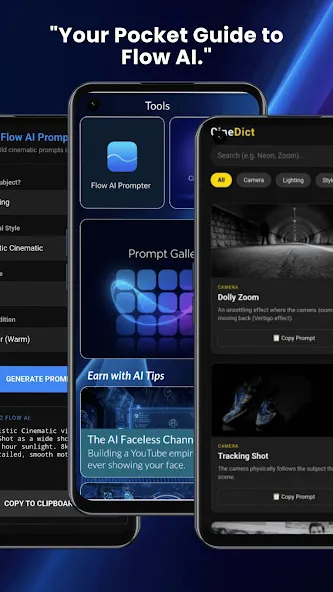
Flow AI is a highly powerful intelligent application. It features a user-friendly interface, with intuitive functions that make it easy to get started. The app allows users to add various animated effects, bringing photos and videos to life. Powered by advanced artificial intelligence, it can generate diverse videos and 3D models with just a single click. Its generation speed is exceptionally fast, enabling the quick creation of stunning videos and images without any delay. The app offers excellent compatibility, supporting a wide range of Android devices as well as various file formats and high-definition imagery. Furthermore, the videos and images you create can be easily shared with friends or posted to other platforms.
Features:
High-Fidelity Generation with Veo 3.1
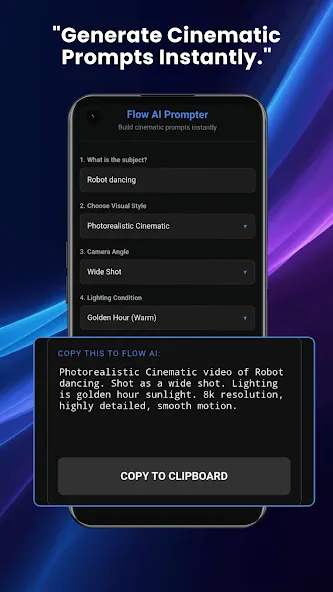
Flow AI enables the creation of short videos and images directly from text prompts, or the expansion of a sequence of frames into dynamic motion. Powered by the Veo 3.1 model, these outputs feature crisp, sharp visuals and fluid, natural motion. You can start from scratch or build upon existing footage, ensuring a consistent style throughout your project. This allows you to manage your entire workflow—from initial concept to rough cut—without ever leaving the application.
Precise Editing and Camera Control
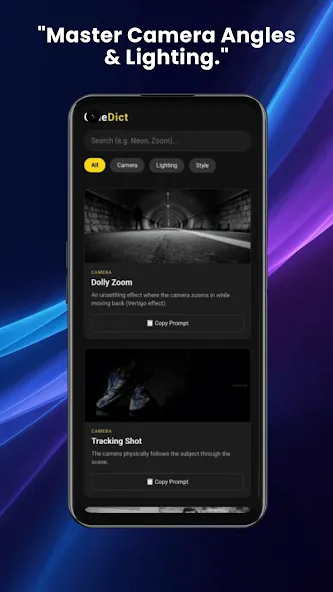
Following the initial render, you can refine your results using specialized tools. Flow AI allows you to add or remove objects, extend the duration of scenes, and adjust camera angles and movement. These controls help you correct minor issues and direct the viewer’s focus within each shot, enabling you to fine-tune the visuals to align with your original storyboard.
Constructing Scenes for a Coherent Narrative
Flow AI’s built-in scene builder helps you arrange clips into a clear narrative structure. You can sequence scenes, manage transitions, and maintain thematic consistency across shots—ensuring that character appearances and visual details remain uniform from start to finish.
Organizing Assets into Collections and Sets
You can save reusable assets, group them into collections, and tag project elements for quick retrieval. A drag-and-drop interface makes it easy to place resources exactly where you need them. This organizational structure accelerates the iteration process across multiple scenes and versions.
Credit-Based Creation and Upgrade Options
Flow AI uses a credit system for content generation and exports. A free trial is available, allowing you to explore the tool and create basic outputs. Options for 1080p or 4K super-resolution are also supported, letting you choose the quality level and usage plan that best suits your current project requirements.
Highlights:
Conversational input that functions like collaborating with a creative assistant
AI-powered automated selection of visual effects, transitions, and special effects
Supports text-to-video and image-to-video generation
Easy to use—no design or editing experience required
Intuitive communication through natural language descriptions
Rapid video production turnaround
Capable of creating cinematic and highly engaging visual styles
Suitable for a wide range of creative and professional applications
User comments:
Right now, you only need to top up 10 daily credits! Also, it would be great to add a feature that shows how many credits are required to generate a video. I absolutely love this app!
I started using this app today and went ahead with an annual subscription. It reads my scripts and generates videos—the functionality is very stable, and I can even choose the video duration or quality. I’ve already created 5 videos, bringing my total to 6!
Haha! I once prompted it to show a crocodile riding a bicycle, and it actually pulled it off—truly impressive!
Advantages and disadvantages:
Pros
Auto-Cut engine syncs transitions to music automatically
One-tap Multi-Canvas resizing: 9:16, 16:9, 1:1, 4:5
AI Studio includes Auto-Reframe and cinematic color LUTs
Dynamic soundtrack presets with beat detection and tempo alignment
Cons
Generation-processing bugs reported by some users
Conclusion:
Download the Flow AI APK to take full advantage of this powerful AI-powered video and image generation tool. With this app, you can access the latest models on your Android device anytime, anywhere. Even better, you can use the same account to access the tool via any web browser.





-
Latest Updates
-
Featured Apps






