Sketchware
Tools
2026-10-09
124.23MB
v7.0.0
Android 5.0 and up
454
Screenshots
Introduction
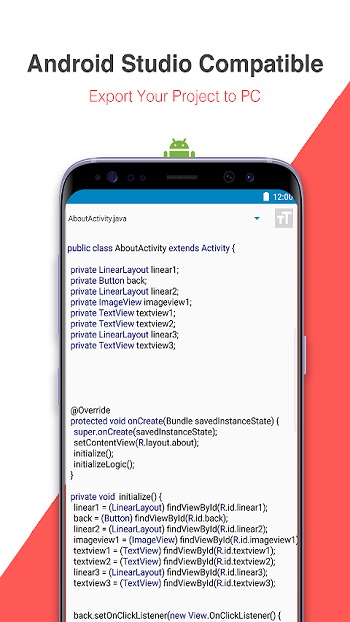
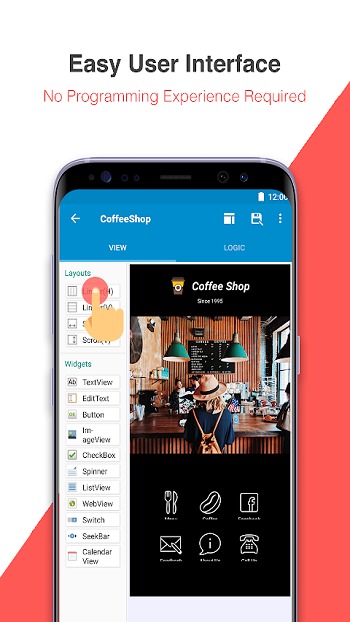
Sketchware is a code editing tool designed for Android devices, enabling users to edit code directly on their mobile phones. It offers a range of interface design tools and code editing features, allowing users to easily create various applications. Fully compatible with Android Studio, the app supports seamless file exchange and interoperability between the two platforms. Additionally, it features drag-and-drop modules that automatically generate Java and XML code, significantly saving time and boosting coding efficiency.
Features:
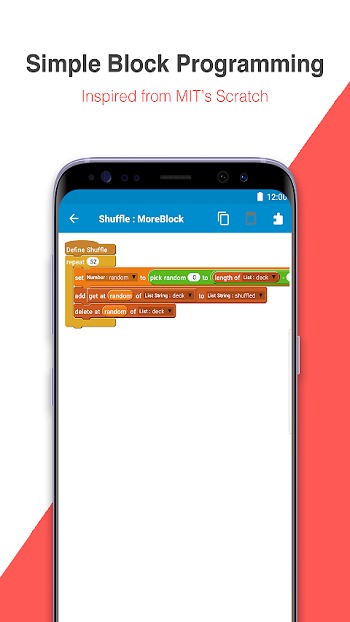
Block programming similar to Scratch from MIT
Visual Drag & Drop Integrated development environment (IDE)
Automatically translated source code (Java and XML)
Compile and build install files on your phone (APK file)
Fully Compatible with Android Studio
Tips and Tricks:
Save the downloaded APK file anywhere on your device.
Now open the Android Settings app and then go to Security Settings.
Find the option named “Unknown Sources” and enable it.
Use the downloaded APK file to install the app.
It will take just a couple of seconds, and you’ll be done.
Open the app using the shortcut created on the home screen to use it.
FAQs:
What is Sketchware?
Sketchware is a mobile app builder for Android that lets users create apps with drag-and-drop blocks, screen design tools, and optional code editing.
What is Sketchware used for?
It is used for building Android apps, simple games, prototypes, learning projects, and basic tools without needing a full desktop coding setup.
Does Sketchware require coding skills?
Basic coding knowledge helps, but many functions can be handled with visual blocks. New users can still learn app logic and build smaller projects more easily.
What features stand out in Sketchware?
Its key features include drag-and-drop app design, event handling, SQLite support, custom Java and XML editing, and project creation directly on Android devices.
Who should use Sketchware?
It suits beginners, students, hobby developers, and anyone who wants a simpler way to create Android apps or test ideas on mobile before moving to advanced tools.
Conclusion:
This app fits students, hobby developers, beginner coders, and Android users who want a simpler way to build projects. It is most useful when the goal is to learn app structure, create basic tools, test ideas, or make lightweight apps without setting up a full desktop workflow. Users who plan to move into deeper Android development can also use it as an easier starting point before switching to more advanced tools.