AAAD
Tools
2026-10-12
58.84MB
2.8.5
Android 5.0 and up
68
Screenshots
Introduction
AAAD is a multimedia mirroring app for Android devices that allows users to cast their phone screens onto in-car displays for tasks such as navigation and media playback. It boasts broad compatibility with most vehicle infotainment systems and supports both wireless and wired connections, offering users flexible setup options. The app does not require root access, ensuring a secure and worry-free user experience. Additionally, it receives regular updates that introduce new features and performance optimizations to enhance usability.
Features:
Guided installation and updates
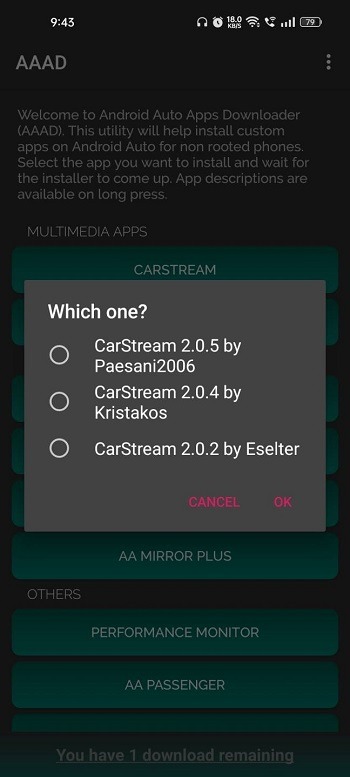
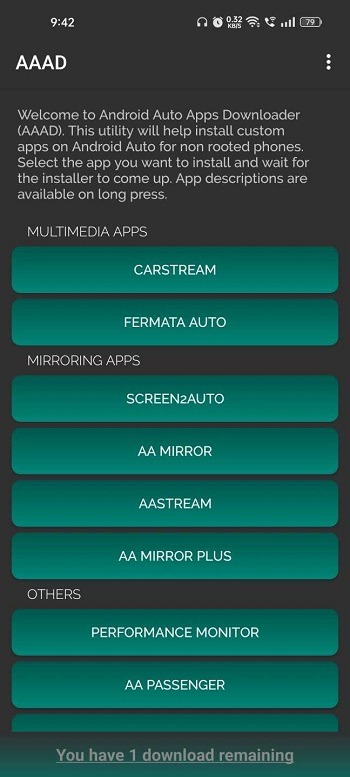
AAAD lets you download and install unofficial Android Auto apps directly on your device without a computer. It fetches the newest available versions of supported apps to reduce manual updates. Installing the AAAD latest version helps maintain compatibility with the included catalog.
No root required
Additionally, you can use AAAD on many Android devices without root access. This lowers setup risk and keeps your phone close to its default state, which helps when troubleshooting.
Free and Pro usage limits
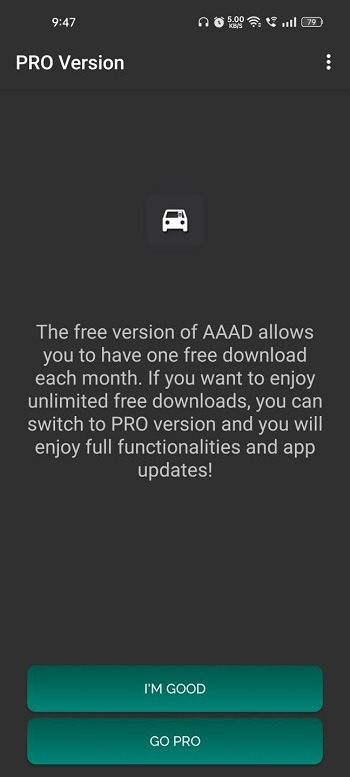
The free version allows one app download per month for testing.
The Pro upgrade removes limits and lets you install as many apps as you need.
Catalog, launcher, and safety notes
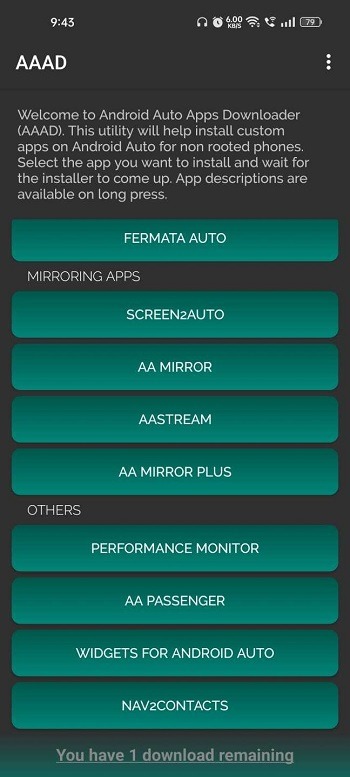
Lastly, AAAD works as a launcher to show compatible apps on the car screen. The current catalog has around ten titles, so choices may be limited. These apps are unofficial and not certified for use while driving, and performance can vary by vehicle. Test features while parked and follow local safety rules.
Highlights:
Quick app downloads for Android auto-compatible apps.
Wide selection of supported applications.
Safe and secure download sources.
Regular updates with new features and bug fixes.
Pros and Cons:
Pros
AAAD is designed to be user-friendly
It is easy to install and set up given its mild learning curve
It allows the user to increase the versatility of their Android Auto devices with vital third-party apps
Users are not required to root their devices to utilize this app
The app always installs the latest supported versions of the third-party apps
The app can operate without developer options on compatible phones
Cons
The app only supports about 10 third-party apps
Some of the installed third-party apps may glitch or fail to appear due to compatibility issues or Android Auto updates
The free version is limited to a single download every 30 days
FAQs:
What is AAAD APK used for?
AAAD APK is used to mirror phone content to a compatible car screen, making it easier to access maps, music, videos, and other apps on a larger display.
Does AAAD APK work with all car screens?
AAAD APK works with many infotainment systems, but support depends on the car unit offering screen mirroring, Android-based connectivity, or similar features.
Can AAAD APK connect wirelessly?
Yes, the reference says AAAD APK supports both wireless and wired connections, giving users more flexibility based on their car setup.
Is AAAD APK good for navigation and music?
Yes, AAAD APK is useful for navigation and music because it can show map apps and stream audio through the car display in a more convenient layout.
Conclusion:
The app is a practical option for Android Auto owners who want unsupported multimedia and mirroring on their head unit, provided they accept occasional breakage after platform updates and possible device-specific restrictions. It suits users willing to perform small troubleshooting steps in developer settings, and delivers a straightforward, no-root path to extended infotainment features. Recommended.
-
Latest Updates
-
Featured Apps