Citrus AI
Photography
2026-10-12
78.02MB
4.9.8
Android
340
Screenshots



Introduction
Citrus AI is an advanced AI-powered image editing tool. It features a user-friendly interface, allowing users to quickly get started with various editing tasks. The tool offers a comprehensive suite of features, enabling users to apply filters and special effects to achieve their desired visual results. It boasts excellent compatibility, allowing users to share their creations across various platforms or save them directly to their phones, all while maintaining high image quality. Additionally, it includes image restoration capabilities and supports a wide range of file formats. Regular updates and new features are introduced to meet evolving user needs. Users can also utilize one-click AI generation, streamlining their workflow and boosting productivity.
Features:
Free one-tap photo enhancement
Naturally remove photo blur
Sharpen details while avoiding harsh artifacts
Reduce noise and graininess
Subtly enhance selfies and portraits
Natural, authentic facial and feature enhancement
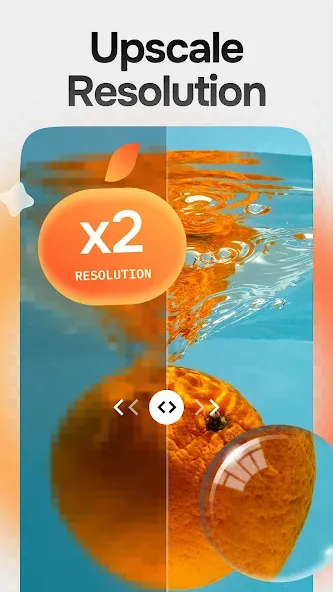
Upscale low-resolution photos
Sharpen faces, objects, and backgrounds
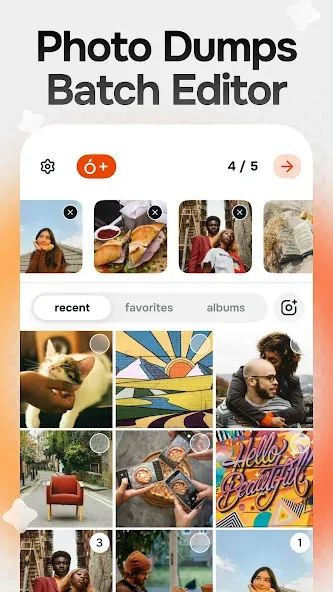
Enhance multiple photos simultaneously
Fast processing with a focus on privacy and security
Highlights:
One-Tap Enhancement: Instantly transform blurry or grainy photos into sharp HD quality with a single tap.
AI-Powered Restoration: Advanced AI technology restores details in old or damaged images.
Face Sharpening: Enhance facial features for clearer and more natural-looking portraits.
Old Photo Repair: Restore vintage photos to make them look fresh and vibrant.
No Watermarks (Pro Version): Save your enhanced images without any branding or watermarks.
Multiple Subscription Options: Flexible weekly, monthly, and yearly plans to suit your needs.
Privacy Protection: Transparent privacy policy ensures your photos remain secure.
User-Friendly Interface: Clean and simple design that is easy for everyone to use.
FAQs:
Is the Citrus AI app free?
Yes, Citrus AI is free to use for basic photo enhancement features.
How does Citrus AI improve photos?
With just a single tap, Citrus AI enhances photo clarity, detail, color, and sharpness. It also removes blur, sharpens images, reduces noise, and increases resolution.
Does Citrus AI support batch photo editing?
Yes, Citrus AI supports batch processing for multiple photos.
Advantages and disadvantages:
Pros
Corrects blur, grain, color, exposure, and low resolution in one step
Prioritizes subtle portrait and photo enhancement
Citrus Plus includes batch processing and unlimited enhancements
Cons
Free enhancement limits may feel restrictive
Conclusion:
All in all, Citrus AI is a powerful tool for anyone looking to enhance the quality of their photos. Whether you want to improve recent shots or restore cherished memories from the past, the app’s AI technology and user-friendly interface make it an ideal choice. With just a single tap, users can transform low-resolution, grainy, or blurry photos into high-definition images, ensuring every precious moment is captured at its best.
-
Latest Updates
-
Featured Apps