
Videoder
Photography
2026-08-20
9.42MB
14.5beta2
Android
68
Screenshots
Introduction
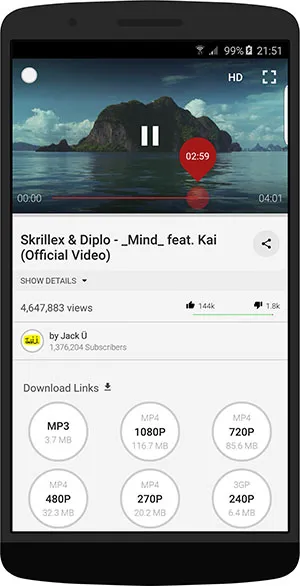
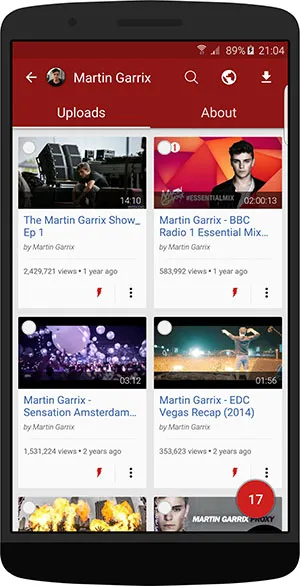
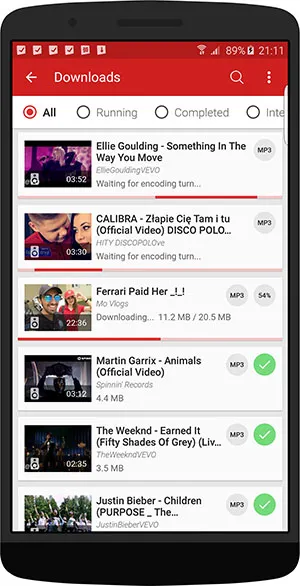
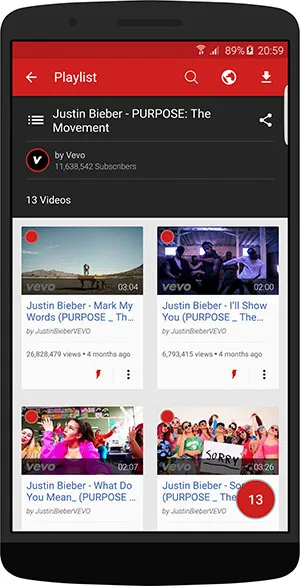
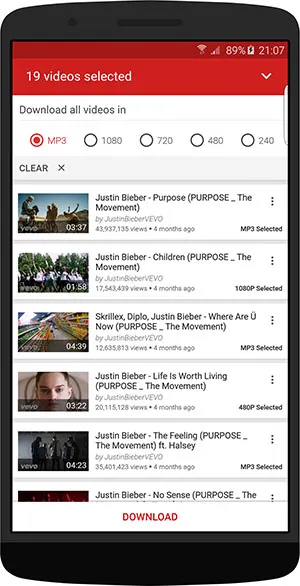
Videoder is a video downloader for Android devices. It allows users to download videos from YouTube, Facebook, and other platforms and convert them to MP3 format. The app offers a variety of resolutions and formats, allowing users to choose from video quality ranging from 144P to 4K to suit their needs. It also features a built-in browser, enabling users to quickly browse various content without switching apps. Furthermore, the app provides a batch download function, allowing users to download multiple video files at once, greatly saving time.
Features:
Flexible resolution and format choices
Select available video qualities from 144p up to 4K, or save audio as MP3 when supported. Videoder Video Downloader shows options per item, so you can pick what fits your device or data plan. Check for the Videoder Video Downloader latest version to access improvements to quality selection.
Built-in browser with preview
Browse websites inside the app to find content without switching apps. You can preview videos in SD or HD before downloading, and the ad-free interface helps you focus on evaluating the file.
Batch and bulk download tools
Select multiple videos or tracks while browsing and add them to a selection list in one tap.
Search channels and playlists and download items in groups when available.
Use quick action buttons to start downloads with fewer steps.
Continuous playback
Turn on autoplay to play items one after another. This helps you review videos or listen without repeated taps while downloads continue in the background.
Highlights:
Inbuilt web browser to search and downloads
Videoder apk offers the users one of its inbuilt browsers where you can search anything like applications, websites, blogs, and much more like Chrome. It integrated every information into it. You can search for any movies, videos, shows, series, music, etc. and then copy the link so it will automatically start super-fast downloading on the device. You can also route various popular search engines on the platform, and it also provides multiple top-notch browser features like Incognito mode, bookmarking, etc. The primary benefit of this browser is its ad-blocking facility which makes it more attractive in all the terms to go for in the device.
Customize the interface and multiple languages support
Videoder apk offers the users the customization of the interface and downloading format in the platform. At the same time, the application supports all the major languages and terms to design your interface and enjoy the serving of the application.
Pros and Cons:
Pros
User-friendly interface
Several customization options
Integrated search engine
Fast download speeds
Cons
Minor glitches
FAQs:
What is Videoder?
Videoder is a mobile app that lets users download videos and convert them to MP3 from platforms like YouTube, Instagram, and Facebook.
Is Videoder available on the Google Play Store?
No, Videoder is typically downloaded from third-party sources, as it isn’t listed on the Play Store due to its media downloading capabilities.
Can Videoder convert videos to MP3 format?
Yes, Videoder includes a one-tap option to convert downloaded videos into MP3, making it perfect for building music libraries.
Does Videoder support 4K video downloads?
Absolutely. Users can download videos in a range of resolutions, from 144p up to 4K, depending on the source video’s quality.
Is Videoder free to use?
Yes, Videoder is free and does not display ads during usage, which makes it lightweight, smooth, and user-friendly.
Conclusion:
Videoder APK is an amazing tool that allows users to download videos from various websites and platforms. It has a simple user interface, making it easy for anyone to use the app without any technical knowledge or experience. With its powerful features like multi-thread downloading, batch downloads, video formats conversion support and more.
-
Latest Updates
-
Featured Apps









