Video Editor & Maker - InShot
Photography
2026-09-08
59.37MB
1.700.2309.yingY
Android
185
Screenshots
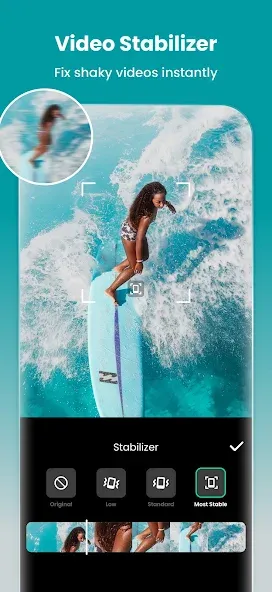
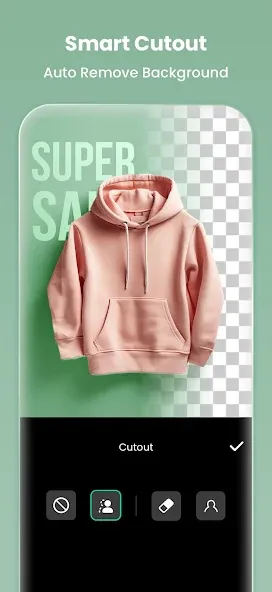
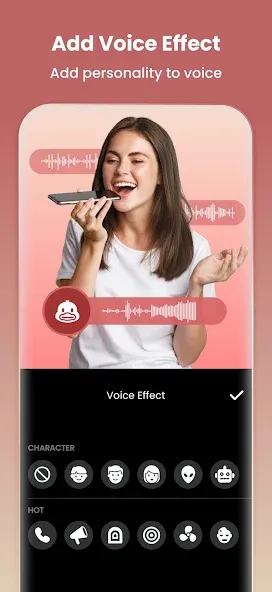
Introduction
InShot is a video and image editor. This editing software boasts powerful artificial intelligence, enabling users to quickly and professionally edit images and videos. Users can edit subtitles, trim images, add text, add custom music, apply filters, and merge images. The software features a user-friendly interface. Users can easily learn and use it by following prompts or tutorials; it's very convenient to operate. Even new users can create professional-looking videos. The created videos can be shared on other platforms or with friends.
Features:
Crop videos and photos to remove any part of the screen that you do not want
Adjust the ratio to fit the video and photo to any aspect ratio you want
Reverse or rewind the clips
Adjust the speed of videos from 0.2x all the way to 100x
Add keyframe animations to the stickers, text, and PIPs
Remove a selected color from videos to create a green screen video
Add a shape mask to PIP
Blend videos with blend mode
Pick a color on the screen and use it for the background or text
Add voice effects to change the voice on the videos
Highlights:
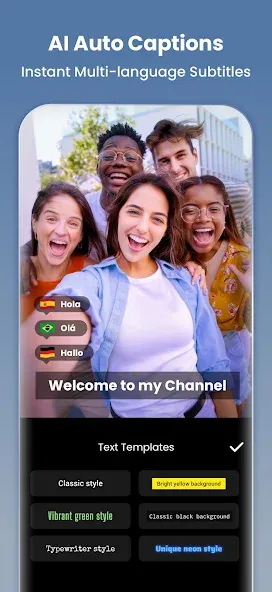
AI Tools: Video Editor & Maker - InShot integrates AI-powered features such as body effects, automatic captions, and background removal, simplifying the editing process.
Comprehensive Video Editing Functions: Users can trim, merge, and reverse video clips, among other things. It offers a wealth of editing options, including adding text, emojis, music, and voiceovers.
Customization and Effects: The app allows users to extensively customize videos using filters, effects, and transitions. Users can adjust the brightness, contrast, and saturation of videos to their liking.
Photo Editing and Collage Creation: In addition to video editing, Video Editor & Maker - InShot can also be used as a photo editor and collage maker, providing tools for editing images, adding backgrounds, and creating photo collages.
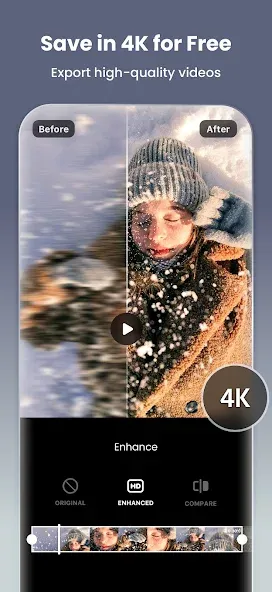
Easy Sharing: The app supports custom video export resolutions, including 4K 60fps, making it easy to share your creations on various social media platforms.
Advantages and disadvantages:
Pros
Offers all basic editing features, including trimming, cutting, merging.
Export videos with high-quality resolution
Flexible and versatile photo and video editing process
Integrated to huge collection of editing features
Supports multiple advanced functionalities
Free to use and lightweight
Cons
The exporting process is slow
User comments:
InShot, the video editor & maker, is my favorite video editing app! It's incredibly easy to use and powerful, making it accessible to both beginners and professionals. From editing clips to adding music, effects, transitions, and text, everything is smooth and convenient. I've been using it for years, and it has never disappointed me. Highly recommended for anyone who enjoys creating high-quality content anytime, anywhere!
From the very beginning, I was amazed by its rich editing features. It's intuitive and easy to use, and the filters and templates for images and videos are top-notch. A five-star rating is well-deserved! While there are occasional ads, I think this minor flaw is negligible, given its powerful features and the fact that I haven't encountered any ads yet.
This is absolutely the best free video editing app I've ever used. While some features require a subscription, you can unlock most of the subscriber-only features by watching ads. I'll definitely be using this app for a long time. However, it would be even better with a small improvement. In the audio section, it would be even better if the intensity of the voice effects could be adjusted like the curve in the speed adjustment section. Otherwise, it's perfect!
When I first started using Video Editor & Maker - InShot, it took me quite a while to figure out all its features. I tried several times before I mastered it. I really love its smooth editing experience and clean interface design. My videos look flawless, and I'm always very satisfied with the final result. The text customization function could be improved, such as adding some font options, but otherwise, five stars! Thank you to the developers of Video Editor & Maker - InShot, you guys did a fantastic job!
Conclusion:
Video Editor & Maker - InShot is more than just video editing and production software; it's a comprehensive content creation tool with a user-friendly interface, rich editing features, high-quality output, and valuable learning resources. Whether you're a beginner or an experienced professional, Video Editor & Maker - InShot is an indispensable tool in your digital toolbox.
-
Latest Updates
-
Featured Apps