
SuperSU
Tools
2026-07-17
6.0MB
2.82
Android
298
Screenshots
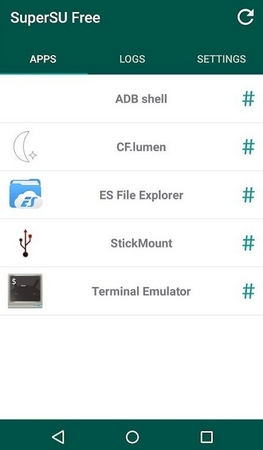
Introduction
SuperSU is a permission management tool that helps users temporarily revoke root access to their devices, allowing them to access content that is only available on non-rooted devices. SuperSU is one of the best root permission detection apps available; you can download and use it on your Android device. This app lets you access your Android device's root-level storage and settings without any technical knowledge. Its easy-to-use interface, with all functions displayed directly on the home screen, ensures a smooth user experience.
Features:
Real-time root access control
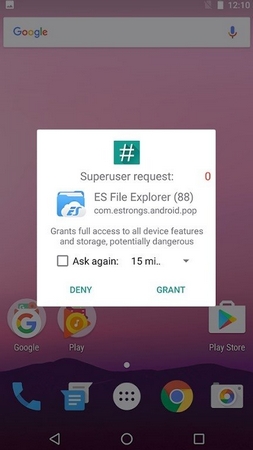
SuperSU shows a prompt when an app requests superuser rights, so you can grant or deny instantly. It logs access events and can display notifications to keep you informed. This helps you track which apps use root and when.
Per-app configuration and security
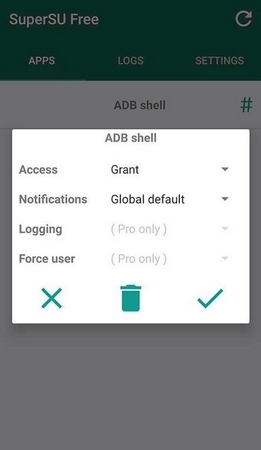
Beyond basic prompts, you can set notification preferences per app for clearer oversight. In the Pro version, enable full command content logging, per app logging rules, user overrides, PIN protection, per app PIN, and time limited grants. These tools provide precise control without changing system wide behavior.
Reliability in recovery and unusual states
For tougher cases, SuperSU works in recovery and when Android is not fully booted. Deep process detection reduces unknown requests, and support for nonstandard shell locations keeps control consistent. Ghost mode and wake on prompt help you make timely decisions.
Unroot and maintenance tools
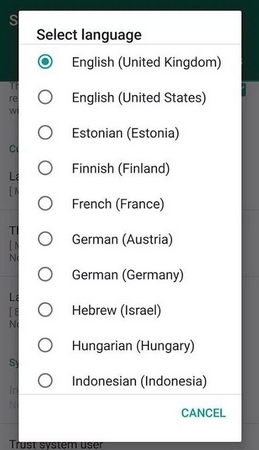
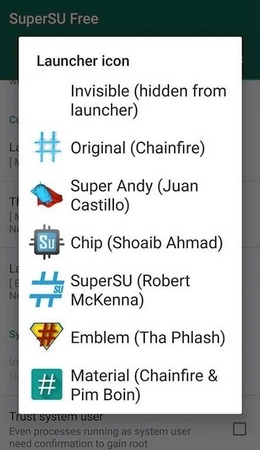
When maintenance is needed, SuperSU offers temporary unroot and complete unroot options for testing or device handover. It can convert to a system app and includes a backup script intended to survive certain nightly updates. Icon and theme choices are available, and on some phones you can launch the app using dialer codes.
Highlights:
Best Root App : SuperSU is one of the best root checker apps right now that you can download and use on your Android devices. This app lets you access the root-level storage and settings of your Android devices without any technical knowledge. You can do many things with this app, so give it a try today.
Easy To Use Interface : Instead of downloading the old SuperSU APK version, we will recommend you download SuperSU latest APK as it comes with an updated interface and options. Everything is visible right on the home screen, so you won't face any issues in using it. In just a few taps, you will be able to access the root settings of your device.
100% Free & Safe : While many websites are asking users to pay for the app, we are offering it here for free. You can download SuperSU APK without paying anything from our website. Also, we have tested the SuperSU APK on our own devices before providing it here, so you don't have to worry about your data and device's security.
Pros and Cons:
Pros
Superuser Access Prompts, Logging, and Notifications Know and control everything that happens on your device.
Temporarily Unroot Your Devices If a program or system update requires an unrooted "safe" device, you can easily roll it back until you're done.
Cons
May Not Work On All Devices Some configurations may be incompatible with SuperSU
FAQs:
Is SuperSU still working in 2026?
Yes, SuperSU v2.82 still works on Android 4.x through Android 9 (Pie). However, Chainfire stopped active development in 2017 and transferred ownership to CCMT. For Android 10 or newer, Magisk is recommended.
What is the difference between SuperSU Free and Pro?
SuperSU Free handles all basic root management. SuperSU Pro adds OTA survival mode, PIN protection, per-app timed permissions, and color-coded command logging. Most users do not need Pro.
Is SuperSU safe to download?
Yes, the files on this site are the official Chainfire builds. Rooting itself carries risks including voiding warranty and potential bricking. Always create a full backup before rooting.
Can I unroot my device after using SuperSU?
Yes. Open the SuperSU app, go to Settings, and tap "Full Unroot". Your device will reboot with root access completely removed.
Does SuperSU work on Android 14 or 15?
No, SuperSU does not support Android 14 or 15. The last fully supported version is Android 7.1 (Nougat), with partial support up to Android 9. Use Magisk for modern Android.
Conclusion:
SuperSU allows you to administer the privileges enjoyed by all of the apps you have installed.It gives you total control over your Android device.SuperSU is a very useful tool that aims to replace any other application you were using to manage your superuser privileges, offering an accessible interface with some very interesting features.




-
Latest Updates
-
Featured Apps






