Kiwi Browser
Tools
2026-10-12
232.94MB
139.0.7339.0
Android 6.0 and up
151
Screenshots


Introduction
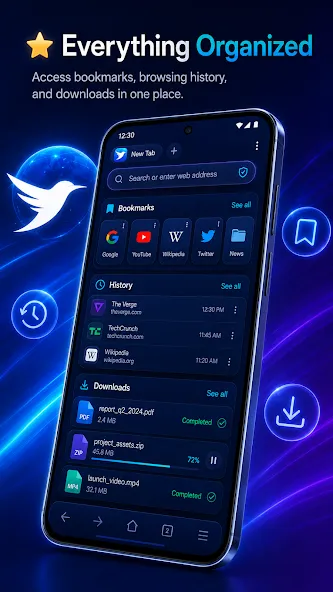
Kiwi Browser is a browser designed for Android devices. It allows you to create an unlimited number of tabs and features built-in light and dark modes that adapt to your theme. The bottom-positioned address bar enables quick URL entry and convenient one-handed use. It keeps a browsing history that you can view or clear at any time, includes a built-in download manager for easy file downloading, and offers a choice of search engines. You can also customize the layout. The interface is clean and uncluttered, and the browser provides targeted ad blocking.
Features
Unlimited tabs with a smooth tab switcher
Private / incognito browsing mode
Built-in dark mode (follows system theme)
Bottom address bar for comfortable one-handed use
Bookmarks & favorites to save the sites you love
Browsing history that’s easy to revisit or clear
File downloads with download manager support
Save pages offline with Web Archives
Find on page to quickly locate text
Desktop mode to view full desktop websites
Quick share to send links to any app
Multiple search engine options
How to Use
Open Kiwi Browser after installation, then choose whether to set it as the default browser so links open in Kiwi.
Go to Settings and adjust privacy options. Turn on tracker blocking, disable AMP if desired, and review site permissions such as notifications and location.
Customize your layout. Move the address bar to the bottom, edit the homepage tiles, pick a download folder, and import bookmarks if you are switching from another browser.
To add desktop style extensions, open the menu and tap Extensions. Then visit the extensions site in desktop mode, add the extension you need, and manage permissions from the Extensions page.
Finally, enable Night Mode from the menu for evening use. Adjust contrast and grayscale until pages are comfortable to read in low light.
Advantages and disadvantages
Pros
Clean and minimalistic UI based on Chromium and WebKit
A built-in ad blocker allows users to block intrusive advertisements
Import and export bookmarks to manage your saved sites
Integrated to Chrome Web Store to add add-ons
Cons
Some extensions will not respond properly
FAQS
Is Kiwi Browser safe to use?
Yes, Kiwi Browser is considered safe. It’s based on Chromium, uses a secure rendering engine, and has several privacy-focused features such as ad-blocking, anti-tracking, and cryptojacking protection.
Can I use Chrome extensions on Kiwi Browser?
Absolutely. Kiwi Browser is one of the few mobile browsers that support Chrome extensions directly from the Chrome Web Store.
Does Kiwi Browser support dark mode?
Yes, it has a built-in night mode that applies a dark theme across all websites, helping with eye strain and battery life.
Does Kiwi Browser track user activity?
No, Kiwi does not collect data or track your usage. It runs only when in use and respects user privacy.
Summarize
Kiwi Browser is a Chromium-based web browser for Android devices. It is fast, free, and offers a high browsing experience while maximizing the engine’s power. You can quickly access your required web pages with a fast loading process and browse your favorite content using the simple, user-friendly interface with night mode, a built-in ad blocker, a lot of extensions, and so on.