AirBrush
Photography
2026-09-24
502.65MB
8.16.1
Android
115
Screenshots
Introduction
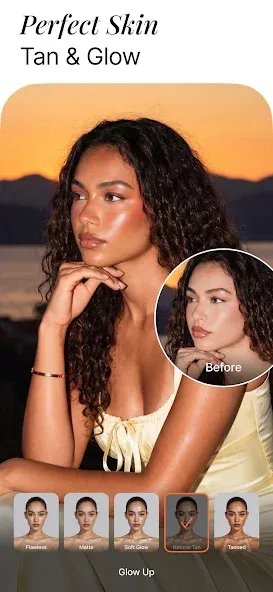
AirBrush is a powerful photo editing tool that enables users to create high-quality images. The app features a user-friendly interface, allowing for easy access to a wide range of functions—such as adding text and adjusting lighting—to enhance photos. Even beginners can achieve professional-grade results. It offers excellent sharing capabilities, allowing users to share their creations on the platform or directly with friends and family. Additionally, the app incorporates powerful AI technology, enabling users to generate satisfying images with just a single tap. It is lightweight, easy to install, and supports multiple languages to cater to a diverse user base.
Features:
Create unique airbrush art with a variety of brushes and tools.
Select from various colors, textures, gradients, and effects to customize your artwork.
Add text or stickers for extra flair.
Share creations on social media platforms such as Facebook, Twitter & Instagram.
Save projects in progress so you can return later to finish them.
Undo/Redo options available.
The Zoom feature allows users to get close-up views of their work
Highlights:
Teeth Whitening – Instantly brighten your smile.
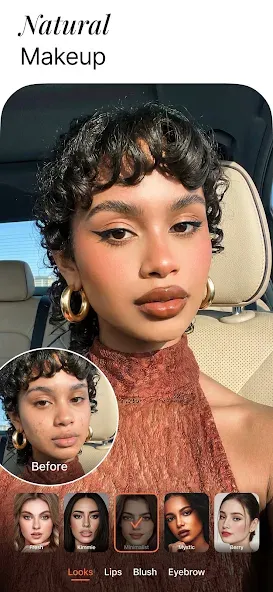
Blemish Removal – Instantly eliminate acne and imperfections for flawless skin.
Smoothing – Soften wrinkles, even out skin tone, and restore a youthful glow.
Highlighting – Accentuate your best features by adding texture and radiance.
Reshaping – Effortlessly fine-tune your facial and body proportions.
Contouring – Enhance your facial definition so you always look your best.
Eye Enhancement – Fix red-eye, remove under-eye shadows, or change eye color.
Virtual Makeup – Apply AI technology to create a polished makeup look.
Hairstyling – Explore new hair colors and trendy styles—from bold airbrushed highlights to soft, flowing waves.
FAQs:
What is AirBrush used for?
AirBrush is an app for editing photos and videos, particularly well-suited for selfies and portraits. It helps users smooth skin, remove blemishes, adjust lighting, apply filters, reshape facial features, and create images ready for social media.
Who should use the AirBrush APK?
The AirBrush APK is ideal for Android users who want to edit photos quickly without needing complex software. It is perfect for selfie enthusiasts, content creators, online sellers, students, and anyone who frequently posts edited photos.
What features does AirBrush typically offer?
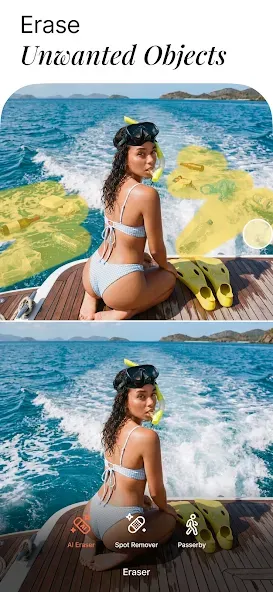
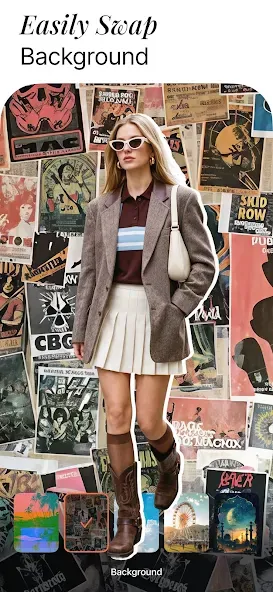
AirBrush typically includes features such as skin smoothing, blemish removal, teeth whitening, eye brightening, facial reshaping, filters, background editing, blur effects, text overlays, presets, and watermark-free saving.
Advantages and disadvantages:
Pros
Free to use many of the features
Allows you to make minor edits to your selfies
Edits are relatively hard to see, giving photos a more natural look than some more heavy-handed programs
Cons
Subscription required to unlock more advanced features
Conclusion:
If you are looking for the best all-in-one photo editor with beauty-enhancing features, AirBrush is the ideal choice. It streamlines your editing process, highlights your natural beauty, and lets you share your enhanced photos with the world. Download AirBrush for free today and turn your photos into works of art.
-
Latest Updates
-
Featured Apps