
Photo Lab PRO Picture Editor
Photography
2026-08-31
55.62MB
3.13.98
Android 6.0+
494
Screenshots

Introduction
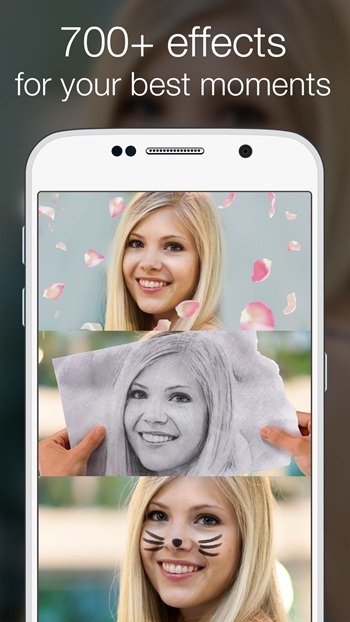
Photo Lab PRO Picture Editor is a powerful photo editing software that allows users to quickly edit photos on their mobile phones. This app offers a wealth of theme templates and can automatically detect the user's face and place it within these templates. Users can choose their preferred template to create selfies in various styles. The app also provides numerous filters and frames for users to decorate their photos. Furthermore, users can use this app to collage multiple photos together, arranging them according to their own ideas to create the perfect image.
Features:
Face photo montages
Photo Lab Pro Photo Editor detects faces automatically and places them into themed templates. Create unusual selfies without manual masking or complex selections.
Photo collages
Next, select several pictures and remix them into a collage. Choose a layout you like, then refine the result with filters, stickers, and text.
Filters and frames
Then, add style with filters such as Black & White, Neon Glow, or Oil Painting. Insert your photo into colorful frames from categories like Flower, Love, Birthday, and Wedding, and decorate with text or creative stickers.
Realistic effects and editing tools
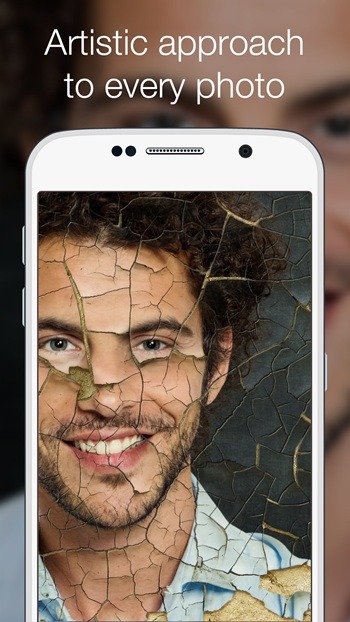
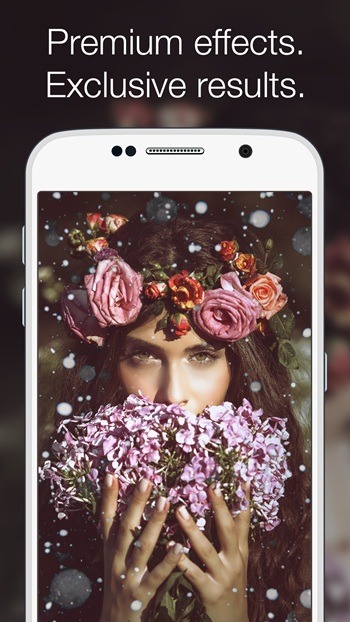
For more variety, place your image in unlikely settings, such as an airbrushed car or a sand imprint on the beach. Apply shattering masks, bokeh effects, or change the background color. Add text with your preferred color and font. The Photo Lab Pro Photo Editor latest version supports saving to a dedicated folder and sharing.
Storage permissions
Lastly, the app requests READ_EXTERNAL_STORAGE and WRITE_EXTERNAL_STORAGE to read images and save edits. These permissions are used only for editing and saving.
Highlights:
Artistic Photo Enhancement: The artistic photo enhancement feature allows users to unleash their creativity and turn ordinary snapshots into breathtaking works of digital art with the touch of a button. With over 100 filters, users may change their photos into paintings, drawings, or beautiful artworks.
Quick Stylizing: I’ve never had it so easy to change my photo before. With only a click, I can give it a whole new look and feel.
Dull Photo Transformation: Even if you’re terrible at taking attractive images (like me), you can always use the app’s features to transform your dull photos into something spectacular.
Large Collage Creation: To make things more organized and pleasing to the eye, you can use the Large Collage Creation tool to make an album that only appears on one side.
Creating Memories: This application provides a smooth experience that lets you effortlessly bring your beloved moments to life.
Event Highlighting: Photo frames are a wonderful way to preserve memories, and they can also serve to highlight the event.
Beautiful Frame Options: With the wide variety of frames available in this software, you can give each photo its own special sparkle, whether you’re making a masterpiece or just want to keep a memory alive.
Unique Frame Choices: You can easily improve your images with the ideal frame to complement any mood or subject with such a varied selection of unique possibilities.
Enjoyable Face Montages: Whether you’re looking to lighten the mood or take it seriously, you’ll find a wide variety of effects and montages to suit your needs.
Character Transformation: You can transform into a famous person, an animal, or anything else you choose with this unique feature that no other software offers: character transformation.
Pros and Cons:
Pros
Large selection of artistic effects, frames, and novelty montages
PRO output has no ads or watermarks
Simple text and sharing tools suit cards and social posts
Requires no advanced editing knowledge
Cons
Requires a stable internet connection
No preview before processing an effect
Template photos cannot be freely moved or resized
FAQs:
What is Photo Lab PRO Picture Editor used for?
Photo Lab PRO Picture Editor is used for fast photo editing with ready-made effects like frames, collages, filters, montages, and text overlays. It helps users create fun or stylish images without manual editing skills.
Does Photo Lab PRO Picture Editor work offline?
Photo Lab PRO Picture Editor mainly uses internet-based processing for many effects, so a stable connection is important for smooth editing and faster results.
What features are included in Photo Lab PRO Picture Editor APK?
Photo Lab PRO Picture Editor APK includes photo frames, collages, face montages, artistic filters, text tools, magazine covers, background effects, and premium PRO-only styles with no watermark.
Who should use Photo Lab PRO Picture Editor?
Photo Lab PRO Picture Editor is a good fit for casual users, selfie fans, social media creators, and anyone who wants quick edits without learning advanced photo software.
What are the drawbacks of Photo Lab PRO Picture Editor?
The main drawbacks are its reliance on an internet connection and its limited manual editing control. Users who want detailed retouching or pro-level adjustments may find it too simple.
Conclusion:
Photo Lab PRO Picture Editor is designed to minimize storage usage while offering brilliant results. As an internet-based app, it ensures your device remains efficient without compromising the quality of your edits. Regular updates introduce new filters, frames, and effects, keeping the app fresh and engaging. Download the Photo Lab PRO Picture Editor APK today to transform your photos effortlessly and discover a world of creative possibilities.
-
Latest Updates
-
Featured Apps









