Moises: AI Music Editor
Entertainment
2026-09-18
10.61MB
1.1.3
Android
435
Screenshots
Introduction
Moises: AI Music Editor is a powerful music editing tool that offers a wide range of features, enabling users to create music using various instruments. It incorporates advanced AI capabilities that allow users to directly separate individual audio tracks. Operation is simple: users need only upload their audio files to get started. The app also features a smart metronome that provides a beat synchronized with the detected BPM, making the music creation process easier and more effortless. Additionally, it supports lyric transcription in multiple languages, ensuring ease of use for a diverse user base.
Features:
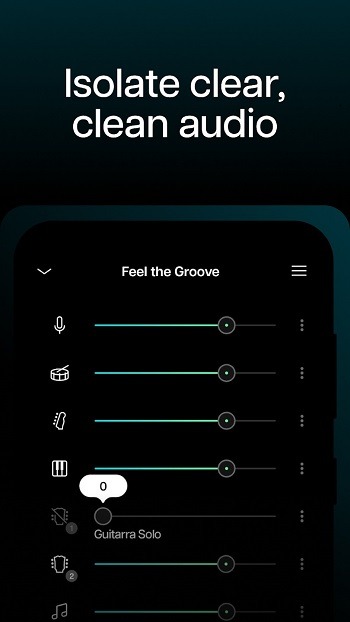
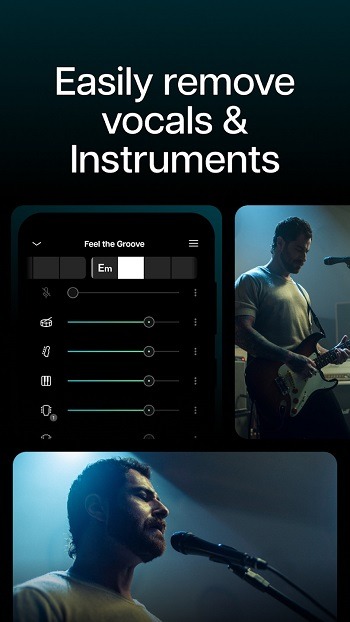
AI stem separation and mixer
Moises: AI Music Editor separates songs into vocal, drums, bass, guitar, piano, and strings. Upload audio or video, or paste a public URL, and it detects tempo and key before splitting parts. In the mixer, you can solo or mute stems, adjust levels, and export individual tracks or a ready mix. Some export formats are desktop only, and advanced options may require a paid plan.
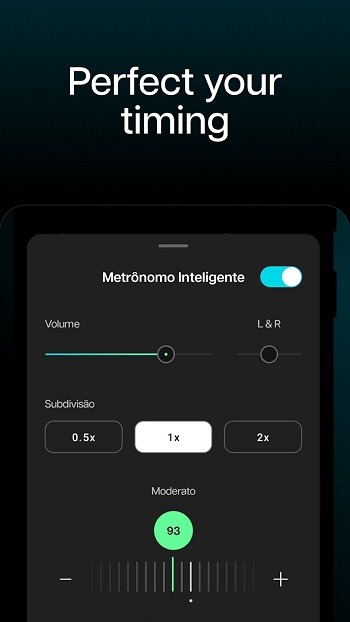
Smart metronome and count in
You get a click that aligns to the detected BPM. Set a count in, lock the first bar, and start on time. This helps when entering on a chorus or practicing tight transitions. Drummers and guitarists can keep timing steady while other parts are muted.
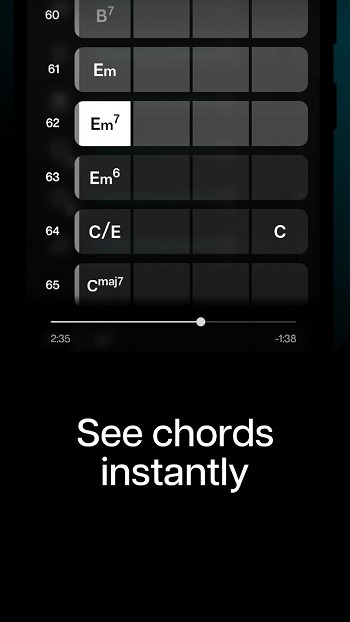
Chord and key detection with transpose
Moises: AI Music Editor shows chords and key as the song plays. Transpose to any of the 12 keys while keeping the chart synced. Additionally, lyric transcription is available in English, Spanish, Portuguese, French, and Italian to support clear vocal practice.
Pitch and speed controls
You can shift pitch in semitones and adjust tempo without changing the feel. Slow difficult passages to hear phrasing, or drop the key to match a singer’s range. Finally, moderate changes provide the most natural results for everyday rehearsal.
Highlights:
Real-time detection: Identify chords in real-time as you play the song.
Intuitive chord changes: Follow the changes intuitively for easier learning.
Guitar/Piano Chords tab: Get guitar and piano chords.
Understand song structure: Understand progressions through chords.
Learn Faster: View chord progressions to learn faster.
Ear training: Test chord detection to improve your musical ear.
Learning musical instruments: Essential for chord-based instruments.
Pros and Cons:
Pros
Separates vocals and multiple instruments into adjustable stems
Combines tempo, pitch, key, chord, loop, and metronome tools
Creates useful backing tracks for practice and karaoke
Supports collaborative setlists and cloud-based work
Cons
Separated audio can retain vocal artifacts
Advanced stem models and practice tools require a subscription
FAQs:
Q: Can the app edit audio files from my device?
A: It allows you to import audio files from your device for editing.
Q: Is the app free to use?
A: It offers both free and premium versions. The premium version unlocks additional features.
Q: Does the app require an internet connection to work?
A: An internet connection is required for AI-powered features like instrument isolation.
Q: Can I export my projects to other devices?
A: It supports exporting projects in various formats that can be easily shared or transferred.
Q: Is the app compatible with iOS devices?
A: Currently, it is available only for Android devices.
Conclusion:
Moises: AI Music Editor is truly a go-to mobile music package for beginners and even professionals. It is packed with truckloads of high-end musical tools and features that can greatly help in unfolding the depth of your music vision in order to deliver the song of your dreams and hopefully, many will love it. No matter where you are, creating and editing your music is now easily accessible.





-
Latest Updates
-
Featured Apps