
Avee Music Player pro
Entertainment
2026-08-23
20.07MB
1.2.252
Android
408
Screenshots
Introduction
Avee Music Player Pro is an Android music player app. It allows users to add songs to the app and play them. This app supports multiple mainstream audio formats. After adding music, users can categorize and organize it according to their preferences for easy music library management. The app is lightweight and user-friendly, ensuring smooth operation. It also boasts high compatibility, working seamlessly on most devices. Furthermore, it includes a built-in equalizer function for a better audio experience.
Features:
Play audio and manage your library
Avee Music Player Pro supports popular formats including MP3, WAV, AAC, OGG, FLAC, and MP4. You can browse by folders, search your library, build playlists, and queue tracks for continuous play. Background playback works with Bluetooth controls and a lock screen widget, while the equalizer, sleep timer, crossfade, and gapless settings give you flexible listening. UI color skins let you adjust the look to match your style.
Design responsive audio visualizers
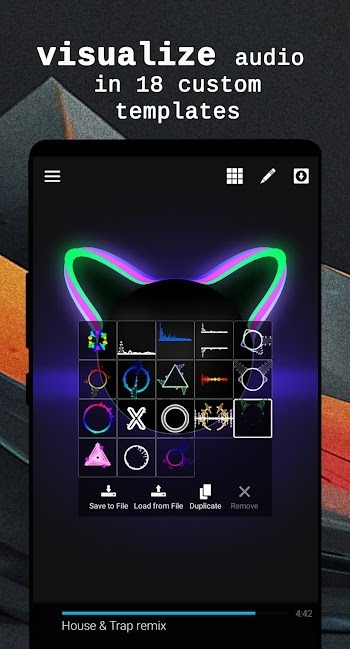
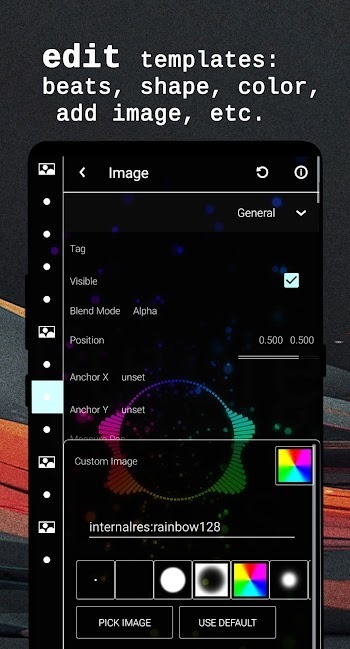
You can create visualizers that react to your music in real time. Tweak colors, shapes, size, and motion, then layer JPG, PNG, or GIF assets to build a complete scene. A WYSIWYG editor previews changes as you work, and you can import or export .viz templates to reuse designs later. Controls for frequency bands help you shape movement across bass, mids, and highs in a fine-grained way.
Make shareable videos with export options
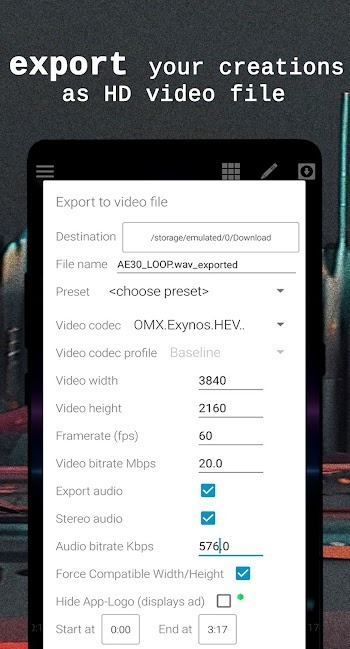
The built in video maker lets you export HD, Full HD, and up to 4K depending on your device. Choose 25, 30, 50, or 60 FPS and set aspect ratios like 4:3, 16:9, or 21:10 to match where you plan to share. H.264 is recommended for broad compatibility, and completed clips save to your Downloads folder by default. Your music pairs with the visualizer so the final file is ready to post.
Efficient performance and playback compatibility
The app is lightweight, which helps it run smoothly during playback and export. Orientation lock keeps the editor steady while you design or render. Two internal players improve device compatibility, so more files open and play reliably across different hardware. These choices support a steady workflow from listening to final video.
Premium customization and watermark control
Premium tools unlock deeper export and visualizer settings for users who need more control. You can remove a watermark or logo, create your own visualizer from scratch, and work without ads. This tier focuses on the full customization experience and consistent output across projects.
Highlights:
Lightweight Player: Perfect for everyday use without draining system resources.
Video Support: Includes a basic video player for viewing content alongside music.
Format Compatibility: Plays common audio formats including MP3, MP4, and WAV.
Spectrum Visualizer: Offers default templates to visualize beats in real time.
Background Play: Continue listening even while using other apps.
Folder Browsing: Browse music files directly from folders for quick access.
Custom Shortcuts: Set favorite folders for even faster navigation.
Playlist Management: Create, save, and organize your music easily.
Equalizer: Enhance your audio experience with built-in EQ features.
Sleep Timer: Set timers to stop music automatically at bedtime.
Pros and Cons:
Pros
Lightweight player with more features than many default music apps
Automatic library that gathers all audio files, with album, artist, genre, playlist, and folder views
Equalizer helps correct small audio issues and tailor the sound to your taste
Highly customizable visualizers, including color, shape, size, and reaction to music, plus image insertion
Ability to import visualizer templates and export presets as HD video files
Cons
Visualizer video export can be very slow in relation to track length
Exported videos may mix tracks, introduce audio glitches, or show erratic visual behavior
Exports sometimes fail near completion or lose sound while the waveform continues
FAQs:
What is Avee Music Player Pro APK?
Avee Music Player Pro APK is an Android music player app with visualizer editing, playlist support, equalizer controls, and video export tools for music-based content.
What can I use Avee Music Player Pro for?
You can use it to play local music, create sound-reactive visualizer videos, edit templates, export clips, manage playlists, and prepare music posts for social platforms.
Does Avee Music Player Pro support custom visualizer templates?
Yes. The app supports customizable visualizer templates, including changes to colors, shapes, size, motion response, image layers, GIF layers, and imported preset files.
Why do video exports fail in Avee Music Player Pro sometimes?
Exports may fail because of weak hardware, limited storage, high resolution settings, codec issues, or large files. Lowering FPS or resolution can make rendering more stable.
Who should use Avee Music Player Pro APK?
It is best for Android users who want a lightweight music player, simple audio editing controls, and quick visualizer video creation for personal or social media use.
Conclusion:
The app allows for significant customization of visualizer templates, enabling users to modify colors, shapes, and audio responses, as well as import and export their presets. Additional functionalities include gapless playback, song crossfading, a lock-screen widget, screen orientation lock, and a sleep timer for convenient nighttime listening. However, users may encounter reliability issues, particularly with the visualizer and HD video exports, along with interruptions from ad insertions.
-
Latest Updates
-
Featured Apps









