Spotify:Music and Podcasts
Entertainment
2026-11-03
146.67MB
9.1.94.1929
Android
171
Screenshots
Introduction
Spotify: Music and Podcasts is a music streaming app for Android devices. It allows you to browse a wide variety of songs, albums, and collections. The app provides curated playlists based on your listening history, and you can quickly search for content by song title or artist name. You can also create and save your own playlists, with seamless synchronization across all your devices. The user-friendly interface ensures an intuitive and efficient experience.
Features
Music, Podcasts, and Audiobooks
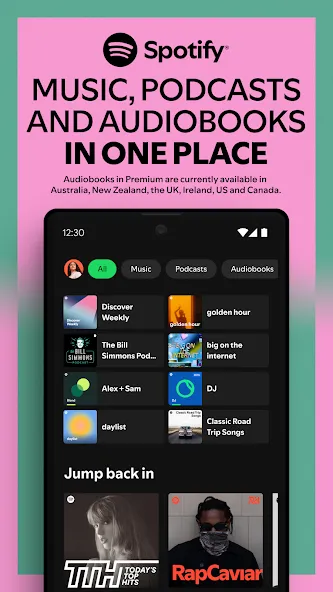
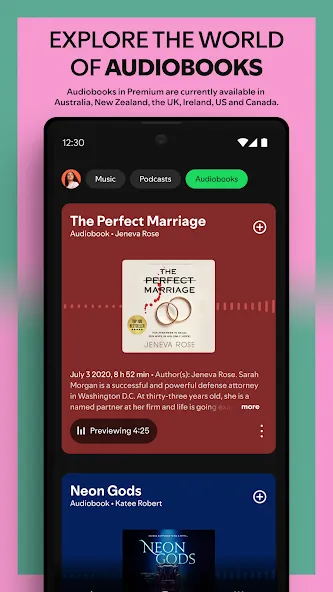
Spotify: Music and Podcasts allows you to browse songs, albums, artist catalogs, genre pages, charts, and original podcasts. You can also explore audiobooks (where available), making it easy to switch between music and audiobooks without needing to change apps.
Personalized Audio Discovery
Spotify:Music and Podcasts provides daily curated playlists and artist-based radio stations tailored to your listening history. You can also explore curated playlists, new releases, and both local and global charts—perfect for when you have a specific mood or genre in mind but haven’t settled on a particular artist.
Search by Title or Lyrics
You can search Spotify: Music and Podcasts by song title, artist name, or album title. If you only remember a fragment of a song, you can even search using lyrics to find it. Search results allow you to jump directly to songs, artist pages, albums, or related content.
Saved Playlists
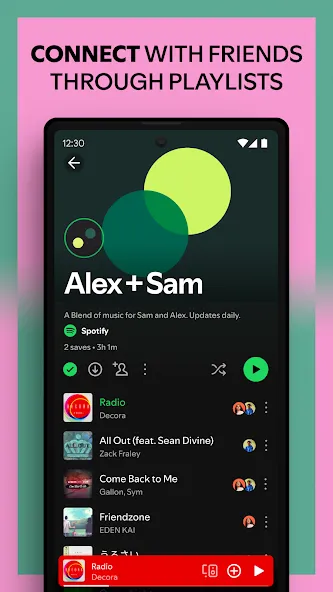
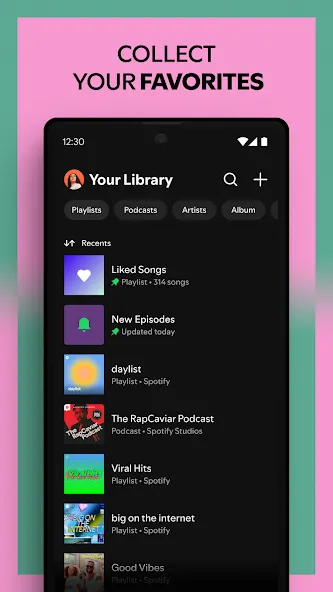
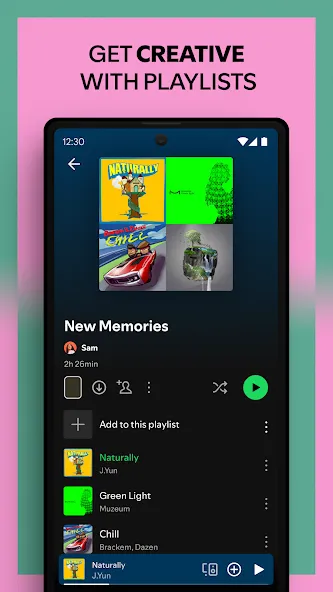
Create playlists for any occasion—whether you’re studying, exercising, traveling, or hosting a get-together. You can also save, share, and follow playlists created by other users or Spotify’s editorial team. Podcasts can also be organized into playlists, helping you manage your listening queue.
Seamless Experience Across Devices
Spotify: Music and Podcasts links your music library, playlists, and listening progress to your account. This means you can start listening on your Android phone and pick up right where you left off on a compatible tablet, speaker, TV, car, game console, Chromecast device, Wear OS device, or via the web player. Availability may vary depending on the device and its connection to your account.
Advantages and disadvantages
Pros
Huge library of songs
Best music discovery algorithm
Mobile-friendly interface
Great social media integration
Cons
Unskippable ads
Limited number of song skips
Highlights
Listen to albums and playlists without ad breaks.
Download and listen to music and podcasts offline, wherever you are.
Jump back in and listen to your top songs with on-demand playback.
Choose from 4 subscription options – Individual, Duo, Family, Student. There’s no commitment and you can cancel any time
User comments
I’m a paid subscriber, and overall, I’m very satisfied. My favorite feature is the music recommendation algorithm—it always manages to play the Chinese songs I want to hear—and the cross-device control functionality is also super convenient. That said, since the latest update, the app occasionally crashes when running in the background. I really hope the development team can fix this bug soon; that would make it perfect!
I was drawn to the app for its clean interface and simple, intuitive interactions. It even includes many songs that are otherwise restricted in mainland China. While you really need a paid subscription to get the full experience, it’s well worth it.
If you’d rather not spend money, you can still listen to plenty of songs online. Sure, you can’t pick specific tracks or download music, and ads pop up every few songs—but hey, it’s free, so none of that really matters!
Summarize
Spotify:Music and Podcasts is a music streaming service that allows you to play your favorite songs in the highest quality anytime, anywhere. Thanks to its really attractive interface, this tool will add rhythm to your routine thanks to the millions of tracks available in its extensive catalog. You even have the option to create your own playlists to compile your very own personal sound library.