Pure Tuber
Entertainment
2026-10-17
35.47MB
5.6.1.003
Android 4.4 and up
164
Related Apps

Screenshots
Introduction
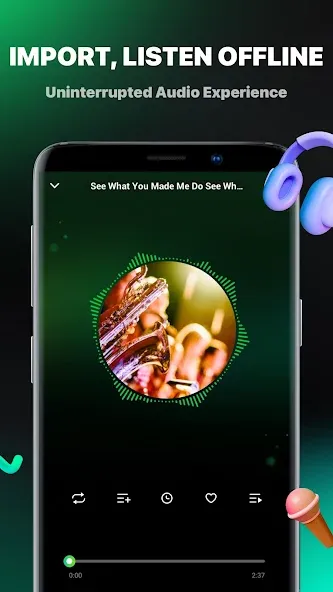
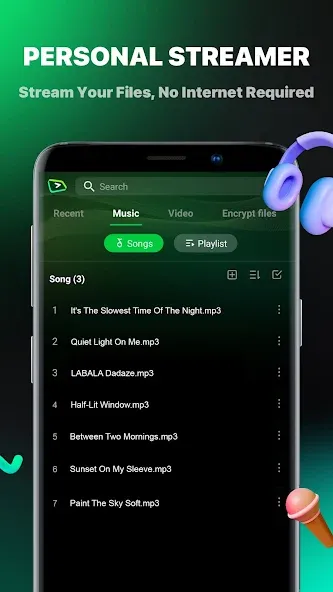
Pure Tuber is a media player for Android devices that can filter out advertisements. It allows for flexible playback speed adjustment, ensuring a smooth viewing experience. The app also supports background playback and a picture-in-picture mode, which displays content in a small, floating window. You can freely switch between different resolutions, selecting the video quality and format that best suits your needs. Additionally, it features a local media library where you can import videos for offline playback. A sleep timer is also available, perfect for setting a time limit before you go to bed. Furthermore, the app supports downloading videos.
Features
Blocks video ads and pop ups
Pure Tuber filters ads in the player so videos start quickly and play without interruptions. This helps you stay focused on the content. Moreover, it reduces accidental taps on overlays and pop ups during playback.
Background play and Picture in Picture
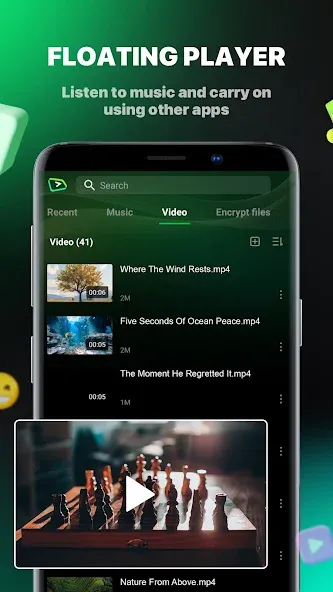
You can keep audio or video playing while using other apps. Background mode continues playback with the screen off, and Picture in Picture shows a small floating window for quick controls. Therefore, multitasking becomes simple during music or long videos.
High resolution playback up to 8K
The player supports resolutions up to 8K when your device and network allow it. You can select the quality that matches your data plan and screen. In addition, the player adjusts smoothly to changes in connection.
Local media hub with bookmarks
Import your own audio and video files for offline playback. You can create bookmarks for favorites and return to them quickly. Also, the library view makes it easy to sort and find items you listen to often.
Sleep timer for auto stop
Set a timer to stop playback automatically. This works well for bedtime listening or focused work sessions like a Pomodoro. Therefore, you do not need to manually return to the app to end a session.
One click login without MicroG
Pure Tuber offers optional sign in designed to be quick and simple. It does not require MicroG, which reduces setup friction. And you can continue to use core playback features without signing in at all.
Advantages and disadvantages
Pros
Similar interface to YouTube
Ability to download videos
Watch videos ad-free
Picture in Picture mode
Cons
Downloading can take time
Not affiliated with YouTube
FAQS
What kind of video quality do we get with this app?
This YouTube player offers Different video resolutions when watching videos, including 720p, 1080p HD, 2k HD, and even 4K. Choose your ideal resolution and enjoy watching videos ad-free.
What’s the difference between Pure Tuber and YouTube apps?
Although the application uses the same database as YouTube, its interface and overall design are different, even superior, more flexible, and easier to interact with.
Is this video player customizable?
Users can freely personalize everything on the Pure Tuber app. That includes changing colors and interactions, and even creating a new beauty or style for each choice in interface design.
Can we play videos in the Background with the Pure Tuber app?
Yes the app allows you to play videos in the background. This way the video will continue to play when you exit Pure Tuber for other social media apps, such as Facebook or WhatsApp.
User comments
A fantastic app! It doesn’t show up in direct searches—I actually found it through the reviews section. It supports video downloads, background playback, and playback with the screen turned off. One minor issue: the 1080p option isn't available when downloading.
It’s extremely useful—it removes ads, supports background/floating-window playback, allows for video downloads, and enables 1080p viewing. If you're interested, you can use my invitation code—ETF1W—to unlock all features.
By the way, the interface for Pure Tuber is actually quite good—better than YouTube’s—and it’s very fast. The layout is simple, making it easy to find exactly what you need. Plus, there are no ads—that’s definitely a big plus for everyone!
Summarize
Pure Tuber is a floating popup media player enabling video and audio playback while using other applications. Its primary feature is a resizable, movable window that maintains playback while allowing access to other apps, messages, and tasks without interrupting media consumption.