Vplay
Entertainment
2026-11-03
46.19MB
2.63
Android
95
Screenshots

Introduction
Vplay is a comprehensive media player that supports a wide range of music and video formats. Packed with powerful features, it delivers an ultra-high-definition viewing experience. The app automatically detects media files stored on your device, ensuring smooth playback. It also includes a floating window feature, allowing you to multitask while watching videos. Furthermore, you can control the app—such as fast-forwarding, playing, or pausing—using intuitive gestures, making your viewing experience even better.
Features:
Ultra HD Video Player: Immerse yourself in high definition video quality with our cutting-edge all format media player.
Automatic Video Detection: VPlay intuitively detects and manages your media files, ensuring smooth playback.
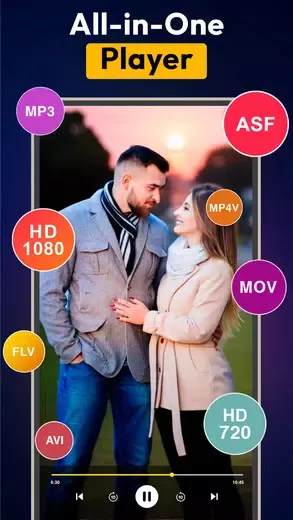
All-Format Support: Enjoy uninterrupted viewing with support for 4k, 1080p, MKV, FLV, 3GP, MP4, and MPEG formats.
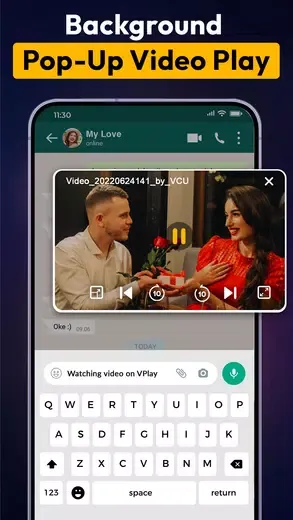
Multi-Tasking Floating Screen: Experience true multitasking with a floating screen, reminiscent of picture-in-picture, allowing you to navigate your device while enjoying your content.
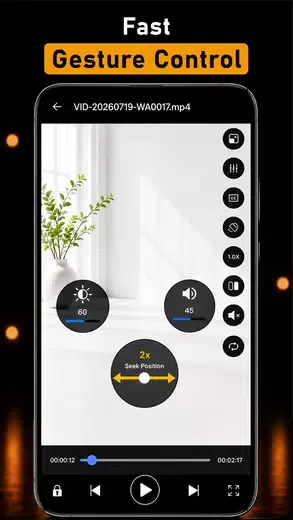
Gesture Control: with media player softly control playback speed, brightness, and volume along fast forward, Backward, Play & Pause feature With simple gestures.
Media Management: Media player efficiently organize and manage your media based on recently played videos for easy access.
Lock Screen Option: Watch your favorite videos undisturbed with the lock screen feature, ensuring an uninterrupted watching experience.
Custom SRT Subtitles: Aimlessly integrate custom SRT files for an enhanced and personalized subtitle experience.
Watch With Subtitles: Easily understand foreign films with seamless subtitles, or add your own customized SRT file for a personalized Screen view.
Highlights:
The application supports 4K and 1080p resolutions alongside formats including MKV, FLV, 3GP, MP4, and MPEG—the majority of consumer video file types. This broad compatibility eliminates the need for external converters or alternative applications when working with diverse video sources. Automatic media detection discovers and catalogs files appropriately, reducing manual organization and ensuring newly added content is quickly accessible.
Video organization tools provide multiple sorting approaches tailored to different preferences. Users can arrange videos by name, size, or type. File renaming within the app eliminates the need for external file managers when adjusting titles. A built-in search feature locates specific content, while playlists enable thematic grouping beyond automatic sorting and collections. Recently played videos remain accessible for quick resumption of interrupted sessions. The system maintains navigability as video libraries expand.
Gesture-based playback controls support one-handed operation. On-screen gestures adjust playback speed, brightness, and volume. The same gesture system handles fast-forward, backward scrubbing, play, and pause, creating a unified control scheme. Gesture controls adapt to different holding positions and viewing preferences.
Picture-in-picture functionality displays videos in a resizable, floating window for multitasking with other applications. The window can be repositioned and resized based on user needs and active applications.
Pros and Cons:
Pros
Supports MP4, AVI, MKV, MOV, and other formats
Includes playback speed and aspect ratio controls
Claims support for video resolutions up to 8K
Cons
Some users report lag during movies and series
Advertising may interrupt viewing frequently
FAQs:
Q: Is the app available for free?
A: It is free.
Q: What formats does the app support?
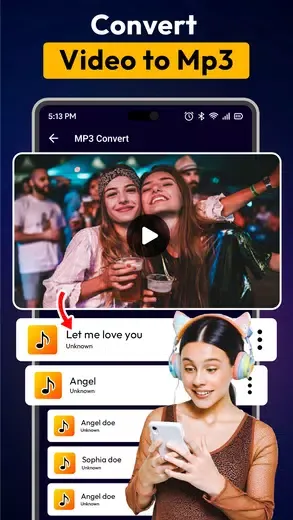
A: It supports various video and audio formats, including MP4, AVI, MKV, MP3, and more.
Q: Can I use the app on tablets?
A: Yes, VPlay is compatible with both Android phones and tablets.
Q: How can I adjust the playback speed in the app?
A: You can adjust the playback speed through the app’s settings menu.
Q: Does the app support subtitles?
A: Yes, VPlay allows you to add and sync subtitles with your videos.
Conclusion:
VPlay is a powerful media player that brings high-definition video and superior audio quality to your Android device. Its broad format support and advanced features make it an ideal choice for anyone looking to enhance their media consumption experience. Watching movies, streaming videos, or enjoying music ensures a seamless and enjoyable experience.





-
Latest Updates
-
Featured Apps