MediaFire
Tools
2026-09-19
17.07MB
5.9.18
Android 4.1+
249
Screenshots
Introduction
MediaFire is a cloud storage app for Android devices that allows users to easily upload various types of files. It provides 12GB of free storage space, with additional promotional offers enabling users to earn up to 50GB. The app boasts powerful features, such as automatic photo and video backups and the ability to play music and video files directly within the interface. It also organizes stored files by category and includes a quick search function, making it easy for users to manage and sort their files efficiently.
Features:
Quick uploads from Android apps
You can send files to MediaFire from any Android app using the Share option. Add several items at once to save time when moving galleries, recordings, or project folders. Uploads continue in the background so you can switch apps while your files transfer.
Access and view across devices
MediaFire keeps your files available on phone, tablet, and computer through the web. Open common formats like documents, spreadsheets, presentations, videos, and audio without extra tools. This helps when you start work on mobile and finish it later on a larger screen.
Fast link sharing with no wait times
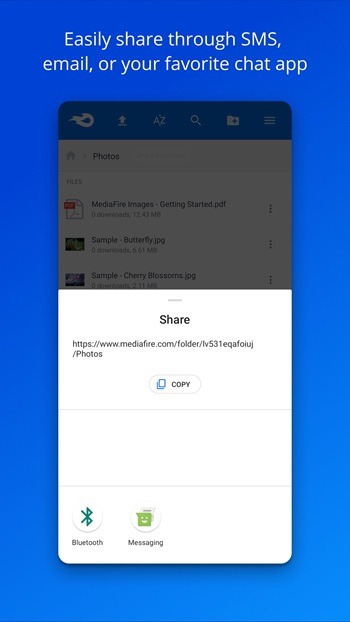
When it is time to share, MediaFire creates links you can send by email, SMS, or social apps. Recipients get ad-supported downloads with no waiting period, and bandwidth is not limited for file delivery. This setup works well for large files that need to reach classmates, clients, or teammates quickly.
Folders, search, and file management
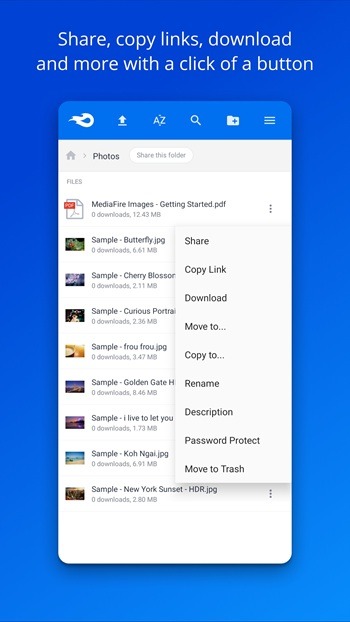
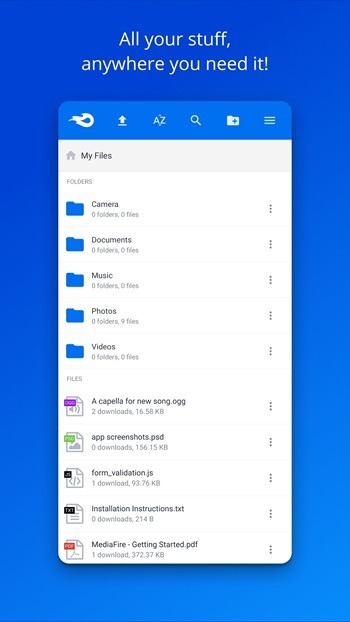
To keep things tidy, organize your content with folders and quick search. Rename items, copy or move them, and manage access in one place. Clean structure makes it easier to find final drafts, keep versions separated, and avoid sending the wrong file.
Privacy controls and backup safety
For sensitive items, you can share One-Time Links so a file opens only once. This limits forwarding and helps control who sees important documents. Meanwhile, cloud backup protects your files if your phone is lost or damaged, so your work stays available.
Highlights:
Automatically backup all your photos and videos.
Upload files from anywhere with "Share to MediaFire".
12 GB of space - free!
Earn up to 50 GB of free space.
Stream and play music and videos.
View docs, spreadsheets, presentations, video, and listen to audio.
Create and manage folders of files.
Share files on the go via email, SMS, Facebook, Twitter, other Android apps, or copy and paste links.
Quickly search all your files and folders.
Keep all your important files at your fingertips.
Pros and Cons:
Pros:
Up to 50 GB of free data
Shareable links
Clean interface
Cons:
No end-to-end encryption
Users report slow uploads and crashes
FAQs:
What is MediaFire?
MediaFire is a cloud-based storage app for Android that lets you upload, stream, organize, and share files like photos, videos, and documents.
How do I use MediaFire APK on my phone?
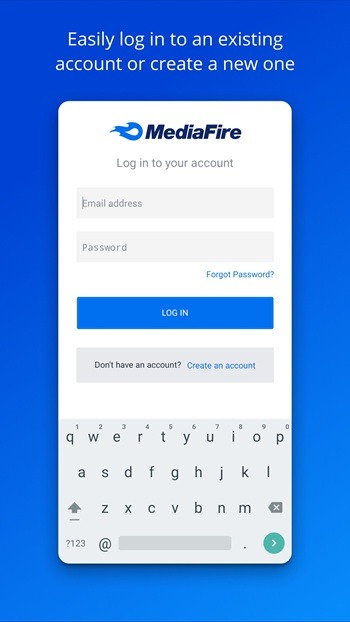
Just install the app, log in, and start uploading your files. You can organize them into folders, share via links, and even stream videos directly.
Is MediaFire APK free to use?
Yes, MediaFire offers a free version with ads and storage limits. There’s also a premium plan if you need more space or want to remove file size limits.
Can I back up my photos with MediaFire?
Absolutely. MediaFire has an auto-backup feature that can save your photos and videos automatically, so you don’t have to worry about losing anything.
What makes MediaFire different from other storage apps?
It’s lightweight, super easy to use, and allows in-app streaming, fast sharing, and automatic backups—all without needing a computer or complicated setup.
Conclusion:
If you’re looking for an affordable cloud storage service for Android, check out MediaFire. The application offers up to 50GB of free storage, a number much higher than what is offered by other cloud storage apps. If you've ever found yourself stuck with a full phone or needing to share a chunky file fast, MediaFire is that one app you’ll wish you downloaded sooner.




-
Latest Updates
-
Featured Apps