ExitLag
Tools
2026-11-04
111.52MB
4.0.2
Android
346
Screenshots


Introduction
ExitLag is an application designed for the Android operating system. It features a clean, minimalist interface, allowing users to get started quickly and easily. The app optimizes network performance and background processes, while managing data transmission across various servers to ensure a stable and seamless network connection. It offers multiple optimized routing paths, providing users with a wide range of connectivity options. A built-in monitor helps users track device usage and signal strength. With excellent compatibility, the app supports a broad spectrum of Android devices and servers, and it enables cross-regional connectivity. It is lightweight, downloads rapidly, and delivers powerful, practical functionality—adding convenience to both your work and daily life.
Features:
AI-Powered Route Optimization
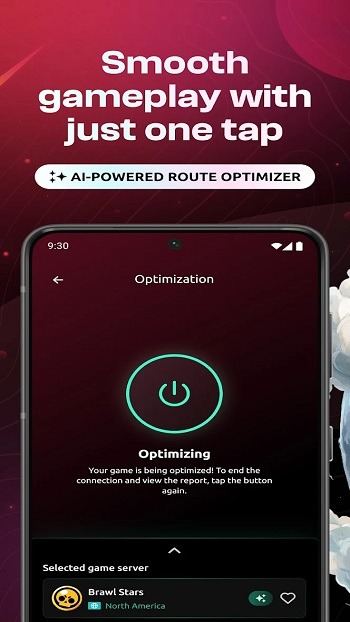
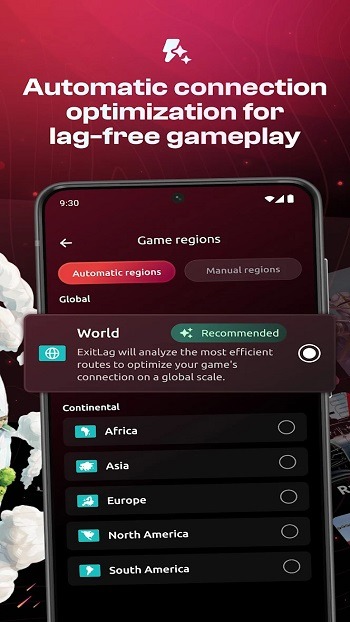
Your routes, always optimized! Our AI automatically prioritizes the fastest path between you and the game server, ensuring lower latency and greater stability.
Community Servers
Play on private, community-hosted servers, connected via optimized routing. Enjoy a unique, free-to-access gaming experience.
Network Analyzer
Scan your network to detect issues, monitor latency and packet loss in real-time, and view server ping values by region.
Performance Boost
Smoother performance and higher frame rates! ExitLag enhances your gaming experience by freeing up memory and optimizing network connections, allowing your games to run more fluidly.
Multi-Internet
Connected to multiple networks? The Multi-Network feature automatically switches to the best available option, preventing disconnections and ensuring stability.
Traffic Shaper
Prioritize smooth gameplay by limiting the bandwidth used by other activities, ensuring a seamless gaming experience.
Highlights:
Easy to use, yet powerful for those who want more:
One-click optimization Simply select your game and tap to connect. No technical expertise required.
Advanced controls Manually choose from over 1,000 server locations worldwide and monitor detailed connection metrics in real time.
Real-time monitoring Track your connection latency as it happens and access comprehensive reports.
In-game overlay: Check the ping of your optimized game directly via our in-game overlay feature.
In-game statistics Monitor device factors that affect your gameplay—such as battery, memory, Wi-Fi signal, and temperature—without ever leaving the game.
Global server network Connect to over 1,000 optimized servers around the world.
FAQS:
What is ExitLag used for?
ExitLag is designed to optimize network routing for online mobile games, helping to reduce latency, packet loss, and sudden disconnections during gameplay.
Is it safe to use the ExitLag APK on Android?
The ExitLag APK is safe, provided it is downloaded from a trusted source. It functions by routing game traffic through secure, optimized servers, utilizing VPN permissions to do so.
Does ExitLag work on mobile data networks?
Yes, ExitLag supports Wi-Fi, 3G, 4G, and 5G networks, and it adjusts routing in real-time based on your connection conditions.
Which games does ExitLag support?
ExitLag supports over 300 mobile games, including many popular online and competitive titles, with new games added regularly.
Advantages and disadvantages:
Pros
Stability
Easy setup
Broad compatibility
24/7 support
Cons
Depends on the version
Conclusion:
If you have ever felt held back by network connectivity issues, this optimization method can improve your connection, making your gaming experience smoother and more responsive. By refining how data is transmitted, it reduces lag and latency, enhancing your gameplay during matches. This not only helps improve your performance but also makes every match more exciting.





-
Latest Updates
-
Featured Apps